CHAPTER 3 FLYING THE EFD1000 PRO PFD
EFD1000 PRO MAX PFD Pilot’s Guide
Page 3-6
091-00005-002 () EFD1000 PRO MAX PFD Pilot’s Guide
Page 3-7
091-00005-002 ()
Change the Display Brightness
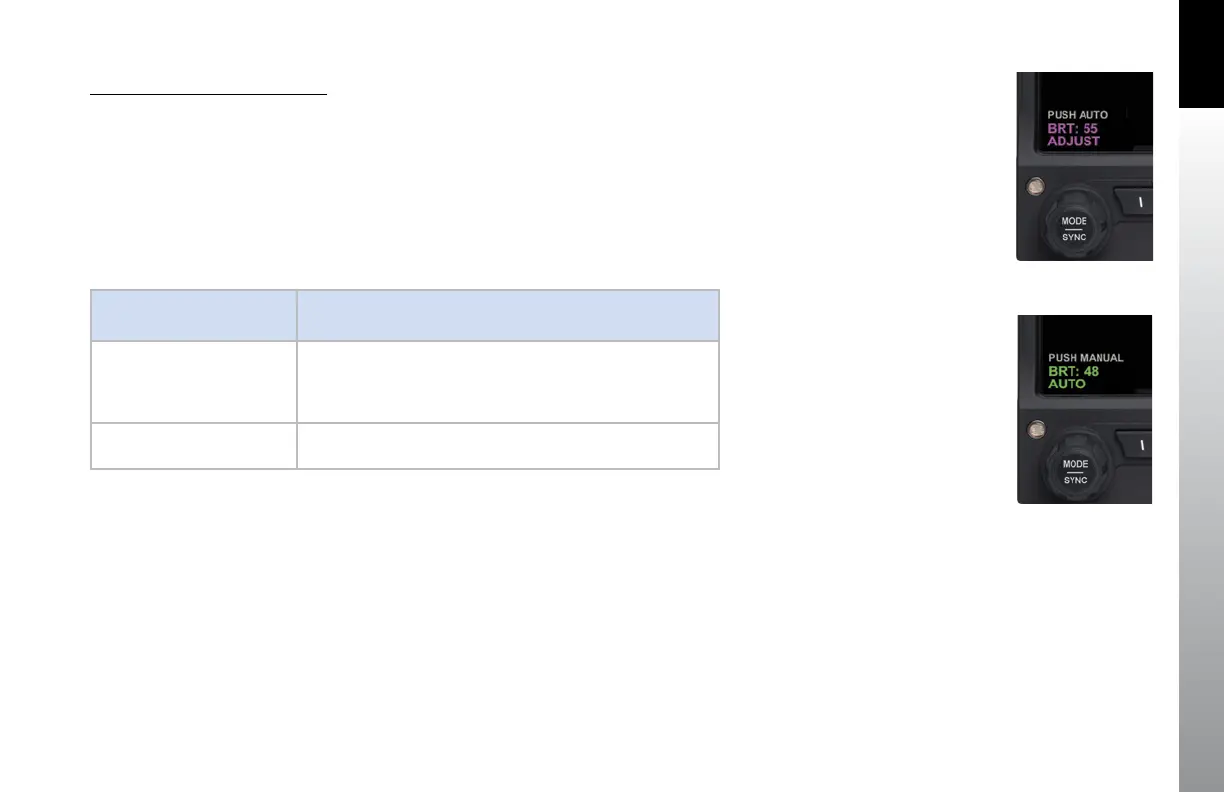
1. Press the MENU Button. The Main MENU displays and the Left Knob label
displays AUTO (Figure 3-5). When the display brightness is in MANUAL mode
the Left Knob label reads ADJUST. If so, skip step 2.
2. When the Left Knob label is AUTO, press the Left Knob once to change the
display mode to ADJUST (Figure 3-6).
3. Rotate the Left Knob to change the brightness to the level desired.
4. Press the MENU Button to exit the Main
DISPLAY LIGHTING
MODE
DESCRIPTION
Automatic AUTO
LCD backlight intensity is automatically adjusted based on the
current light conditions sensed by the Automatic Dimming
Photocell. When using the auto-brightness the display
brightness will display up to 70%.
Manual ADJUST
Allows the pilot to adjust the LCD backlight intensity manu-ally,
from 1 - 100%.
Table 3-2 Menu Text
Figure 3-6
Display Brightness in
AUTO Mode
Figure 3-5
Display Brightness in
ADJUST Mode



 To Next Page