CHAPTER 4 REFERENCE GUIDE
EFD1000 PRO MAX PFD Pilot’s Guide
Page 4-5
091-00005-002 ()
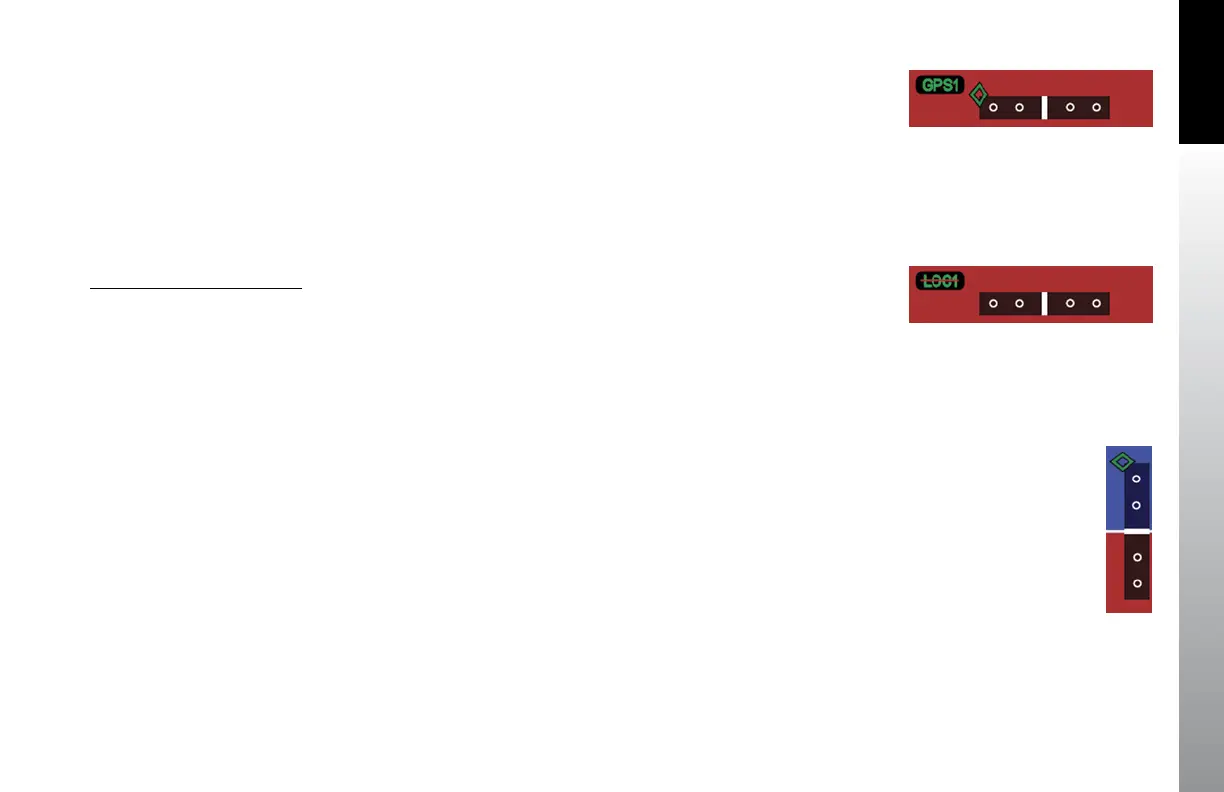
When the LOC(BC) mode is active, deviation indications (corrected for reverse sensing)
are displayed. The deviation shown on the LDI directly corresponds to the deviation
indicated on the CDI in the Navigation Display. When the lateral deviation exceeds the
displayable range of 2.5 dots, the Course Deviation Diamond becomes dim and hollow,
and is parked at the extreme edge of the LDI scale (Figure 4-7).
When the LDI navigation source is invalid or is no longer available, the Lateral Deviation
Diamond is removed from view, and the Navigation Source Annunciation is slashed by
a red horizontal line (Figure 4-8).
Vertical Deviation Indicator
The Vertical Deviation Indicator (VDI) is enabled and is shown on the Attitude Display
when the active navigation source is a VHF navigation radio, the ILS mode is active, and
a valid localizer signal is being received. The VDI is also displayed for a GPS, supplying
valid vertical deviation data, when in the Approach mode.
The VDI will only display with a valid vertical guidance signal. When the vertical
deviation exceeds the displayable range, the Glide Slope Deviation Diamond becomes
dim and hollow, and is parked at the extreme edge of the VDI scale (Figure 4-9).
Figure 4-9
Vertical Deviation Diamond Off Scale Indication
Figure 4-8
LDI Source Invalid
Figure 4-7
Lateral Deviation Diamond
Off Scale Indication



 To Next Page