CHAPTER 4 REFERENCE GUIDE
EFD1000 PRO MAX PFD Pilot’s Guide
Page 4-10
091-00005-002 ()
Maximum Operating Limit Audio Callout
If the OVERSPEED ALERT is enabled in the installation for your aircraft, if the airspeed
exceeds the Maximum Operating Limit (Vmo) speed, the Overspeed audio alert sounds
the voice message “OVERSPEED”. The Audio callout will be repeated until the Airspeed is
reduced below Vmo.
BAND COLOR SPEED RANGE
Red Band (High Speed) Vne (Top of tape) Never Exceed
Yellow Band Vno – Vne Caution Range
Green Band Vs – Vno Normal Operating Range
White Band Vso – Vfe Flap Operating Range
Red Band (Low Speed) Vso (Bottom of tape) Disabled on the ground and during takeoff
Table 4-2
Speed Band Ranges
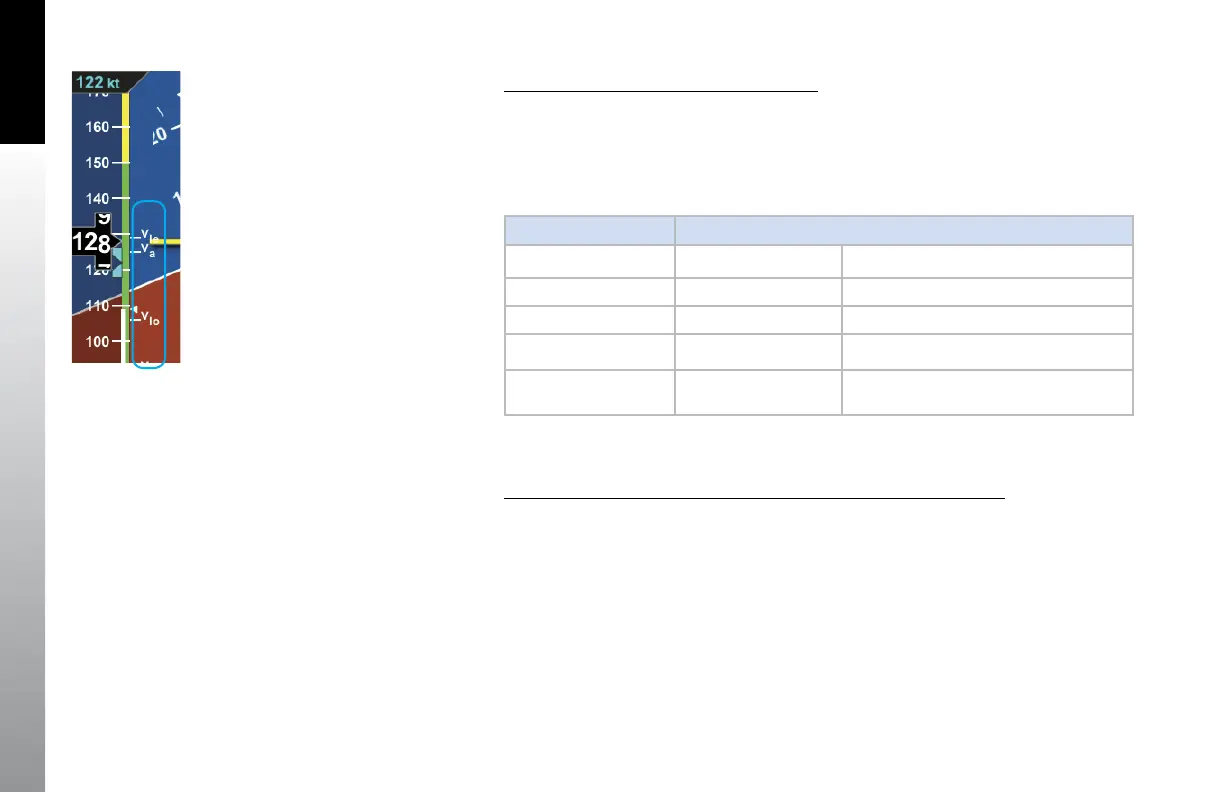
Display or Hide the Vspeed Textual Markers on the Airspeed Tape
1. Press the MENU Button.
2. Rotate the Right Knob to the VSPEEDS A Menu page (Figure 4-13).
3. Press the VSPEEDS Menu Key.
The Menu label turns magenta, and the EDIT VALUE label displays above the
Right Knob
4. Rotate the Right Knob to select ENABLE or DISABLE
ENABLE will display the Vspeeds on the Airspeed Tape and DISABLE will hide
the Vspeeds to declutter the Airspeed Tape
5. Press the MENU Button to exit.
Figure 4-12
Speed Bands



 To Next Page