CHAPTER 4 REFERENCE GUIDE
EFD1000 PRO MAX PFD Pilot’s Guide
Page 4-28
091-00005-002 ()
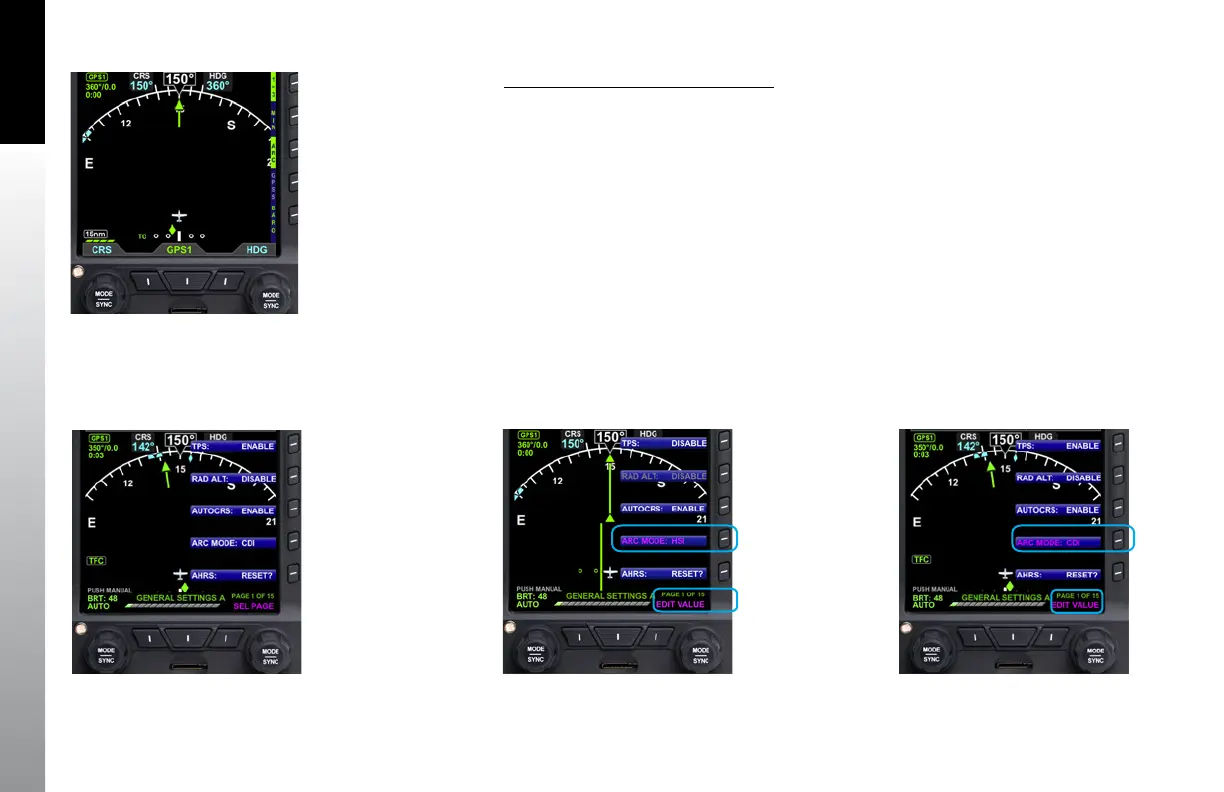
Select ARC CDI/HSI Compass Mode
1. Press the MENU Button.
2. Rotate the Right Knob to the GENERAL SETTINGS A Menu page
(Figure 4-42).
3. Press the ARC MODE Menu Key. The Menu label turns magenta, and the EDIT
VALUE label displays above the Right Knob (Figure 4-43).
4. Rotate the Right Knob to select either HSI or CDI (Figure 4-44).
5. Press the MENU Button to exit.
Figure 4-42
GENERAL SETTINGS A
Figure 4-41
ARC CDI Compass Mode
Figure 4-44
ARC CDI Compass MODE Selected
Figure 4-43
Changing the ARC Compass MODE



 To Next Page