Power requirements
32
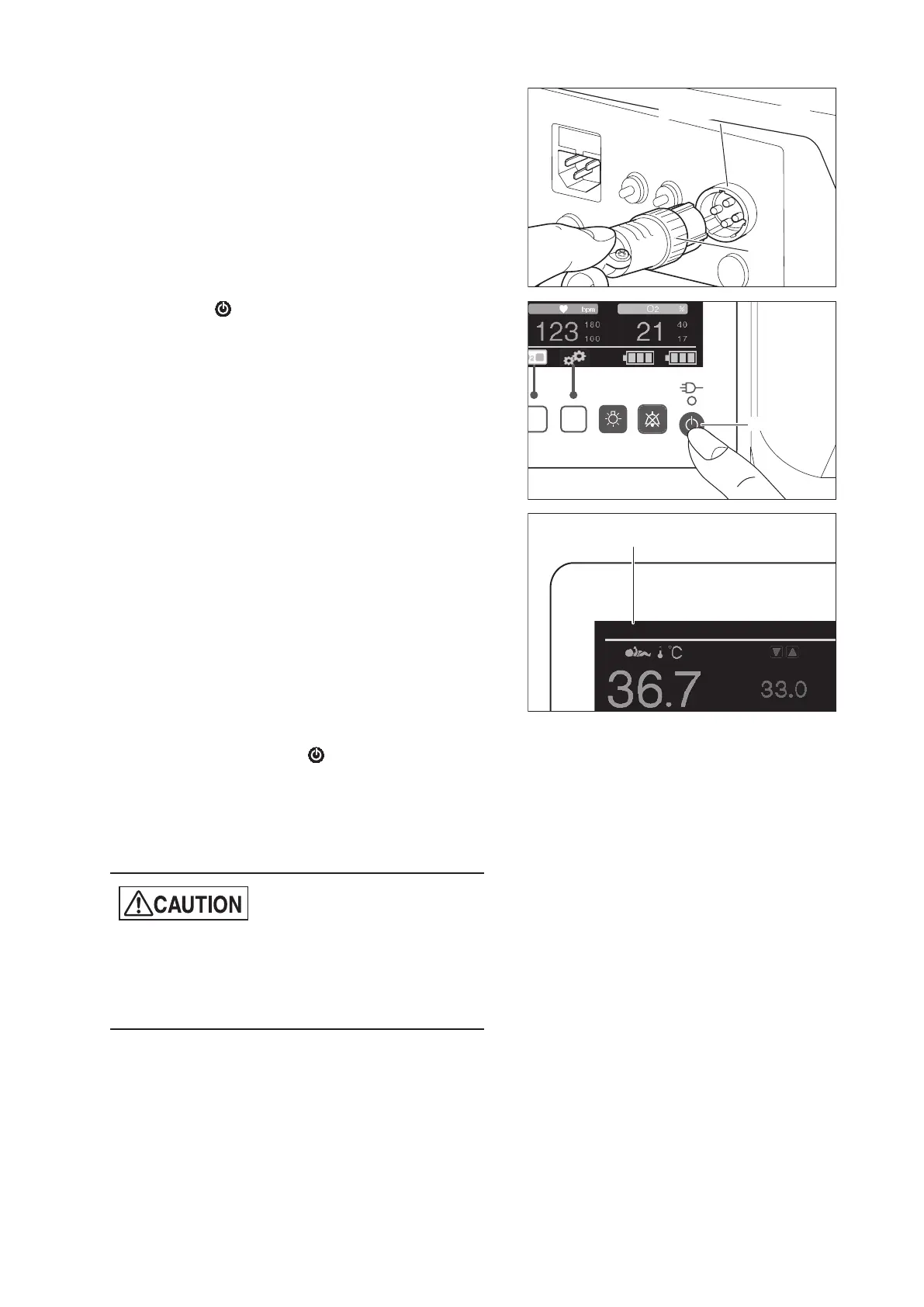
(2) Plug the connection cable into the DC power con-
nection port and turn the ring to firmly secure the
cable.
External DC power inlet
Ring
(3) Press the switch on the control panel to turn
the power on. Power is supplied and the unit be-
gins operating.
Power switch
(4) “DC12V” or “DC24V” appears in the power supply
display area on the display.
DC12V
Power supply display
(5) To stop operating the unit from an external DC
power source, press the switch to turn the pow-
er off and then remove the cable from the external
DC power connection port.
(6) If the external DC power source is not used, put
the cap back on the DC power connection port.
z
If an external DC power source is connected, bat-
teries 1 and 2 are not recharged.
z
If the unit is connected to both AC and external
DC power sources, it operates on AC.



 To Next Page