User's Manual 86 Document #: LTRT-71405
MediaPack Series
2. To add a Community String, enter a name in the Community String field in the "Read
Only" or "Read/Write" section, (depending on the needed Access Level) and then click
the Submit button, to apply the settings.
Note: Up to five "Read Only" or "Read/Write" Community Strings are permitted.
3. To delete a Community String, select the Delete check-box of the Community String to
be deleted and then click the Submit button, to apply the settings.
4. To configure this page, refer to the SNMP Interface Details sub-section in the Product
Reference Manual.
5. After configuring/modifying the parameter fields, click the Submit button. The changes
are entered into the system and the page is refreshed.
6.5.1.5.4.2 SNMP Trap Destinations
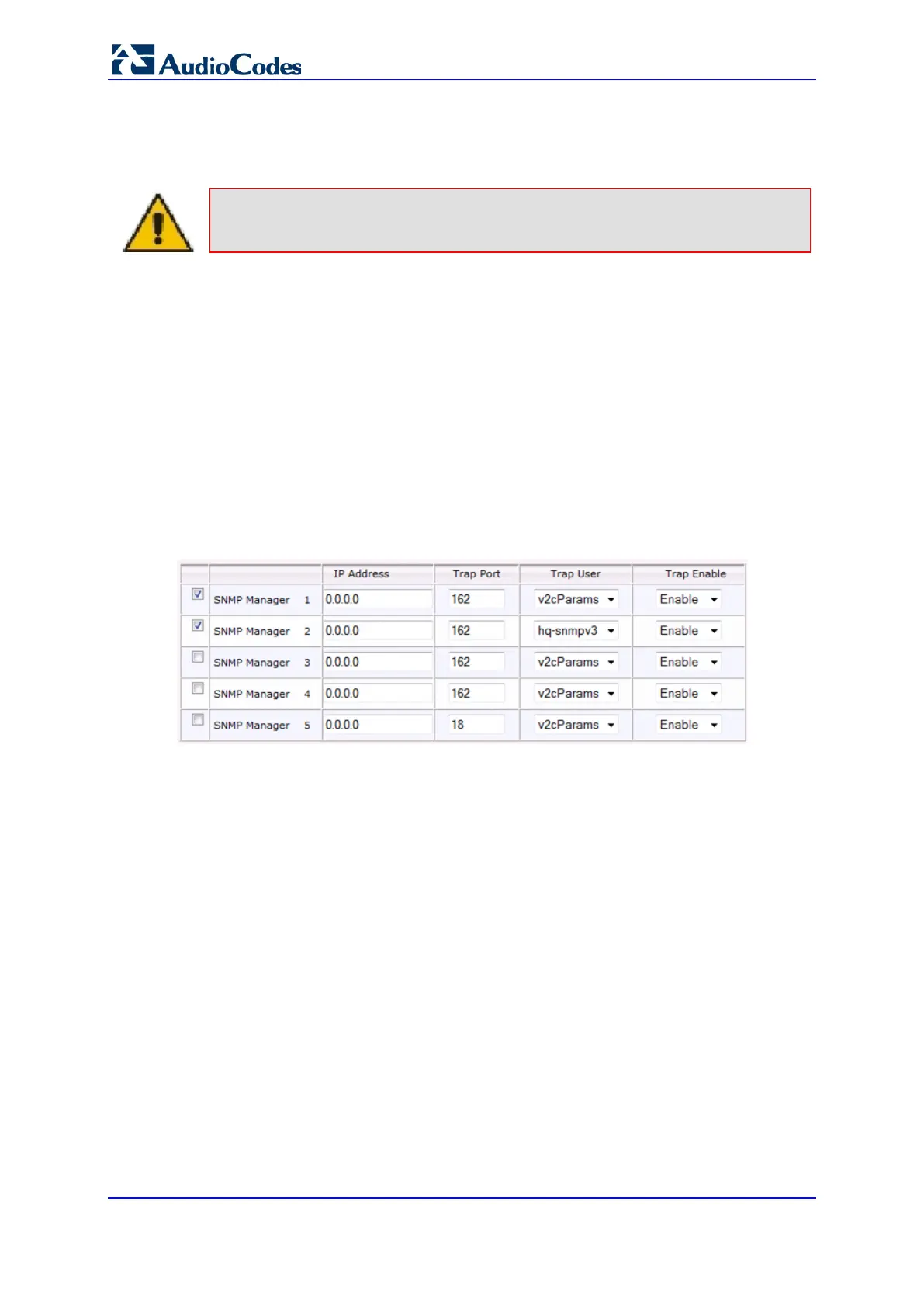
To configure the SNMP Trap Destinations:
1. Open the SNMP Trap Destinations page (Configuration tab > System menu >
Management > SNMP > SNMP Trap Destinations).
Figure 50: SNMP Trap Destinations
2. To configure this page, refer to the Multiple SNMP Trap Destinations sub-section in
the Product Reference Manual.
3. After configuring/modifying the parameter fields, click the Submit button. The changes
are entered into the system and the page is refreshed.













 To Next Page