4
1. 8.0” LCD Touchscreen
2. Ambient Light Sensor — detects ambient light brightness.
3. Power LED — indicates battery level & charging or system status.
4. TPMS Service Symbol — indicates the position of the embedded TPMS antenna.
The power LED displays green, yellow, or red depending on power level and operating
state.
A. Green
⚫ Illuminates green when the tablet is charging and the battery level is above
90%.
⚫ Illuminates green when the tablet is powered on and the battery level is above
15%.
B. Yellow
⚫ Illuminates yellow when the tablet is charging and the battery level is below
90%.
C. Red
⚫ Illuminates red when the tablet is powered on and the battery level is below
15%.
⚫ Illuminates red when the tablet shows abnormality after being powered on or
during charging.
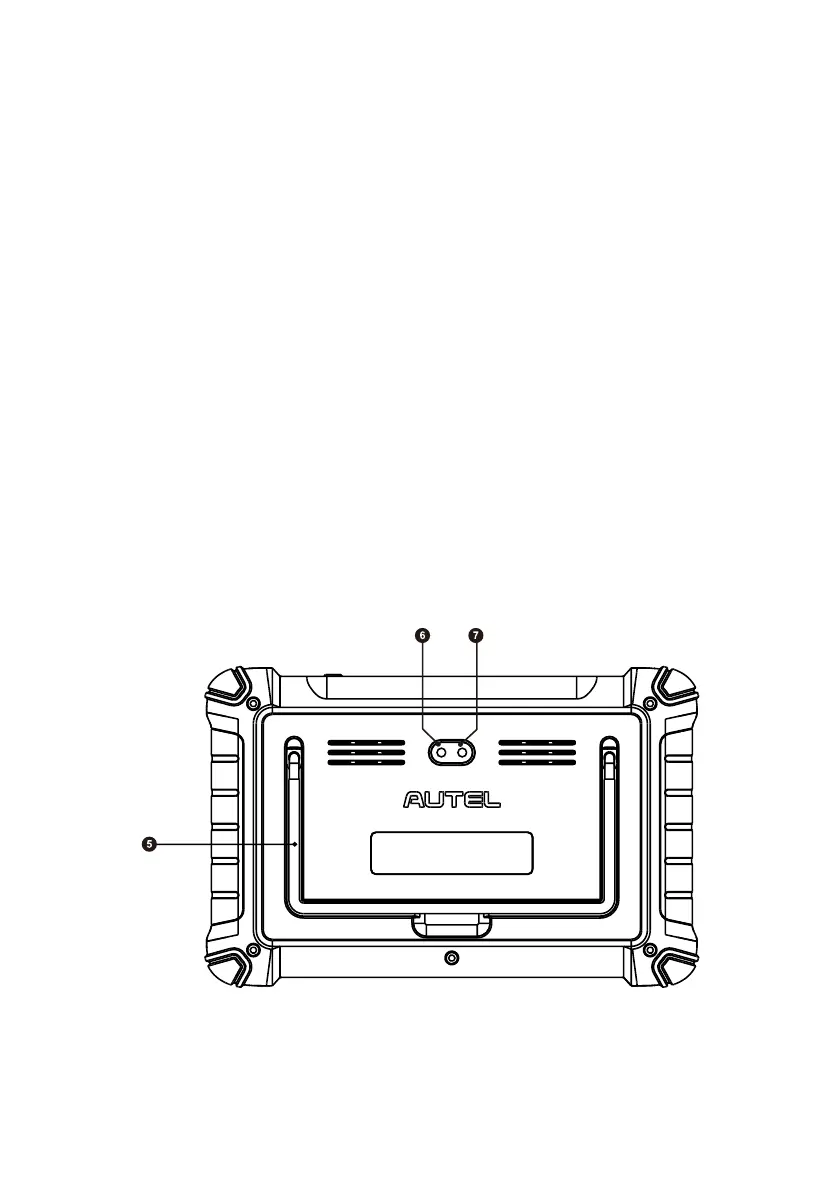
Figure 2-2 Tablet Back View














 To Next Page