66
5.6 Diagnostic Functions
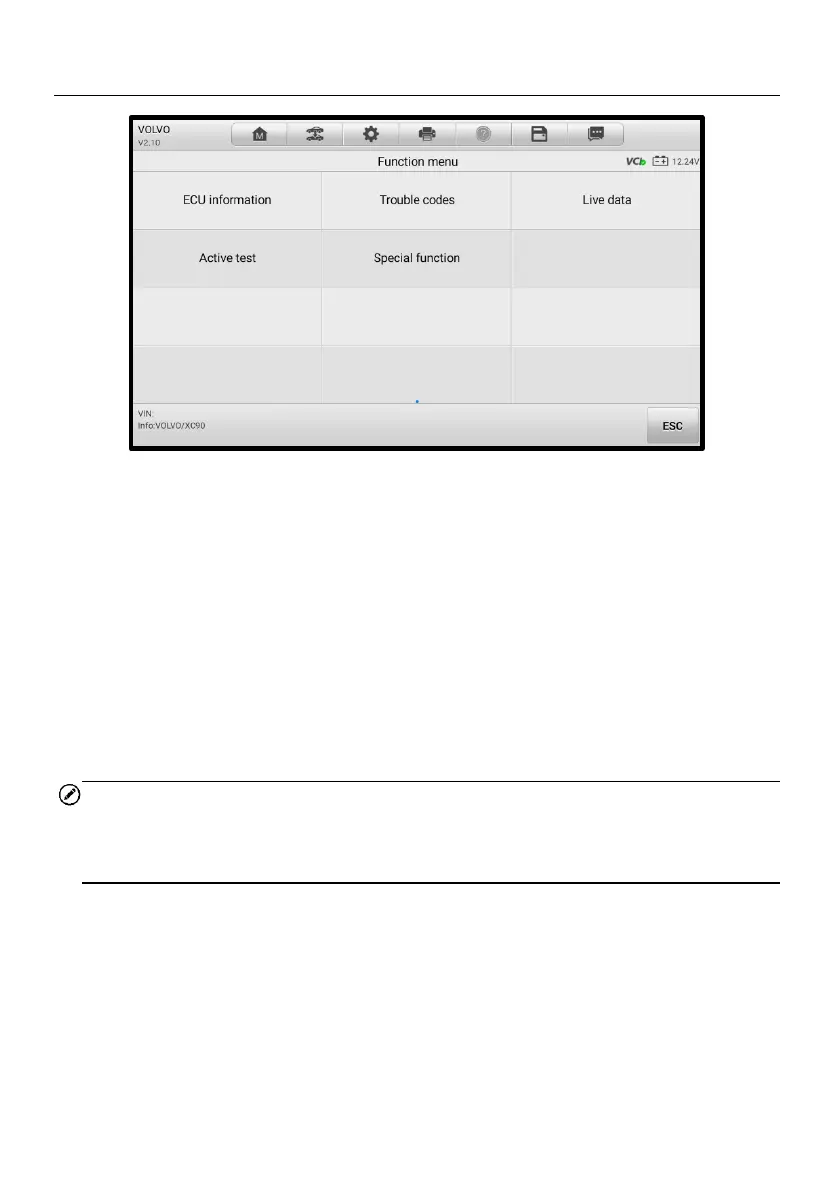
Figure 5-13 Function Menu Screen
The Diagnostic Functions are listed on the Function Menu screen. The Function Menu
options vary slightly for different vehicles, which may include:
⚫ ECU Information — provides the retrieved ECU information in detail. An
information screen opens upon selection.
⚫ Trouble Codes — contains Read Codes and Erase Codes. The former displays
detailed DTC information retrieved from the vehicle control module, and the latter
allows you to erase DTCs and other data from the ECU.
⚫ Live Data — retrieves and displays live data and parameters from the vehicle’s
ECU.
⚫ Active Test — accesses vehicle-specific subsystem and components tests.
⚫ Special Function — performs various component adaptations.
NOTE
The diagnostics toolbar functions such as saving and printing of test results can be
performed throughout the whole diagnostic testing. Data logging and help information
are also available.
➢ To perform a diagnostic function
1. Establish communication with the test vehicle.
2. Identify the test vehicle by selecting from the menu options.
3. Locate the required system for testing by tapping Auto Scan or through
menu-driven selections in Control Unit.
4. Select the desired diagnostic function from the Function Menu screen.














 To Next Page