20
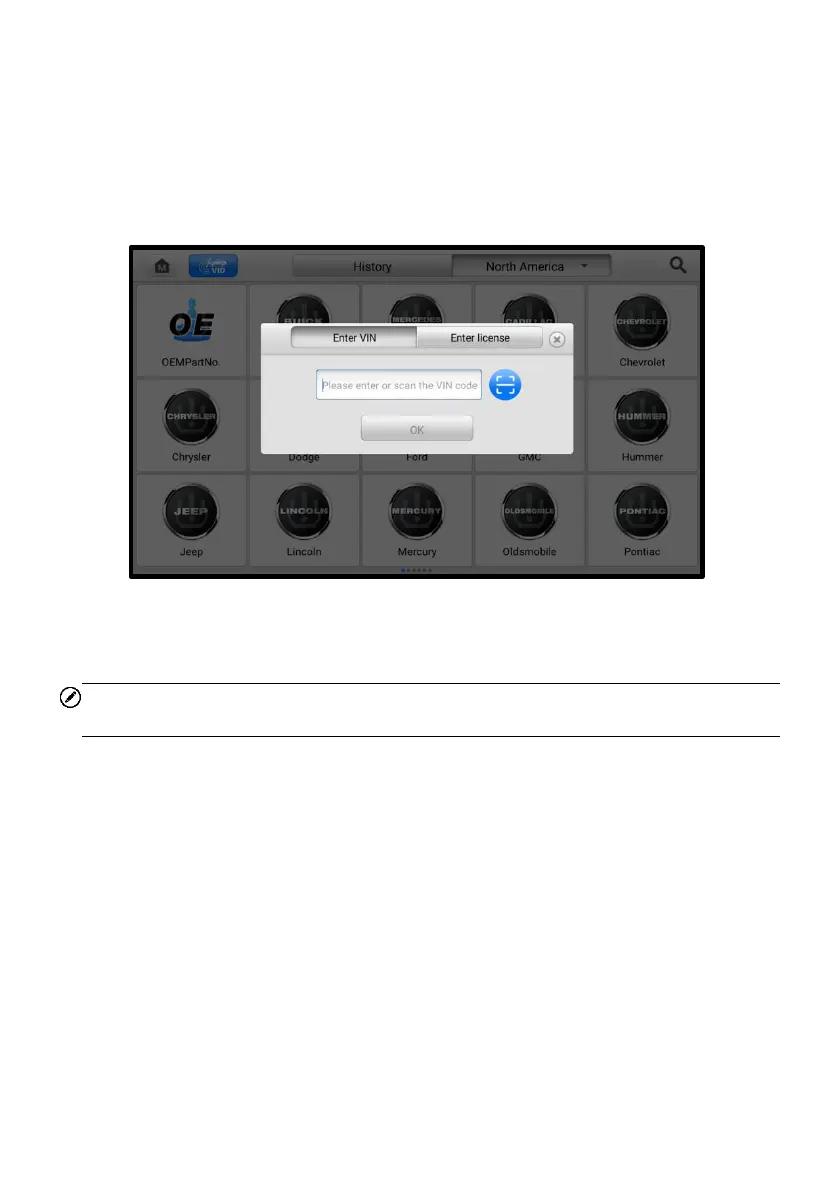
➢ To perform Manual Input in TPMS application
1. Tap the TPMS application button from the MaxiTPMS Job Menu. The Vehicle
Menu displays.
2. Tap the VID button on the top toolbar to open the dropdown list.
3. Select Manual Input.
4. Enter the correct VIN into the input box, then tap OK.
Figure 4-5 Manual Input in TPMS Application
5. A VIN Confirmation screen will display. If the VIN is correct, tap OK to enter
the Vehicle Information screen.
NOTE
Before acquiring the vehicle VIN, make sure the tablet is connected to the network.
6. After confirming the vehicle information, tap OK to enter the TPMS Service
screen. See Figure 4-14 TPMS Service Screen.
4.3.3 Scan VIN/License
MaxiTPMS tablet also supports identifying the vehicle by scanning its VIN or license
number. Using this vehicle identification method will automatically turn on the camera
system.
➢ To perform Scan VIN/License in TPMS application
1. Tap the TPMS application button from the MaxiTPMS Job Menu. The Vehicle
Menu displays.
2. Tap the VID button on the top toolbar to open the dropdown list.














 To Next Page