18
⚫ Scan VIN/License
⚫ Automatic Selection
⚫ Manual Selection
4.3.1 Auto Detect
For vehicles supporting the Auto Detect function, you can acquire the VIN information
to quickly identify the exact vehicle with just one tap.
➢ To perform Auto Detect in TPMS application
1. Tap the TPMS application button from the MaxiTPMS Job Menu. The Vehicle
Menu displays.
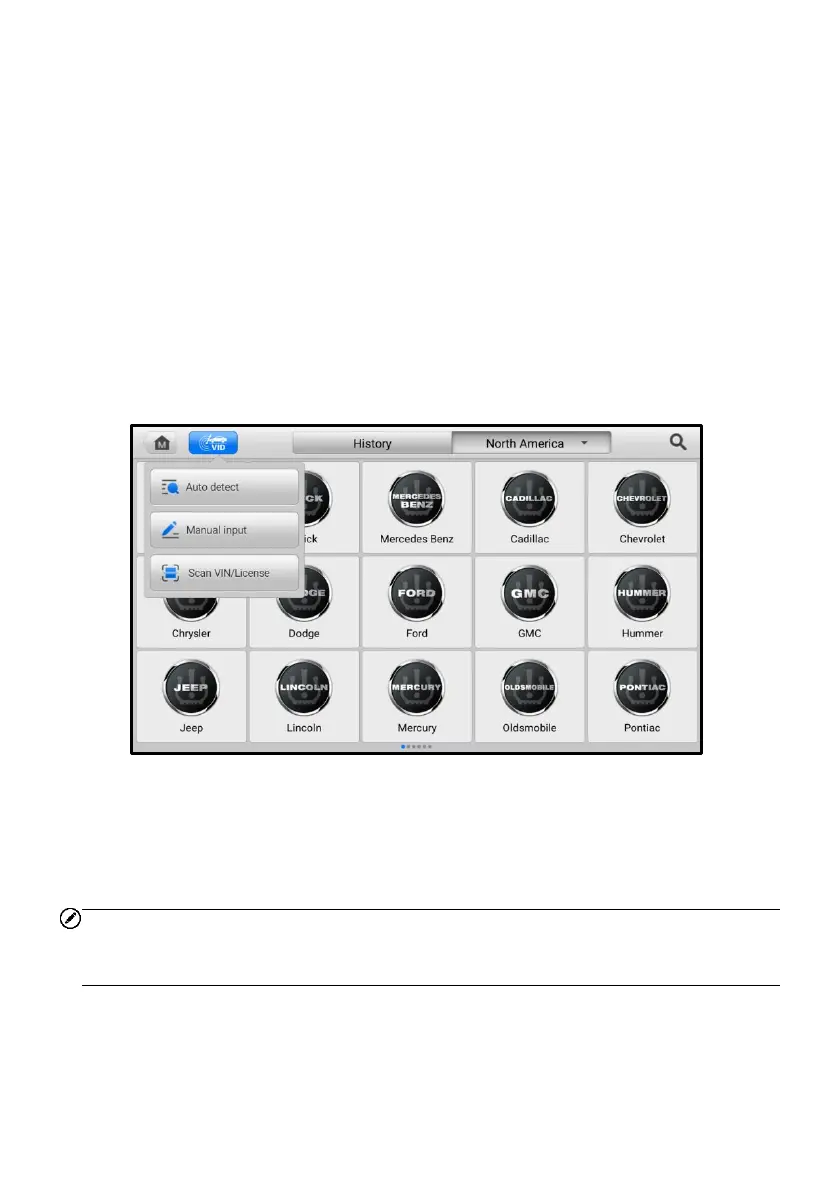
2. Tap the VID button on the top toolbar to open the dropdown list.
Figure 4-2 VID Screen in TPMS Application
3. Select Auto Detect. Once the test vehicle is identified, the screen will display
the vehicle VIN. Tap OK at the bottom-right corner of the screen to confirm the
vehicle VIN. If the VIN does not match with the test vehicle’s VIN, enter the
VIN manually or tap Read to acquire the VIN again.
NOTE
Before acquiring the vehicle VIN, make sure the tablet is connected to the network in
order to get the information of the test vehicle.














 To Next Page