57
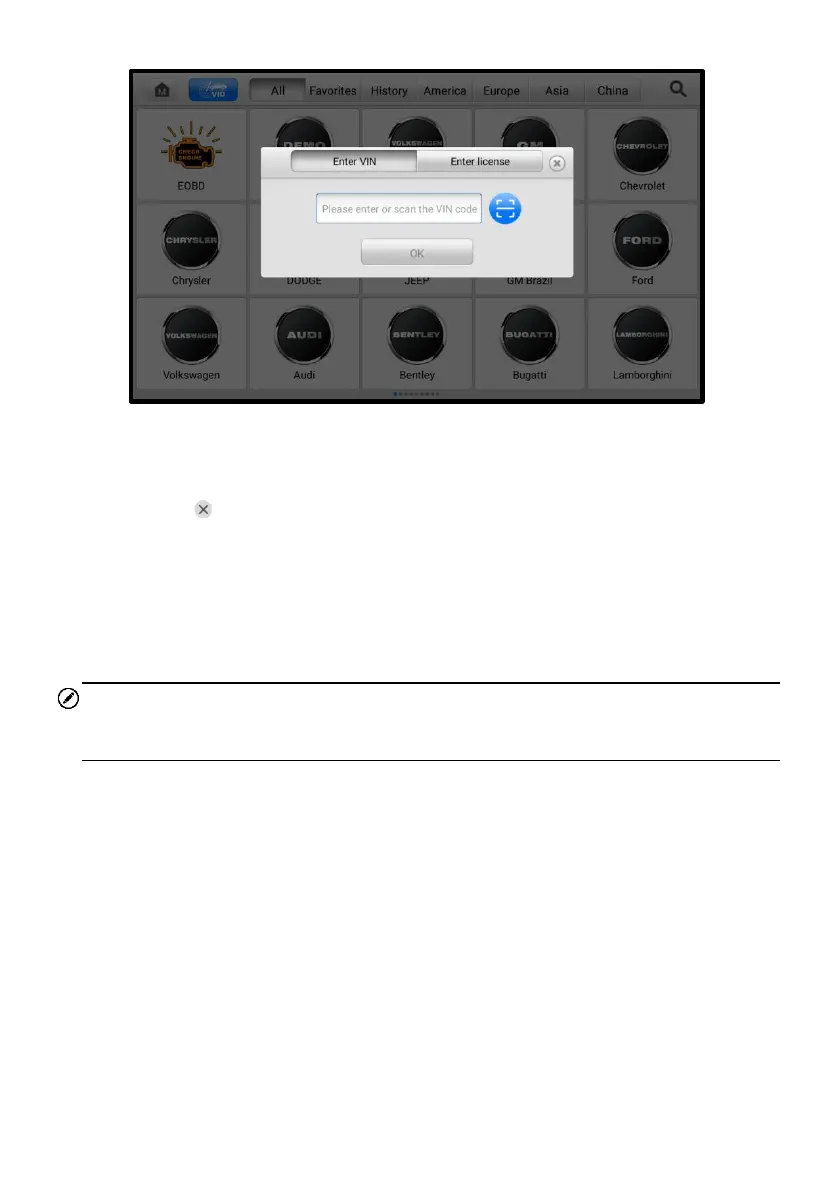
Figure 5-6 Manual Input Screen
5. Tap OK. Once the vehicle is identified, the Vehicle Diagnostics screen will
display.
6. Tap at the top-right of the dialog to exit Manual Input.
5.3.3 Scan VIN/License
MaxiTPMS diagnostic tablet also supports Scan VIN/License function. Enabling this
function will automatically turn on the camera. With the help of the camera system, the
vehicle’s VIN or license number can be easily recognized.
NOTE
The method of scan license is supported in some countries and areas. Please manual
input the license number if it is not available.
➢ To perform Scan VIN/License
1. Tap the Diagnostics application button from the MaxiTPMS Job Menu. The
Vehicle Menu displays.
2. Tap the VID button on the top toolbar to open the dropdown list.
3. Select Scan VIN/License.
4. The camera will be turned on. On the right side of the screen, from top to
bottom, three options are available: Scan QR Code/Barcode, Scan VIN, and
Scan License Number.














 To Next Page