86
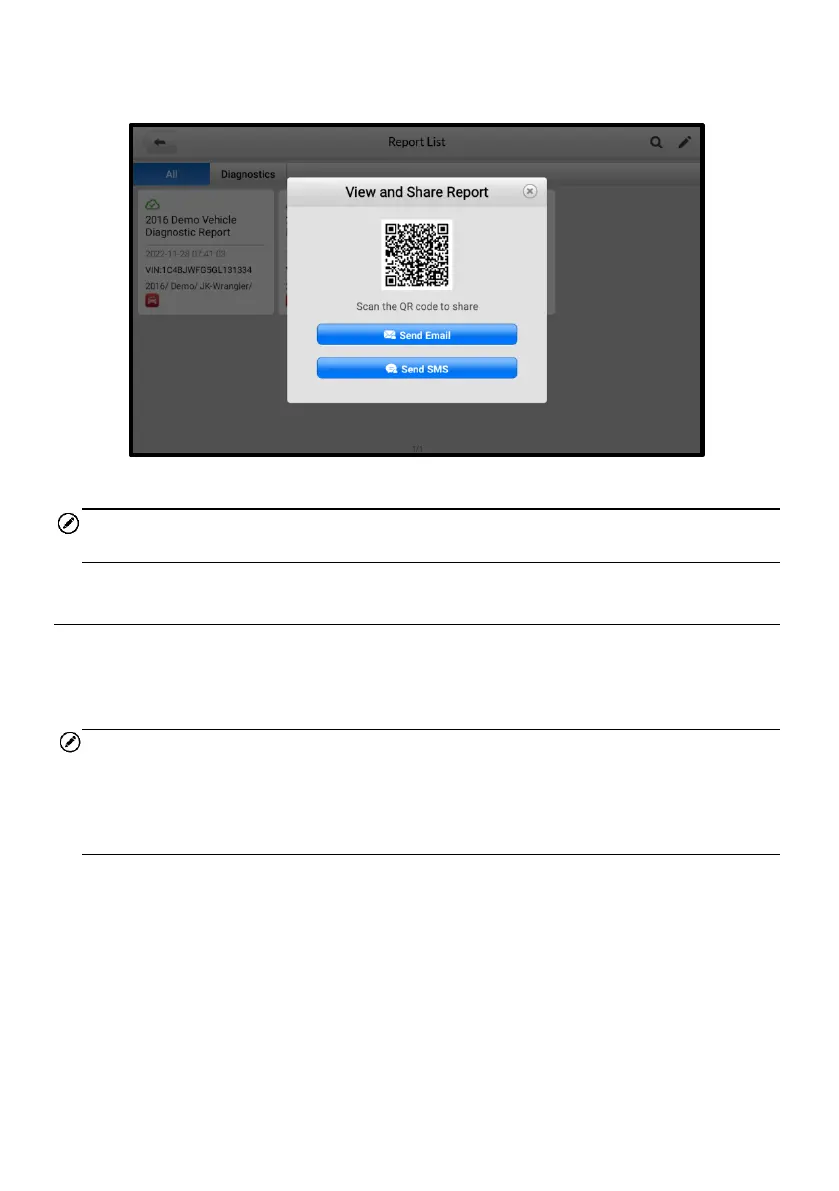
3. There are three ways for report cloud sharing: scan the QR code, send by email, or
send by SMS (via phone number).
Figure 5-31 Report Sharing Methods
NOTE
The figure is for illustration only. Be sure that the QR code for each report is different.
5.9 Exiting Diagnostics
The Diagnostics application remains open as long as there is an active communication
with the vehicle. You must exit the diagnostics operation to stop all communications
with the vehicle before closing the Diagnostics application.
NOTE
Damage to the vehicle electronic control module (ECM) may occur if the
communication is disrupted. Ensure all forms of communication link such as data cable,
USB cable, and wireless or wired network, are properly connected throughout the test.
Exit all interfaces before disconnecting the test cable and power supply.
➢ To exit the Diagnostics application
On an active diagnostic screen:
1. Tap the Back or ESC button to exit a diagnostic session step by step.
2. Or tap the Vehicle Swap button on the Diagnostics Toolbar to return to the
Vehicle Menu screen.
On the Vehicle Menu screen:
1. Tap the Home button on the top toolbar.














 To Next Page