60
3. Tap Automatic Selection and the VIN information will be acquired
automatically. Follow the on-screen instructions to complete the operation and
advance to the Diagnostic Menu screen.
5.3.5 Manual Selection
When the VIN is not automatically retrievable through the vehicle's ECU, or when the
VIN is unknown, you can select the vehicle manually.
This mode of vehicle selection is menu-driven. Repeat the first two steps from the
automatic selection operation and tap Manual Selection. Through a series of
on-screen prompts and selections, the test vehicle is chosen. If needed, tap the ESC
button at the bottom-right corner of the screen to return to the previous screen.
5.4 Navigation
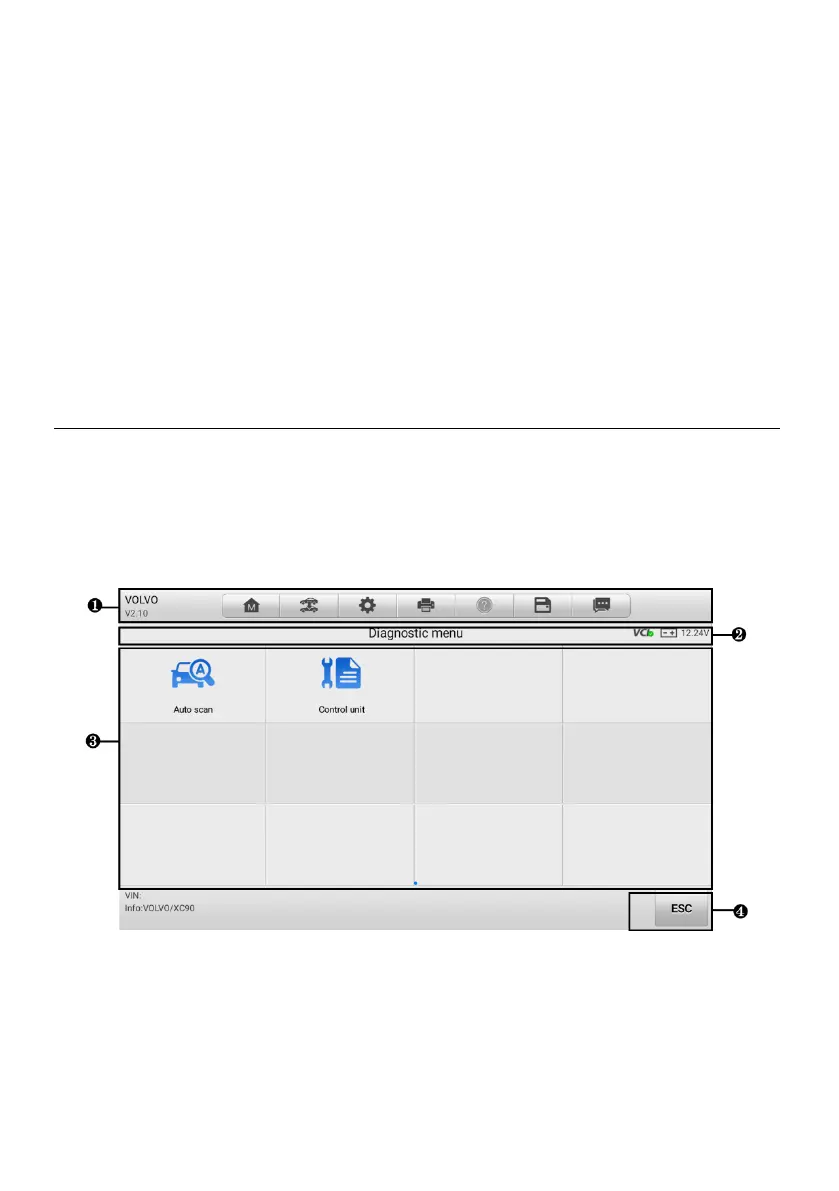
After the test vehicle is identified, the Diagnostic Menu screen will appear. This section
consists of various commonly used functions, including Auto Scan and Control Unit.
The available functions displayed vary depending on the test vehicle.
5.4.1 Diagnostic Screen Layout
Figure 5-11 Diagnostic Menu Screen
The Diagnostic Menu screen typically includes four sections:
1. Diagnostics Toolbar
2. Status Information Bar














 To Next Page