19
3-2. Setup – Display Mode
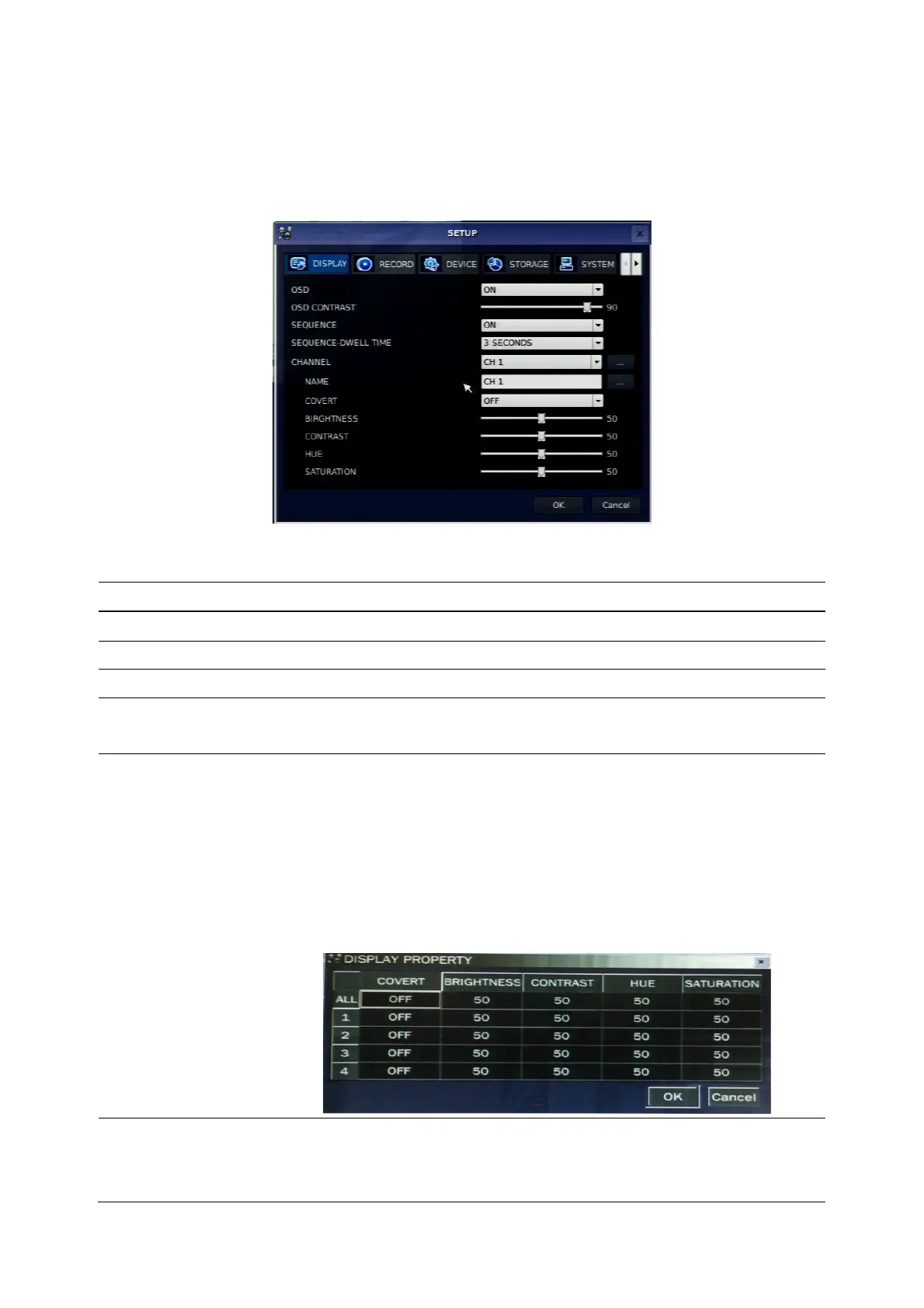
Press the SETUP button and select DISPLAY. Then, the DISPLAY menu displays as picture below.
Navigate through the menu items using the control button (◀ ▲ ▶ ▼) and change the value of the menu
item using the control button (◀ ▲ ▶ ▼). To return to setup menu screen, press the ESC button.
Figure 3.2.1. Display mode setup screen
Table 3.2.1. Menu items in DISPLAY mode setup
Item Description
OSD
Enable/disable on-screen-display.
OSD CONTRAST
Set the visibility level of the On Screen Display (OSD).(0~100)
SEQUENCE
Enable/disable sequential display of video in full screen mode.
SEQ-DWELL TIME
Set the dwell time of each, quad or 9 channels display in sequential
display mode.(3-60seconds)
CHANNEL
Select a channel for applying the following settings using the control
button (◀ ▲ ▶ ▼). Press SEL button to change the setting value of
all channels at once. Press a right button of the mouse control just one
time if you want to select an item and please do a double-click if you
want to change the value. Once you select an item, then press OK to
set value for all channels.
(COVERT, BRIGHTNESS,CONTRAST,HUE,SATURATION)
NAME
Set the channel name. Press SEL button and set the channel name
and select OK using the control button (◀ ▲ ▶ ▼). The name can be
made by 10 characters at most.



 To Next Page