65
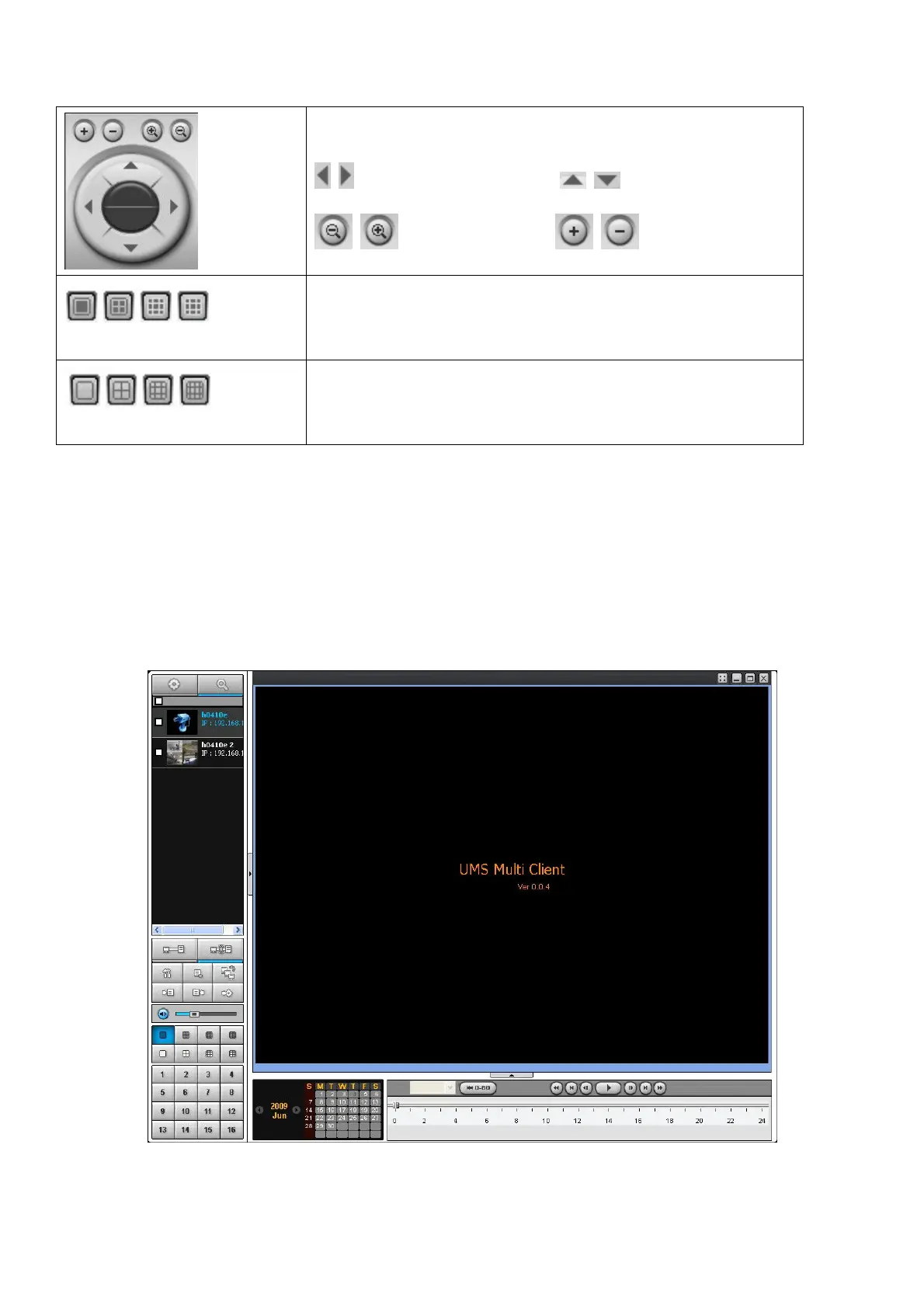
User can control PAN/TILT & ZOON/FOCUS.
PAN left /right TILT up/down
ZOOM in/out FOCUS in/out
CHANNEL SPLIT
To select the numbers of display channel/channels (Single,
quad, 9 channels, and 16 channels) of highlighted site.
DVR SITE SPLIT
To select the numbers of DVR/DVRs (1 DVR, 4 DVRs, 9 DVRs,
16 DVRs) on main display screen.
9-5. Search and Playback Window
9-5-1. Main user interface
You can access to search window by clicking the search icon (Local Playback / Remote Playback) on the
upper left of Live Window.



 To Next Page