73
9-7-2. Record
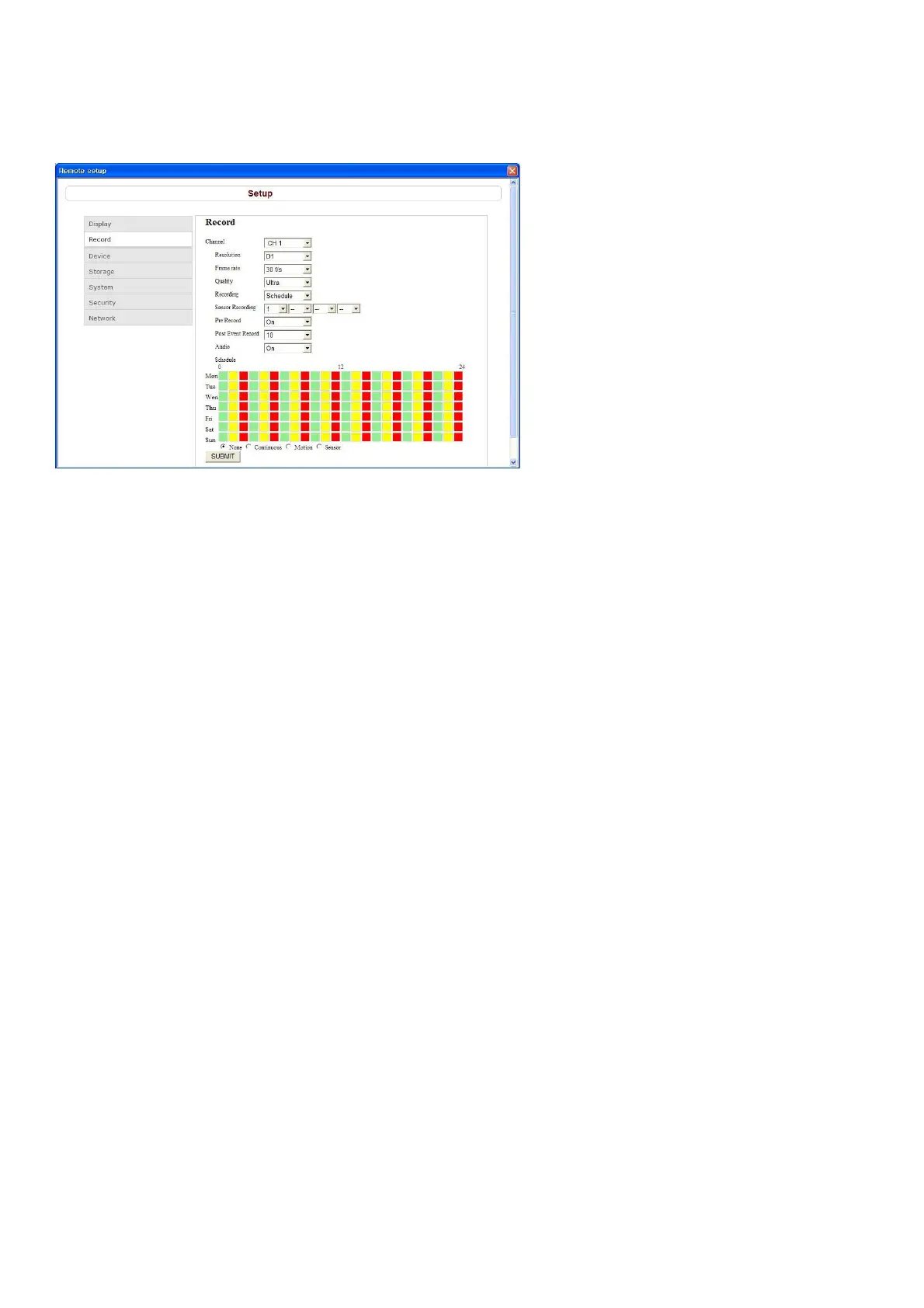
Select Record to set the recording conditions.
These settings apply to the specified channel only.
Channel designation
Resolution: Sets the resolution for the recordings. The set value applies to all channels.
Frame Rate: Sets the recording rate.
Quality: Sets the image quality in 5 levels.
Recording: Sets the recording mode.
Sensor Recording: Sensor recording is performed when an external sensor signal is input to the specified
external sensor input terminal.
Pre Record: Sets whether to perform or not pre recording.
Post Event Record: Sets the duration of the event recording.
Audio: Sets whether to perform or not audio recording.
Schedule: Sets the schedule for schedule recording. None: Gray, Continuous: Green, Motion: Yellow,
Sensor: Red
SUBMIT: Save surely by pressing this button after setting the value.
9-7-3. Device
Select Device to set the motion zone, sensor input/alarm output conditions, PTZ control and spot setting
conditions.
9-7-3-1. Device



 To Next Page