28
3-6. Setup – System Mode
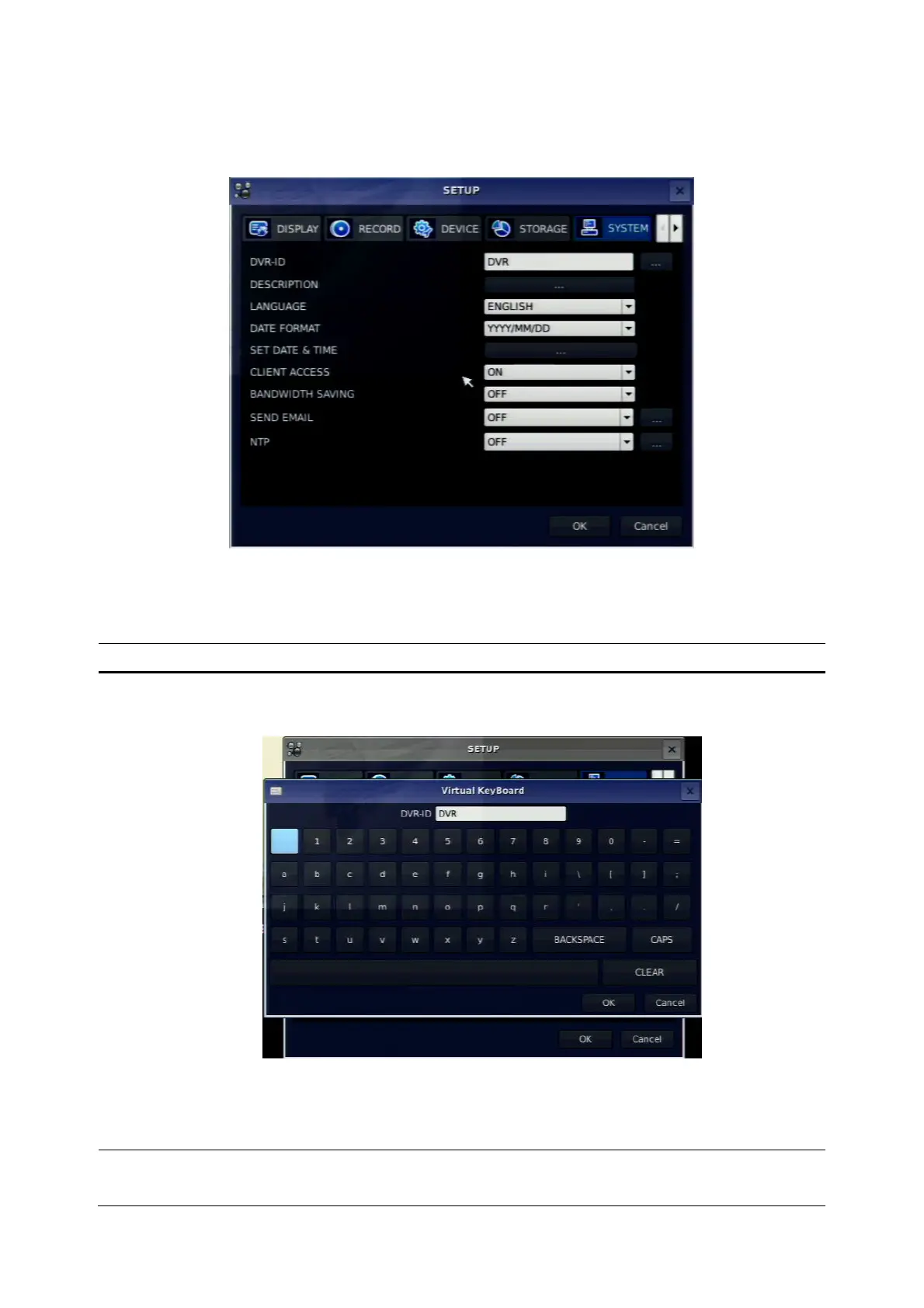
Press the SETUP button and select SYSTEM icon. Then, the SYSTEM menu is displayed as picture below.
Navigate through the menu items using the control button (◀ ▲ ▶ ▼) and change the value of the menu
item using the control button (◀ ▲ ▶ ▼). To return to setup menu screen, press the ESC button.
Figure 3.6.1. SYSTEM Setup Screen
Table 3.6.1. Menu items in SYSTEM Setup screen
Item Description
DVR ID
Press the SEL button and select DVR ID using the control button (◀ ▲
▶ ▼), and press SEL button. Press OK to apply the selected DVR ID.
SPACE / Caps Lock(Select either Capital or Lower letter)
BS(Back space: Erase previous character) / Clear(Erase all characters)
The DVR ID can be made by 10 characters at most.
DESCRIPTION
Press SEL button to view system information.
(Hardware version, Software version, Storage size, IP address, MAC



 To Next Page