39
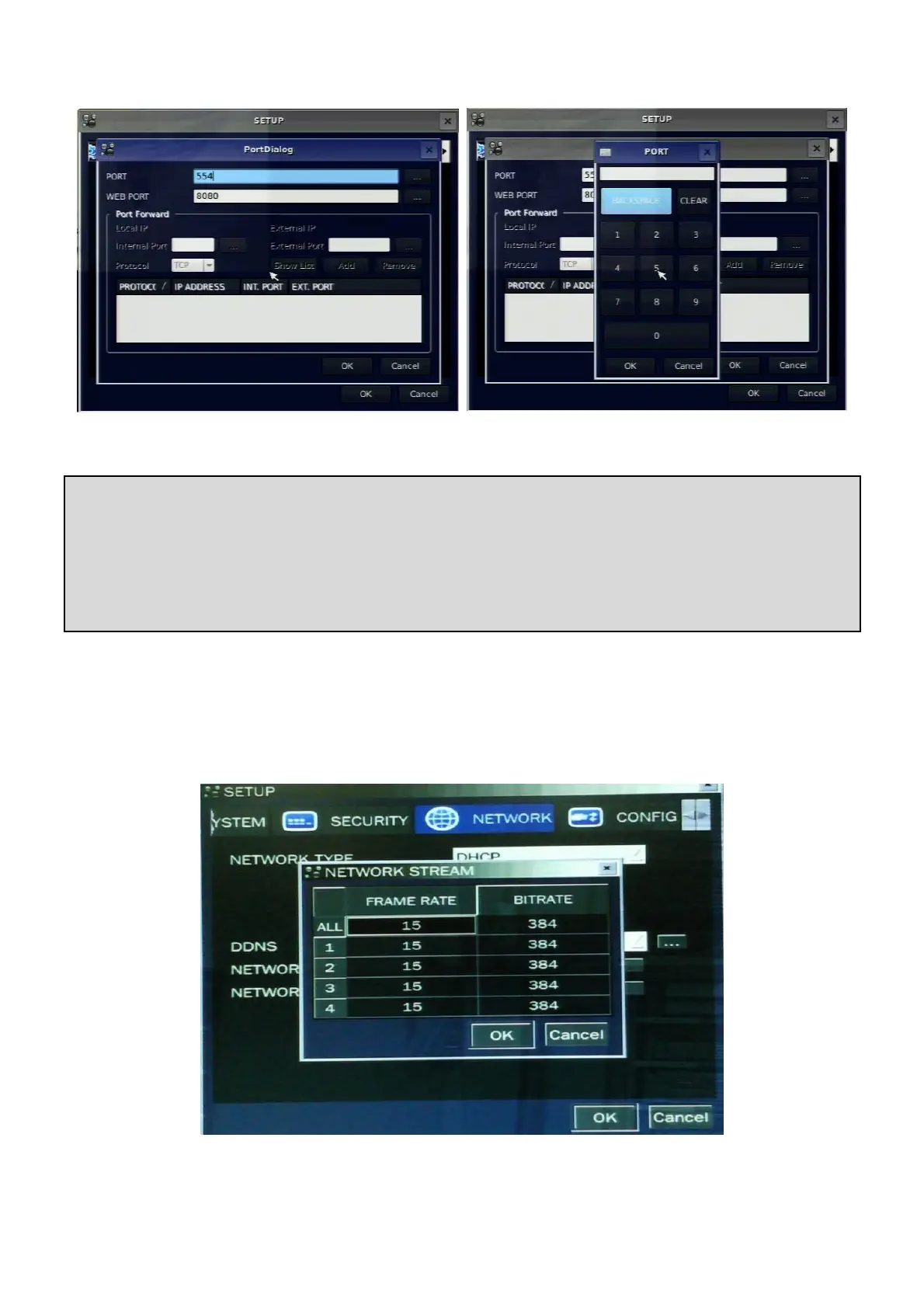
Figure 3.8.6. Network setup screen – Network Port
3-8-4. Network Stream
User can set the frame rate and the bit rate for a network stream classified by channel. Total frame rate of
N-0441L is CIF 60fps/50fps (NTSC/PAL). N-0840L and N-1640L is CIF 120fps/100fps (NTSC/PAL). The bit
rate can be set one out of 128, 256, 384, 512 and 768.
Figure 3.8.7. Network setup screen – Network Stream
Network access beyond a router
In order to access the DVR remotely beyond a router (firewall), the user must open TCP port for
command level, live channels and storage channels. User need to open 2ports numbers on the router;
the DVR port number 5445 and the WEB port number 80.
If this port is not opened properly, user can not access DVR beyond a router.



 To Next Page