76
9-7-3-4. Spot Out
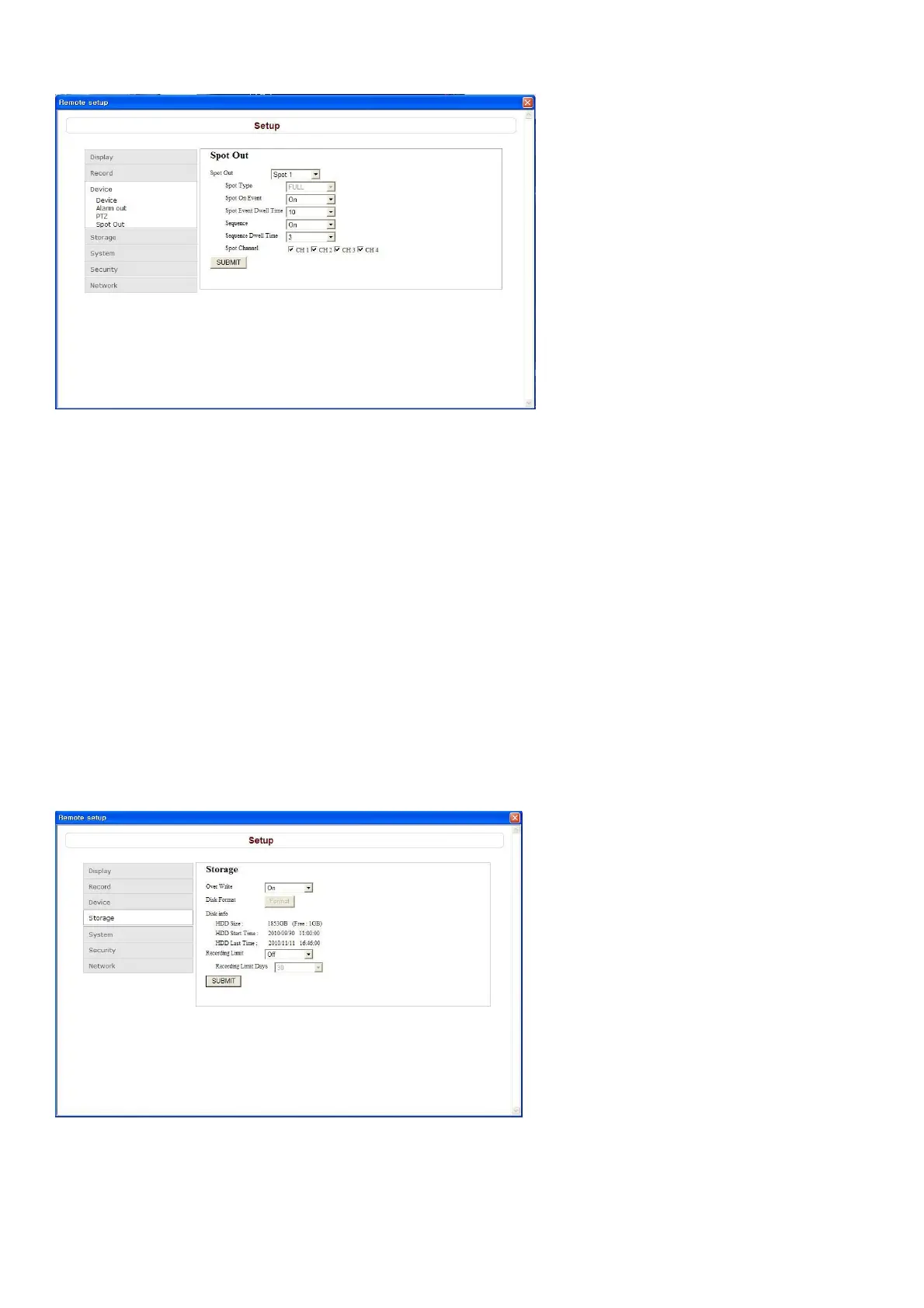
Setting the SPOT: Sets the output conditions of the spot video terminal.
Spot Type: Sets the output screen layout of the spot terminal.
Spot On Event: Sets whether to output or not the video of a sensor recording to spot while it is being
recorded.
Spot Event Dwell Time: Sets the output duration of the sensor recording video.
Sequence: Sets whether to automatically switch or not the video output to spot terminal.
Sequence Dwell Time: Sets the video switching interval if Sequence is set to ON.
Spot Channel: Sets the channel that outputs video to the spot terminal.
SUBMIT: Save surely by pressing this button after setting the value.
9-7-4. Storage
Select Storage to configure continued recording settings by overwriting the hard disk and the storage
period for the recording data.
Overwrite: To continue recording by overwriting when the hard disk becomes full, check the checkbox.
Disk Info: User can know his/her disk information; HDD size, start time and last time.
Record Limit: Sets whether to limit or not the recording data storage period.



 To Next Page