98
B. How to access DVR from Remote PC?
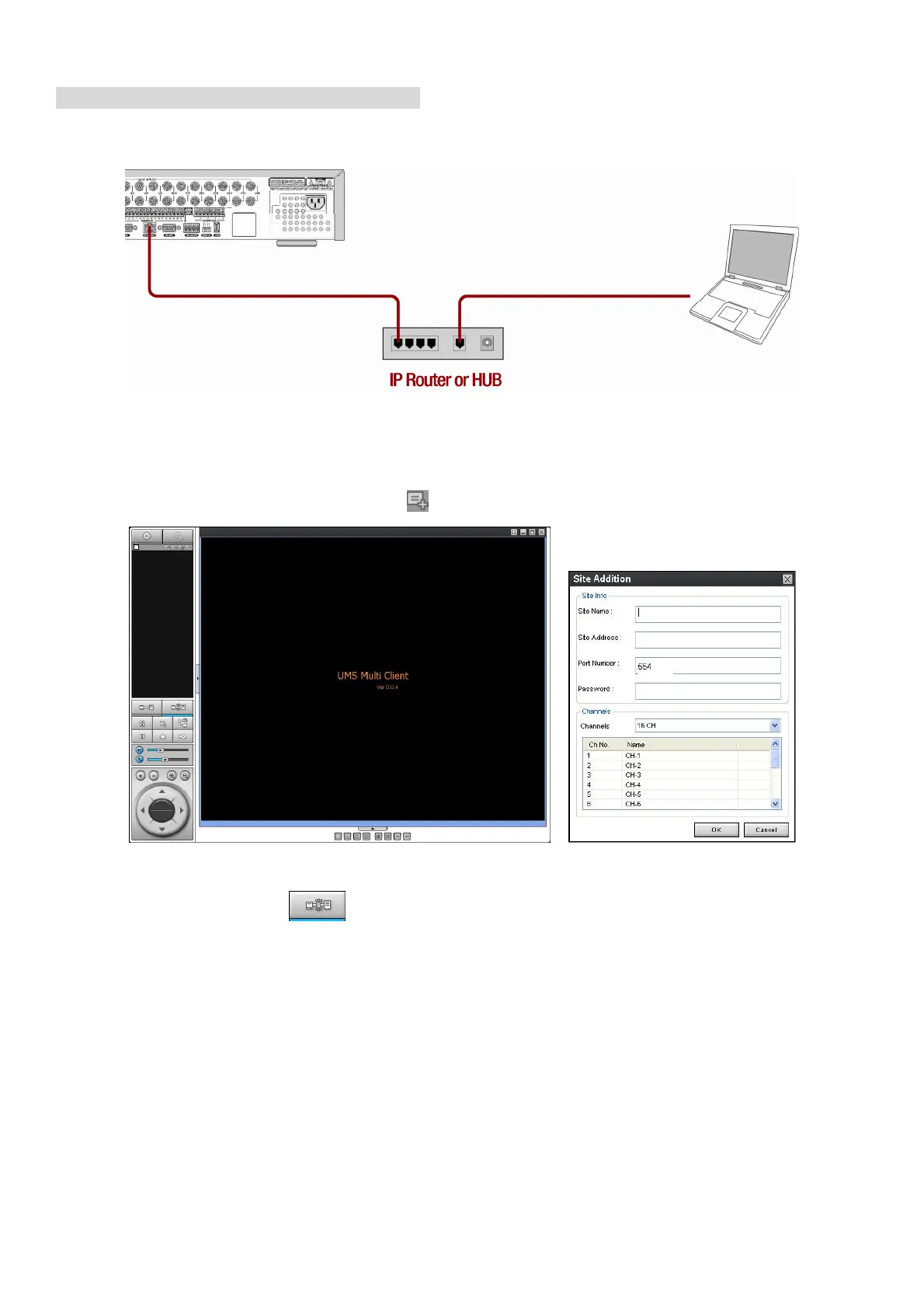
LAN Connection – Using a switching hub
Connect to the system, using a hub (Switching hub) and an Ethernet cable (10BASE-T/100BASE-TX CAT 5
LAN cable)
1. Run the pre-install the network client software on the supplied CD. (Refer to Chapter 6. Network
access using the Exclusive network viewer)
2. Check the IP address from SETUP>SYSTEM>DESCRIPTION of DVR.
3. Run network client software and click button.
4. Input Site Name, Site Address(IP address), Port No., and Password on the connect window. And
click OK. Then, press button after checking the left check box.



 To Next Page