21
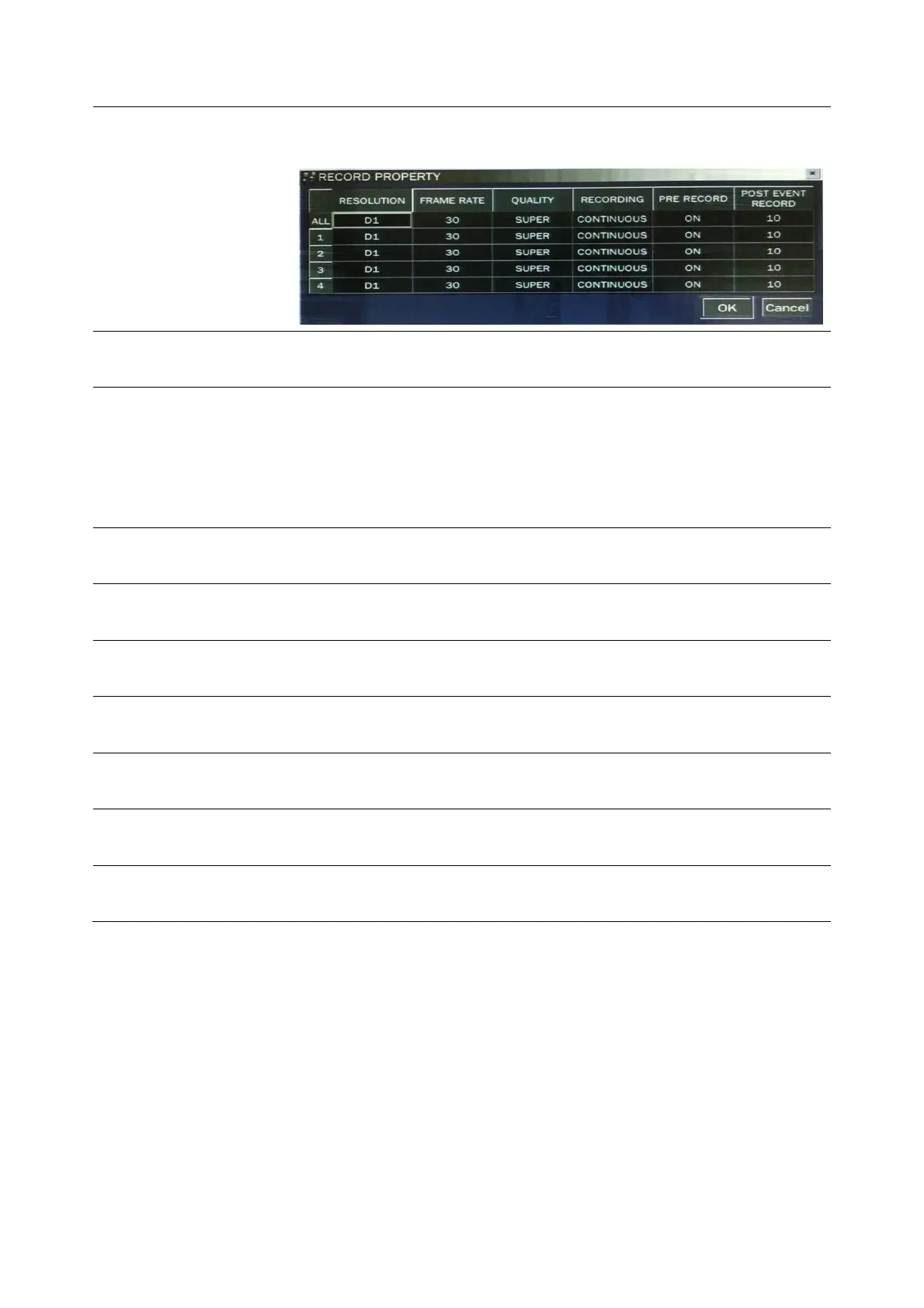
(RESOLUTION, FRAME RATE, QUALITY, RECORDING, PRE
RECORD and POST EVENT RECORD)
RESOLUTION
Select one type among CIF, Half D1 and D1 using the control
button(◀ ▲ ▶ ▼).
FRAME RATE
Set the frame rate for the specified channel. The sum of the frame
rate values from each channel cannot exceed the maximum frame
rates for a specific recording resolution.
Typical values of the maximum frame rate for video are 120/100
fps.
QUALITY
Select the recording quality for the specified channel. Options are:
Network, Standard, High, Superior and Ultra.
RECORDING
Assign the recording mode for each channel. Options are:
Continuous, By Motion, By Sensor, By Schedule or Disable.
PRE RECORD
Enable/disable pre-event recording. Pre-event recording time is 5
seconds and only intra-frames are recorded for pre-event recording.
POST EVENT
RECORD
Set the post event recording time duration for the specified channel.
(10~30 seconds)
SENSOR
RECORDING
Enable setting up to 4 sensors for the specified channel using the
control button (◀ ▲ ▶ ▼).
AUDIO
Enable/disable audio recording for the specified channel.
Fixed-available on only from channel 1 to channel 4.
SCHEDULE
Set the recording schedule. Press SEL to go to schedule setup
screen.
3-3-1. Recording Schedules
To setup a recording schedule, select SCHEDULE in the RECORD menu. Navigate through the items using
the control button (◀ ▲ ▶ ▼).
[Channel]: Select the specific channel.
[Setup]: Set up using the SEL button to section under the specific day and time. It can set the all section
under the specific day or time at a time when pressing the specific day or time. It is also possible to
set up recording modes of various type using a Continue(green color), Motion(yellow color) and
Sensor button(red color). It can set easy using a drag-and-drop function of a mouse control.



 To Next Page