72
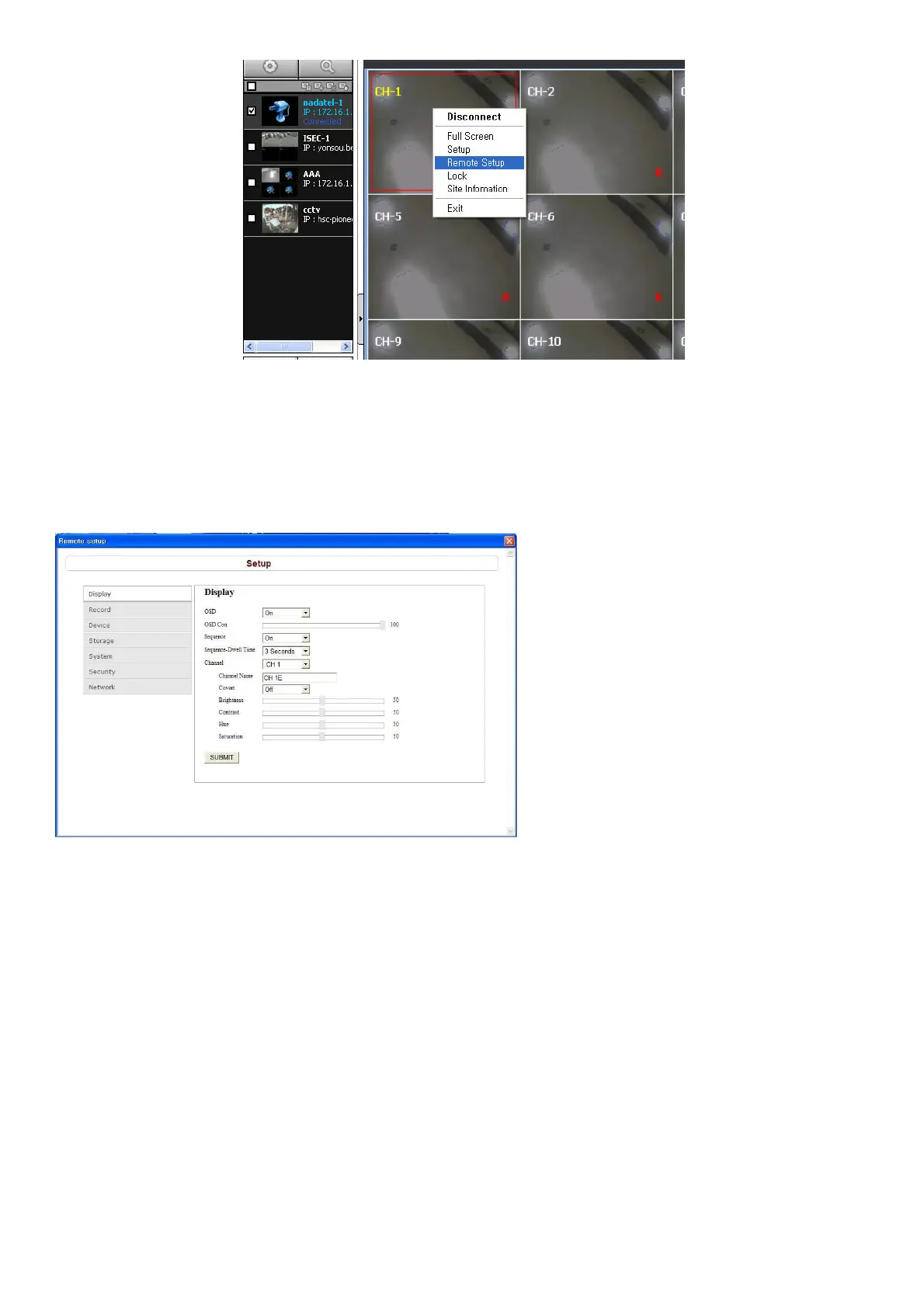
Then the setup window is displayed. The specified menu screen is displayed on the upper left of the screen.
Setting is basically the same as with the DVR menu setting. Refer to the corresponding pages for details on
the setting items.
9-7-1. Setting the Display
Select Display to set the live video display conditions
These settings apply to all channels.
OSD: Sets whether to display or not date and time as well as channel number on the screen.
OSD Contrast: Adjust the character contrast on the screen.
Sequence: Setting for automatically switching the displayed video.
Sequence-Dwell Time: Sets the interval for automatically switching the screens.
These settings apply to the specified channel only.
Channel designation
Channel Name: Sets a channel name.
Covert: Sets whether to display or not video from the channel on the monitor.
Video image adjustment: Brightness, Contrast, Hue and Saturation
SUBMIT: Save surely by pressing this button after setting the value.



 To Next Page