45
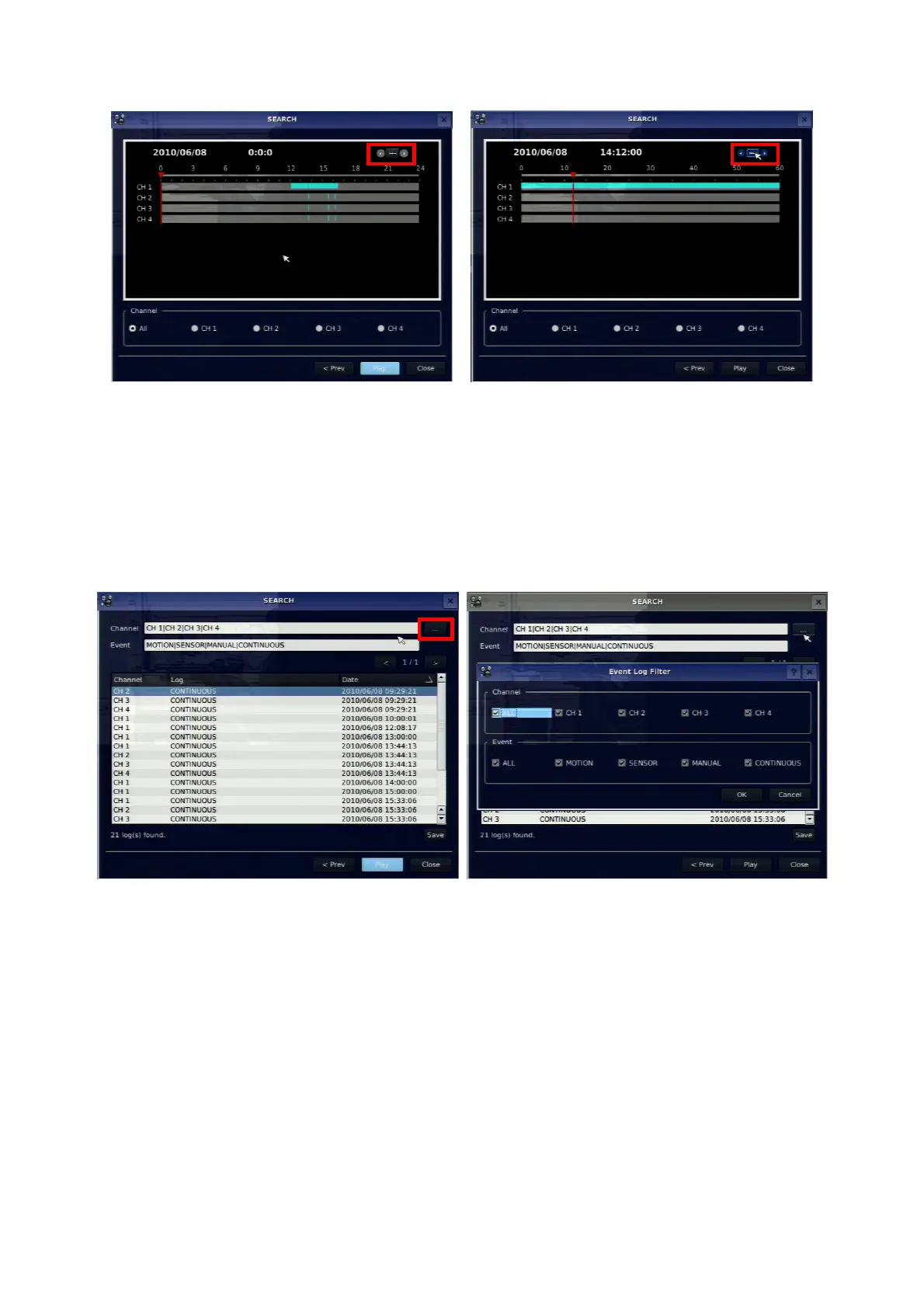
When it clicks a Timeline menu, user can see a calendar which has recording data. Select a specific date
and time. Use a drag-and-drop function a remote control. User can select a specific minutes using a button
in the above red box. Press a PLAY button after setting a specific time. Press the ESC to return to the
SEARCH window.
4-2-2. Event Search
The Event Search window is used to find stored video.
Figure 4.2.2. Event Search screen
When it clicks an Event menu, user can see a calendar which has recording data. Select a specific date
and then user can see all data. Press a PLAY button to playback the data or a SAVE button to save the
data at once after selecting a specific data. User can find a data of the specific channel and event using a
button in the above red box. Press the ESC to return to the SEARCH window.
4-2-3. Go To First Time
You can access from the oldest recorded data on the DVR hard drive by selecting GO TO FIRST TIME
on the SEARCH window. Press the ESC to return to the SEARCH window.



 To Next Page