25
SPOT OUT
Select the number. N-0441L supports just 1 Spot Out. N-0840L and N-
1640L supports up to 2 Spot Outs.
SPOT TYPE
Spot out 1 supports QUAD type and Spot out 2 supports FULL type.
SPOT ON EVENT
Enable/Disable display of the channel when an event is active.
In case of Spot out 2, the spot channel displays when event is active.
DWELL TIME
Set the dwell time for the display of the event activated channel.
(1-10sec)
SEQUENCE
Enable/disable sequential display of spot channel in full screen.
If select ON, spot channel selection screen is displayed.
SEQ-DWEL TIME
Set the dwell time for the spot channel display.(1-10sec)
SPOT CHANNEL
Select a channel for spot monitoring. Press SEL and select channel
using the control button (◀ ▲ ▶ ▼) and SEL button.
3-4-3 PTZ Setup
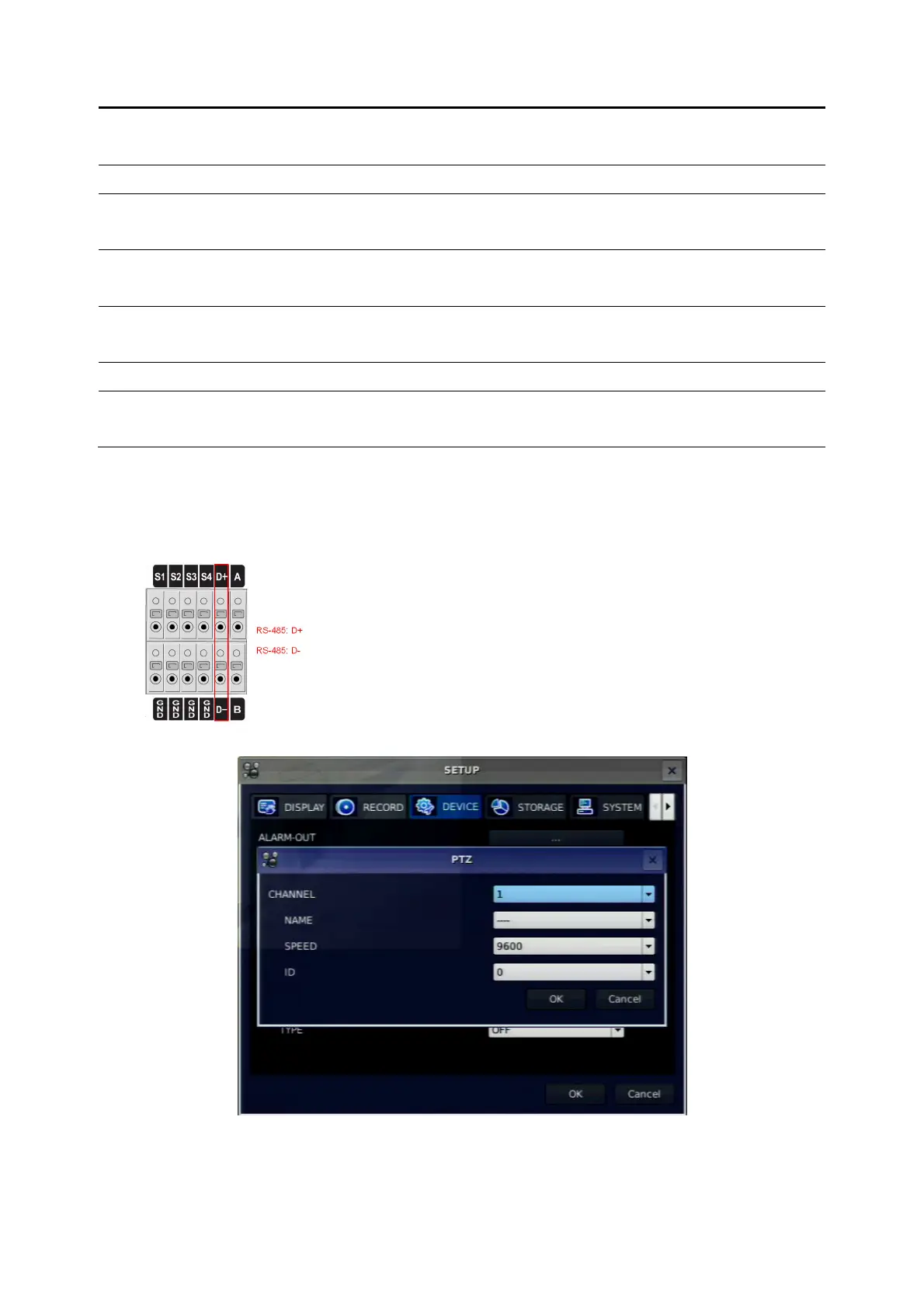
To control the PTZ functions of the camera, connect a controller to the RS-485 port.
①
①①
① Connect the RS-485 cables of PTZ camera to the RS-485 port on the rear panel.
②
②②
② Press SEL button or double click to enter the menu. Then PTZ menu screen is displayed.
Figure 3.4.4. PTZ Control Setup Screen
Note: For speed dome cameras that support RS-485, connect them directly to the RS-485 port. If the
camera is controlled with RS-232C, use an RS-485 to RS-232C signal converter.



 To Next Page