38
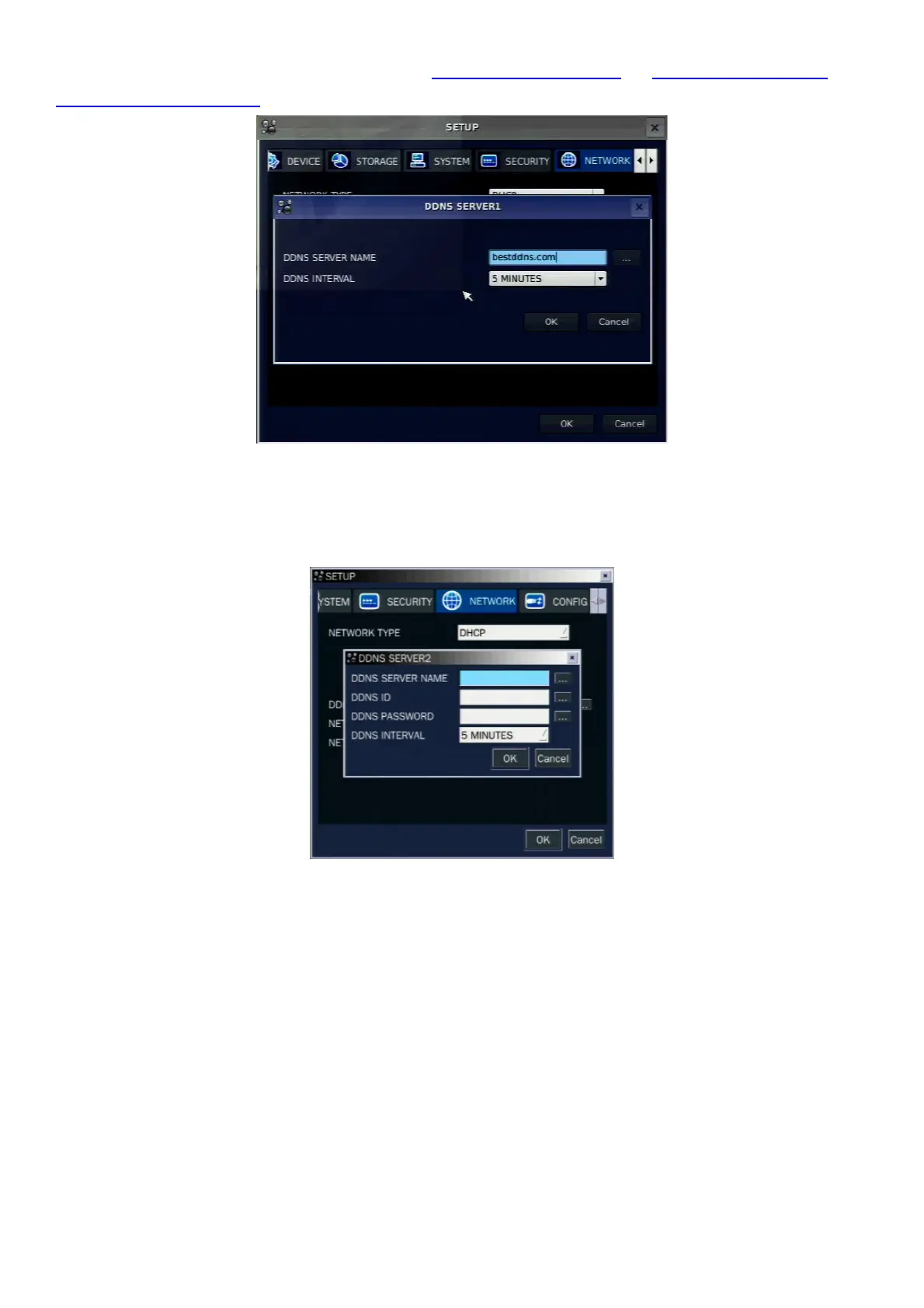
create a unique domain name to http://www.bestddns.com, http://www.okddns.com or
http://www.ddnscenter.com. Please refer to page 90 for the detail of the registration.
Figure 3.8.4. Network setup screen – DDNS Server 1
If user wants to use other general-purpose DDNS Server, select a Sever 2. Then, user has to input the
server name, ID and password using a virtual keyboard.
Figure 3.8.5. Network setup screen – DDNS Server 2
3-8-3. Network Ports
When you connect one or more DVRs to a network through an IP sharing device, each device must have a
unique TCP port number for access to each unit from outside the LAN. Also, the IP sharing device must be
configured for port forwarding so when each port is accessed on the IP sharing device, it will forward to the
appropriate DVR.
Note: This port number is listed next to the Port menu option in the Network Setup screen. If you plan to
access the DVR units only from within the same LAN, the TCP port does not have to be changed.
Note: Port Forward function will be supported to the next version.



 To Next Page