74
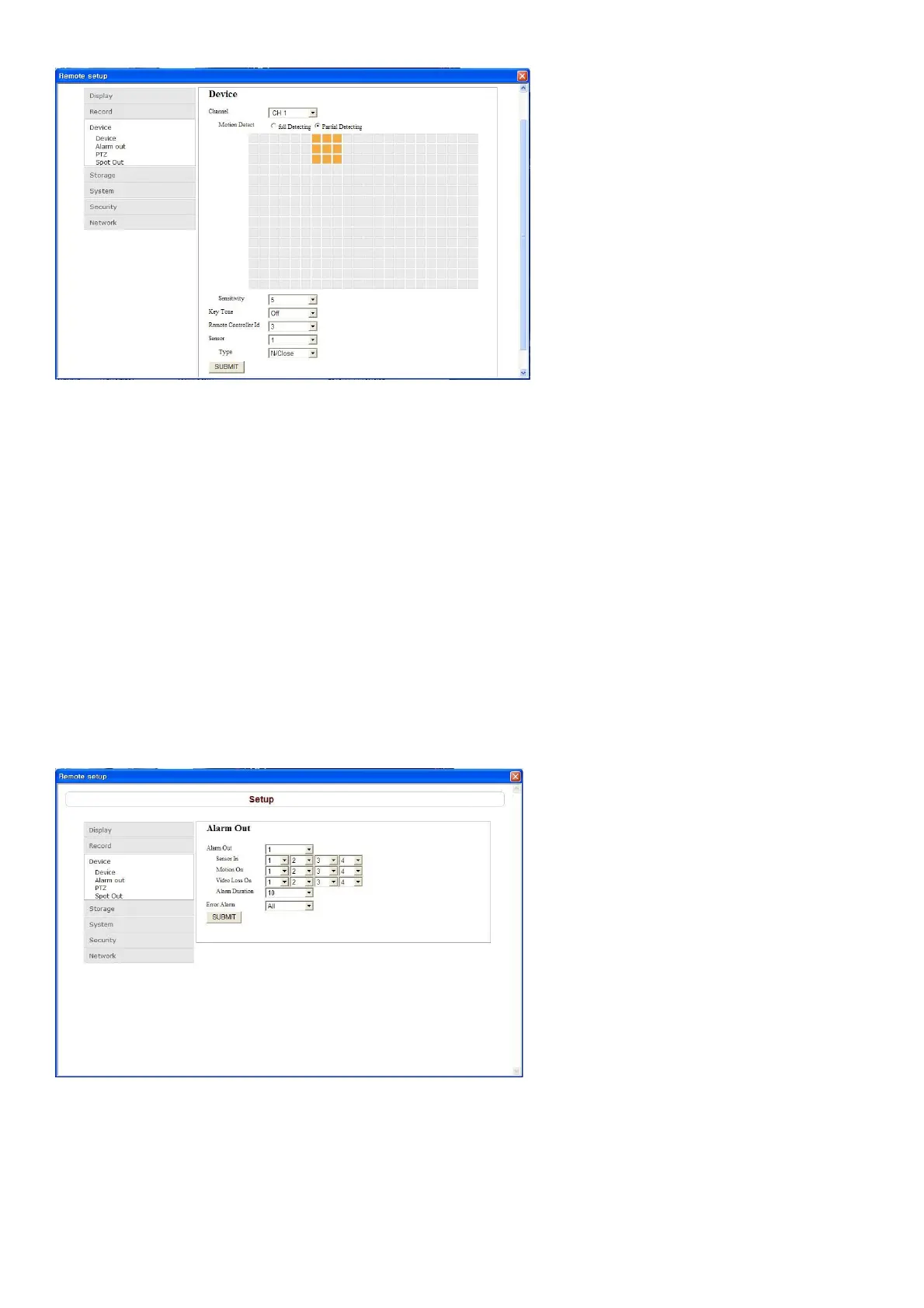
Setting the motion zone/Sensitivity: Select the zone where the motion sensor is active. It is necessary to
set a detection frame when PARTIAL ZONE is selected. Select the level of detection sensitivity of the
motion sensor. Sensitivity selections: 1~9(High sensitivity level)
Partial Zone: If selecting Partial Zone, a button is displayed to the right. Click the button and click(or drag)a
grid cell in the desired detection frame.
Key Tone: Sets On or Off of Key Tone.
Remote Controller ID: Sets an ID number on the supplied remote control for its identification.
Setting a sensor input terminal: Specify a sensor input terminal number and set the type.
SUBMIT: Save surely by pressing this button after setting the value.
9-7-3-2. Alarm Out
Setting an alarm output terminal: Sets the alarm output conditions.
Alarm out No.: Lite series supports just one alarm output.
Sensor In: Outputs an alarm signal when the specified external sensor input terminal receives an input.
Motion On: Outputs an alarm signal when the specified video input terminal receives a motion detection



 To Next Page