60
Security Option: Set a password for security options. When you access any of the selected
functions, you will need to enter the password.
Save Path: Specify the location to record for backup and still image capture.
Automatic reconnection: If a user selects this function, the client S/W will automatically try to
connect to the previously connected IP address if the network connection is lost.
Display network statistics: If a user selects this function, the client S/W will display network status,
Bit rate and Frame rate.
Time Format: Change the mode the Client software displays the time.
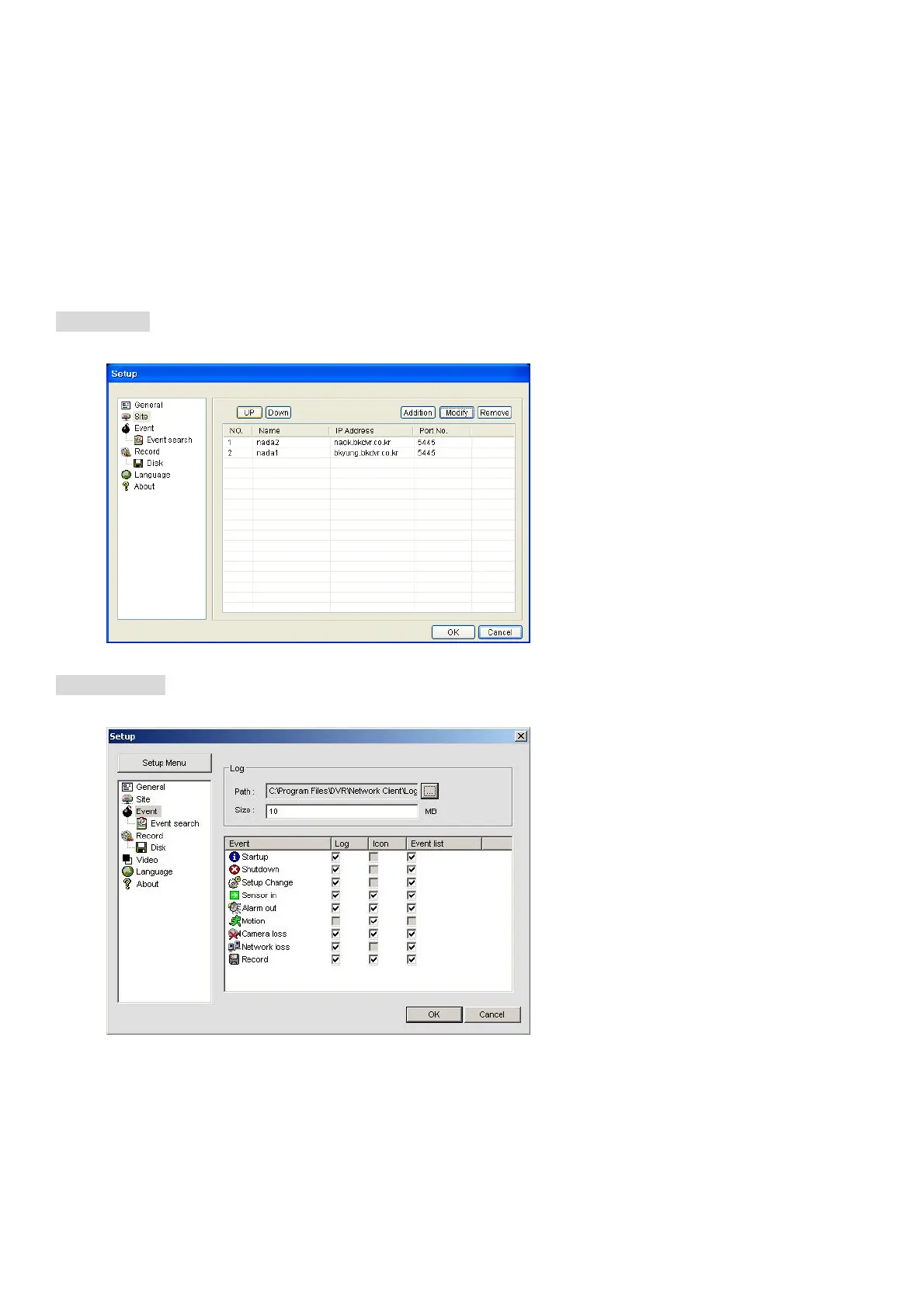
Setting Site
The remote DVRs can be added, modified, and removed.
Setting Event
Set the record path and the size of local disk space for the log files.
LOG – Select to save event log into ‘log file’.
ICON – Select to display the event on live video.
EVENT LIST – Select to show the event in the ‘Event List” window of live mode.



 To Next Page