6-8 Arrivals / Approaches / Landing
graphical depiction on the map. This aids in error reduction and
helps visually see options for diverts, weather avoidance, etc.
COOL FEATURE
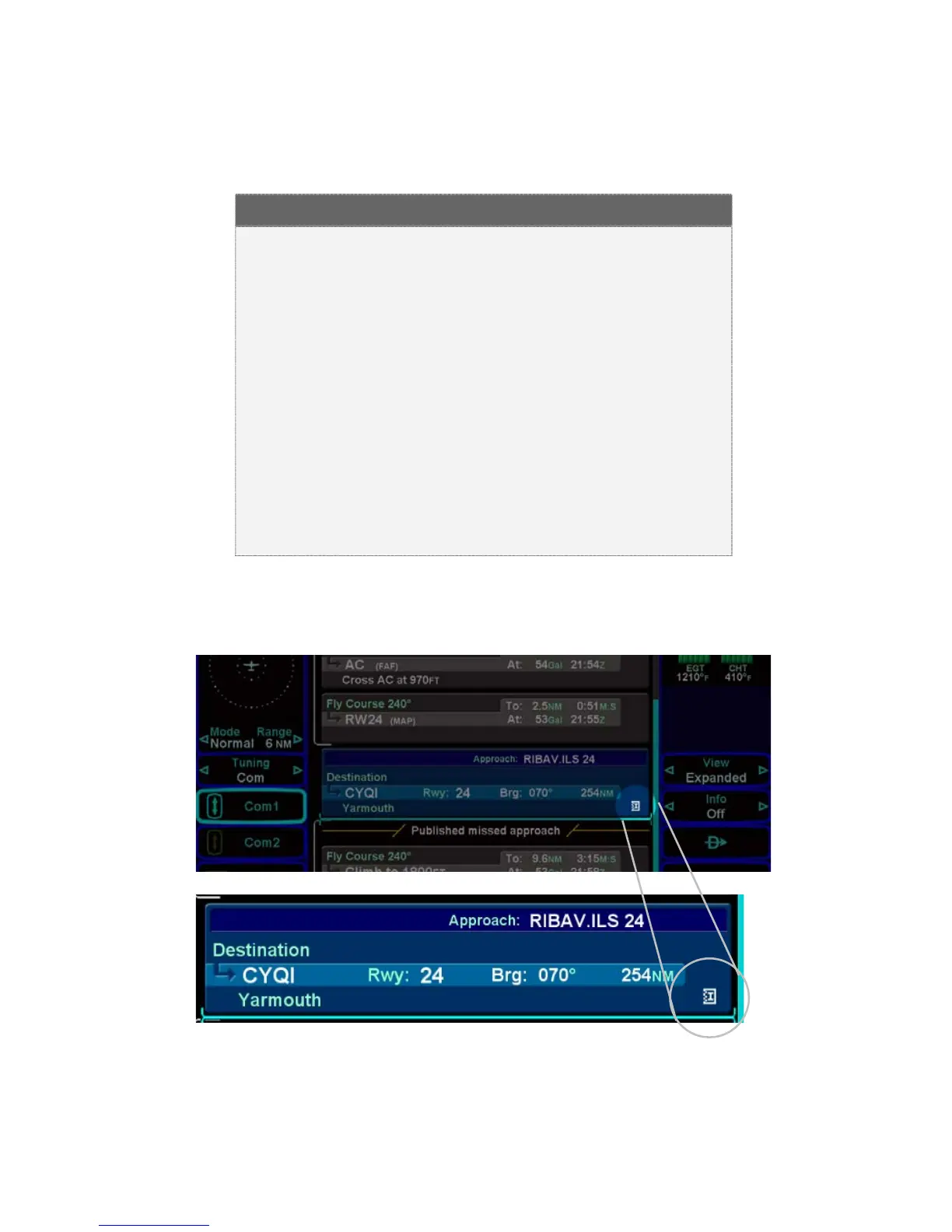
Hot Links to Charts in Flight Plan Whenever a
flight plan leg (blue airfield legs) has at least one
published approach associated with it, a chart icon
is presented on the right edge of the flight plan leg.
If there is a published precision approach, the icon
will also contain an “I”. By using the “FMS” knob on
the keyboard, or the right-hand knob on the IFD,
scroll through the flight plan elements until the chart
icon is highlighted in reverse video. If, at that time,
the knob is pushed in, the MFD will display either
the specific chart for that associated procedure or
the directory of possible procedures for that airfield.
Hot Links to Charts














 To Next Page