Ground Operations 3-3
ENTERING A FLIGHT PLAN
Ground operations are the ideal time to enter the intended flight
plan into the FMS. Enter your plan into only one of the IFDs. The
data is automatically shared between them.
FMS BASIC CONCEPTS
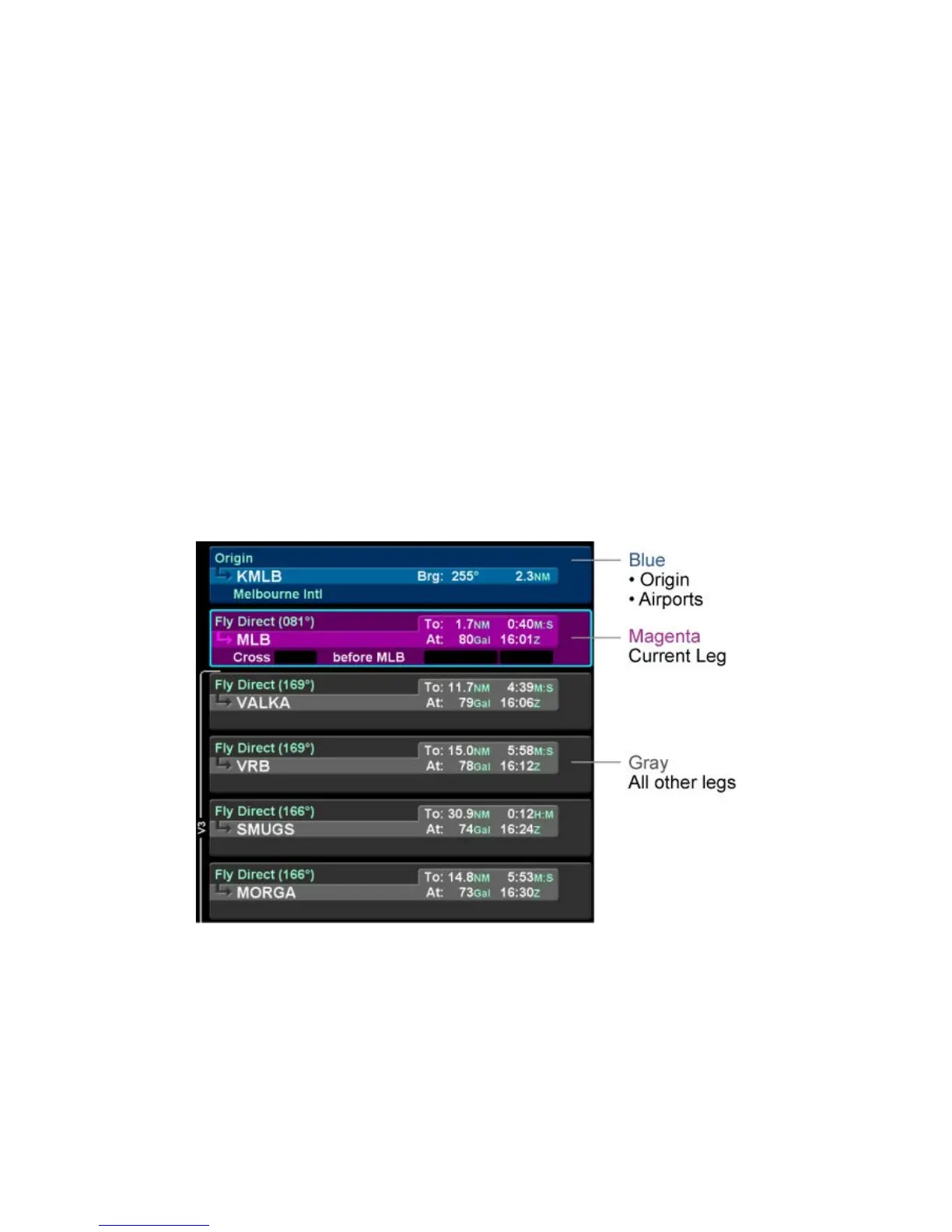
Each leg of a flight plan has its own color-coded background
designed to make the overall flight plan easier to read at a
glance.
The origin and all airport waypoints are depicted with a blue
background. The active leg of the active flight plan is always
depicted with a magenta background. All other legs of a flight
plan are depicted with a gray background.
Flight Plan Detail
There are two types of cursors – an insert cursor and an edit
cursor. Rotate the “FMS” knob in the lower right corner of the
keyboard to see the visual difference. The insert cursor will
appear as a thin blue horizontal line that appears between flight
plan legs. This allows you to insert new legs. The edit cursor
appears as a wrap-around blue box that encircles the entire leg
and allows you to edit an existing leg.














 To Next Page