Ground Operations 3-7
Saving a Flight Plan
COPYING A FLIGHT PLAN
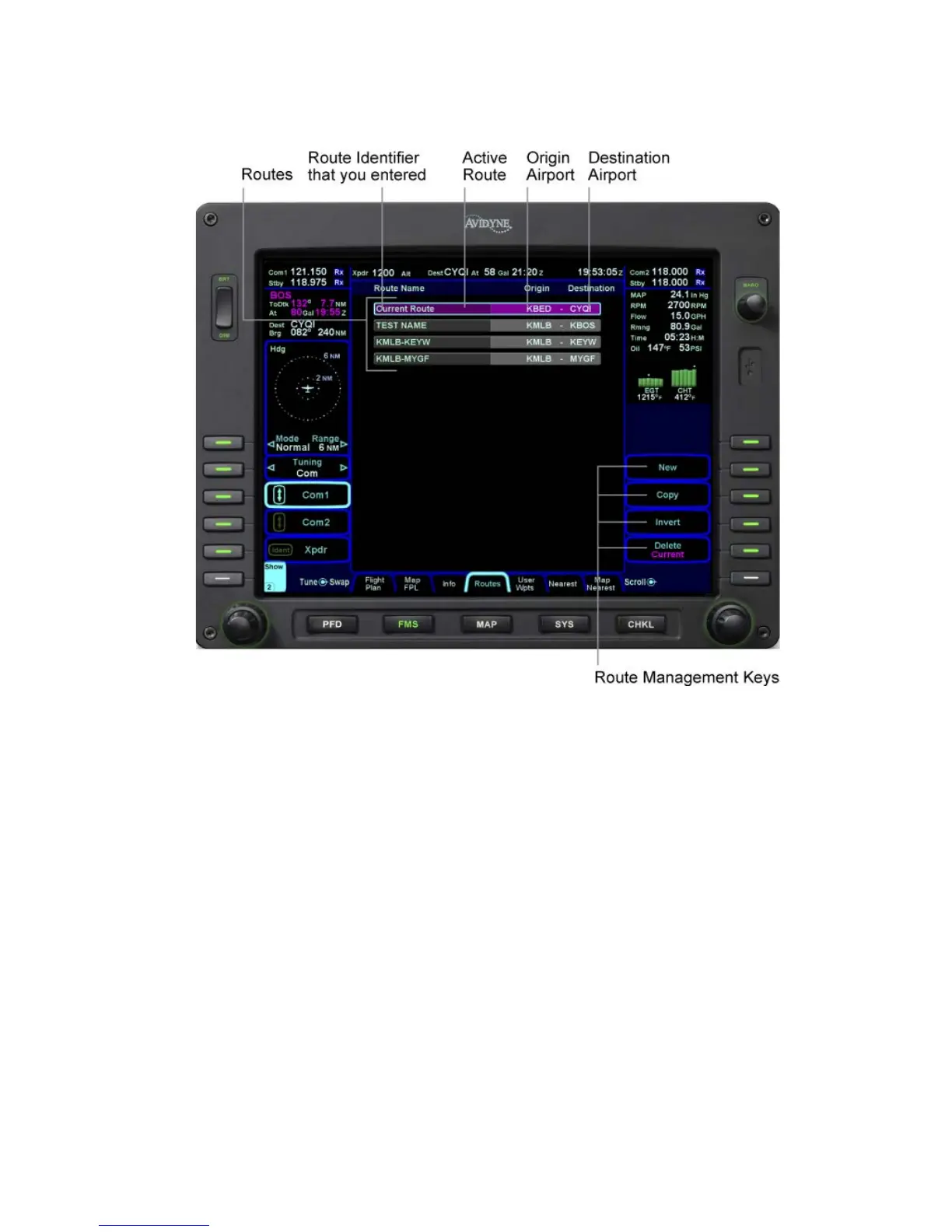
From the “Routes” tab of the “FMS” page, first select the route
you wish to copy via the right-hand knob then press the “Copy”
LSK on the right side of the bezel. This will present the route
name in reverse video. You can either retain the pre-filled name
or type a new one via the keyboard. Follow by pressing “Enter”.
Now use the “FMS” knob on the keyboard to scroll up or down the
flight plan and edit it as required. If no editing is required, you
have successfully saved or copied a flight plan.
INVERTING A FLIGHT PLAN
From the “Routes” tab of the “FMS” page, use the “FMS” knob on
the keyboard to scroll up or down the list of routes to the desired
flight plan. Press the “Invert” LSK. This automatically inverts the
flight plan and leaves the route name field highlighted in reverse
video, allowing you type a new flight plan name, if desired.














 To Next Page