System Overview 1-7
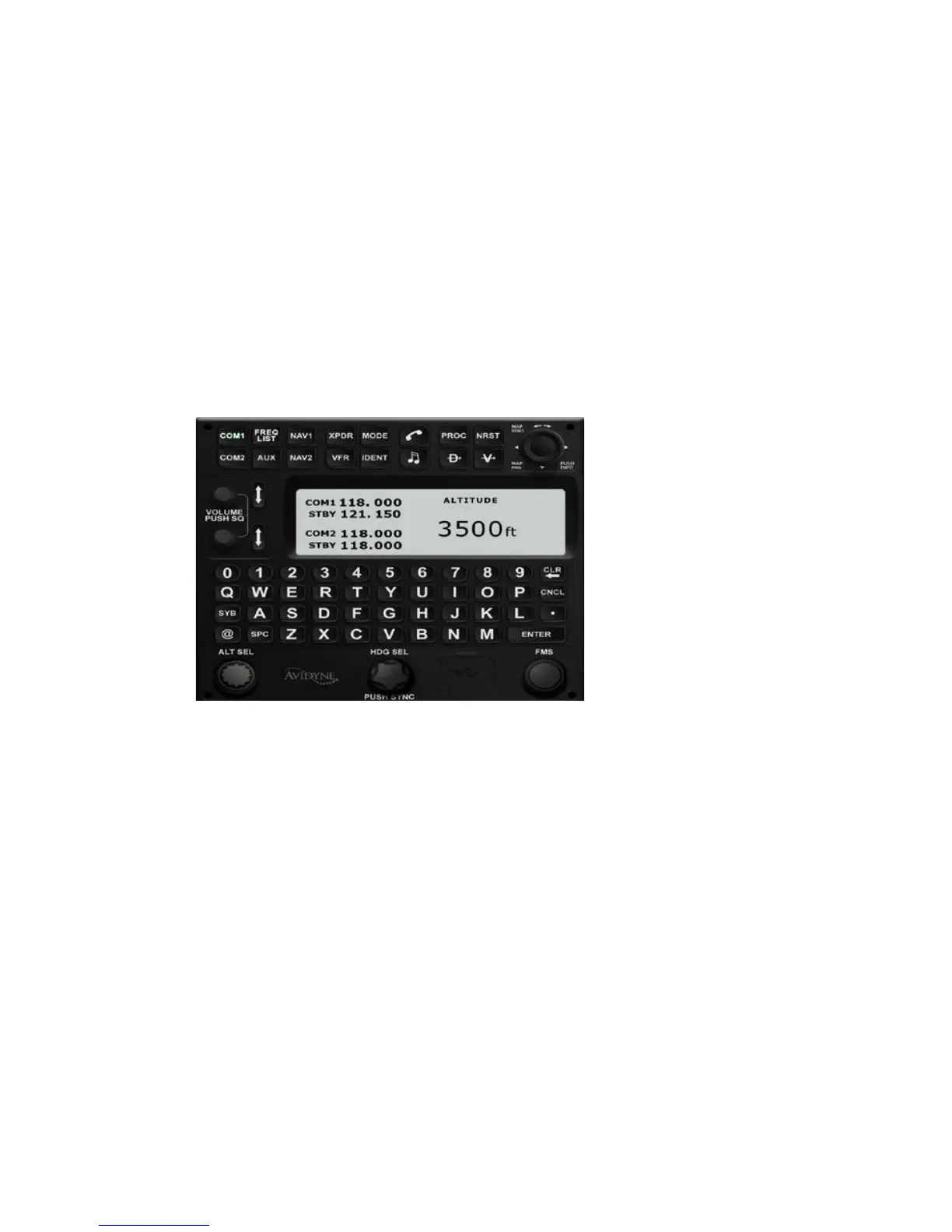
The keypad is a QWERTY layout with a few special function
buttons along the outer edges and a row of number keys along
the top of the keypad.
Just above the keypad is a display that is split into two distinct
areas: a semi-permanent display of the com and nav frequencies
on the left half of the display and a set of user-configurable
datablocks in the right half. This datablock area is temporarily
replaced by a display that is relevant to the operation being
performed on the keyboard (e.g. com tuning, transponder code
input, autopilot target setting, FMS data entry, etc).
Keyboard
LIVE EDITS
All edits are “live edits” in that they are immediately applied.
Examples include:
• Course Entry on PFD
• Com tuning on keyboard (new frequency becomes the
active radio standby freq)
• Nav tuning on keyboard (new frequency becomes the
active radio standby freq)
• Waypoint name entries in flight plans
• Autopilot targets (Altitude, Heading, Vertical Speed)
• Waypoint deletions in flight plans














 To Next Page