368 Encore Presentation System • User’s Guide
aK==tçêâáåÖ=táíÜ=aÉëíáå~íáçåë
ScreenPRO-II Configurations
fåíÉêå~ä=oçìíÉê=`çåÑáÖìê~íáçå
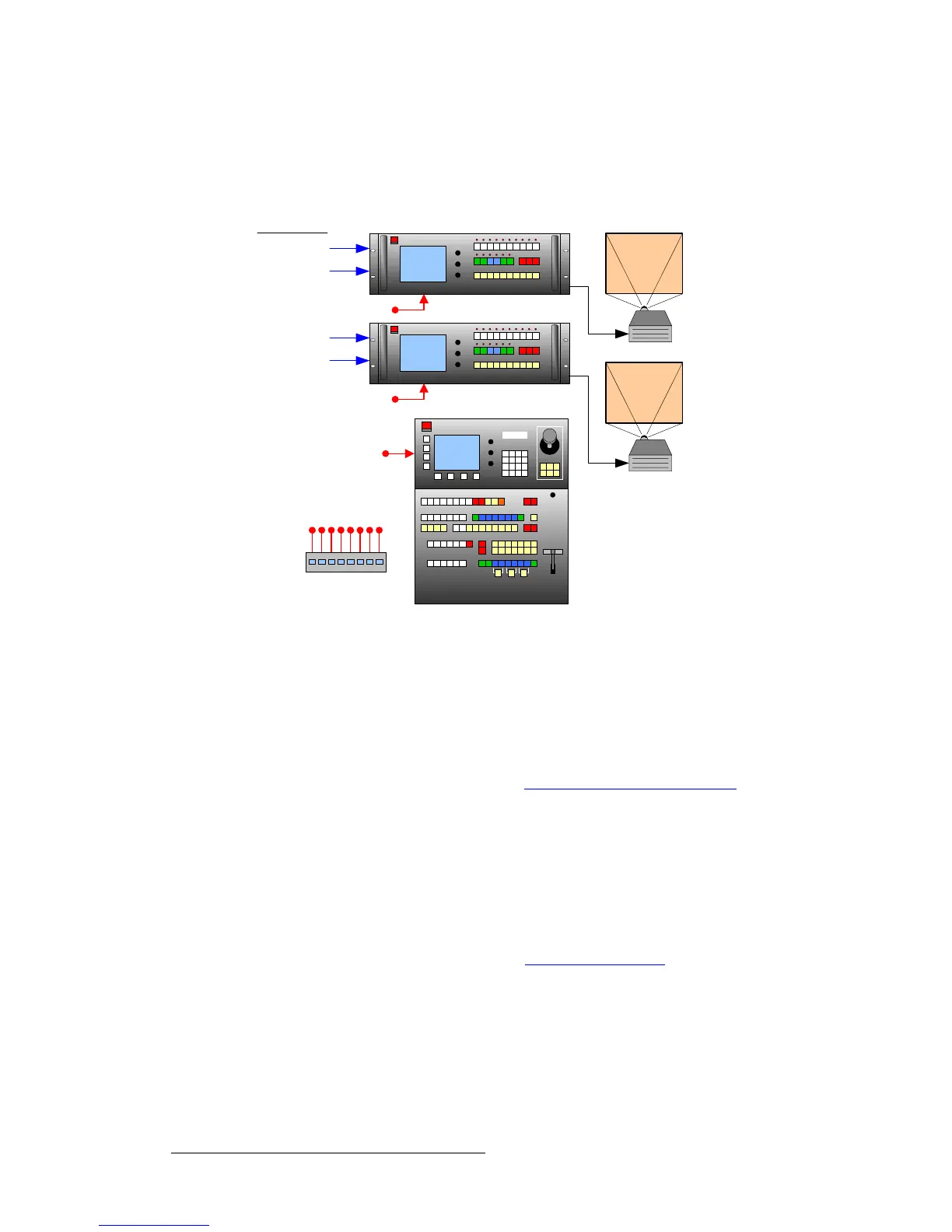
The diagram below illustrates an Encore configuration that uses two ScreenPRO-II units
with internal source routing. Each ScreenPRO-II is set up as a unique destination.
Figure D-1. ScreenPRO-II units using internal source routing
For an “internal routing” ScreenPRO-II configuration, please note the following points
regarding destination setup and source connections:
• On the Destination Setup Menu:
~ Select Single Screen SP as the “Type.”
~ Set the “Routing Mode” to Internal.
~ In Chapter 6, refer to the “ScreenPRO-II Destination Setup” section on
page 258 for instructions.
• Connect analog and digital sources directly to each ScreenPRO-II.
• ScreenPRO-II inputs are mapped using the Input Patch Menu:
~ If you are using D/As to connect sources to similar inputs on each
ScreenPRO-II, select
ALL SP as the “Connection Type.”
~ If you are connecting to different inputs, separate input patches are
required for each.
~ In Chapter 6, refer to the “Output Format Setup” section on page 263
for instructions.
Encore Controller (SC or LC)
ScreenPRO-II
Analog Inputs 1-8
HD/SD Inputs 1-2
(HD Model Only)
Analog Inputs 1-8
HD/SD Inputs 1-2
(HD Model Only)
Internal Routing
Ethernet Switch
Side Screen 1
Side Screen 2



 To Next Page