48 Encore Presentation System • User’s Guide
2. Hardware Orientation
Program Output Notes
mêçÖê~ã=lìíéìí=kçíÉë
Please note the following important points regarding the Processor’s program outputs:
• HD/SDI Outputs — For the optional HD/SDI output connector, you can set the
output to be
SDI (SMPTE 259M-C, NTSC or PAL) or HD-SDI (SMPTE 292M,
HDTV). When you set this output resolutions, all output connectors will output
that same resolution.
• DVI Program Outputs — DVI Program outputs are digital only. They do not have
analog connections.
• Program 1 Outputs — Edge feathering and data doubling are present on all
Program 1 Outputs, provided that those features are enabled in the system’s
Output Menu.
^å~äçÖ=fåéìí=cäÉñáÄáäáíó
Each M/E’s Analog Input connectors (A and B) accept a variety of analog formats including
VGA, low-resolution composite video, S-video and YUV component video.
• For RGB with H and V sync, use the VGA connector directly.
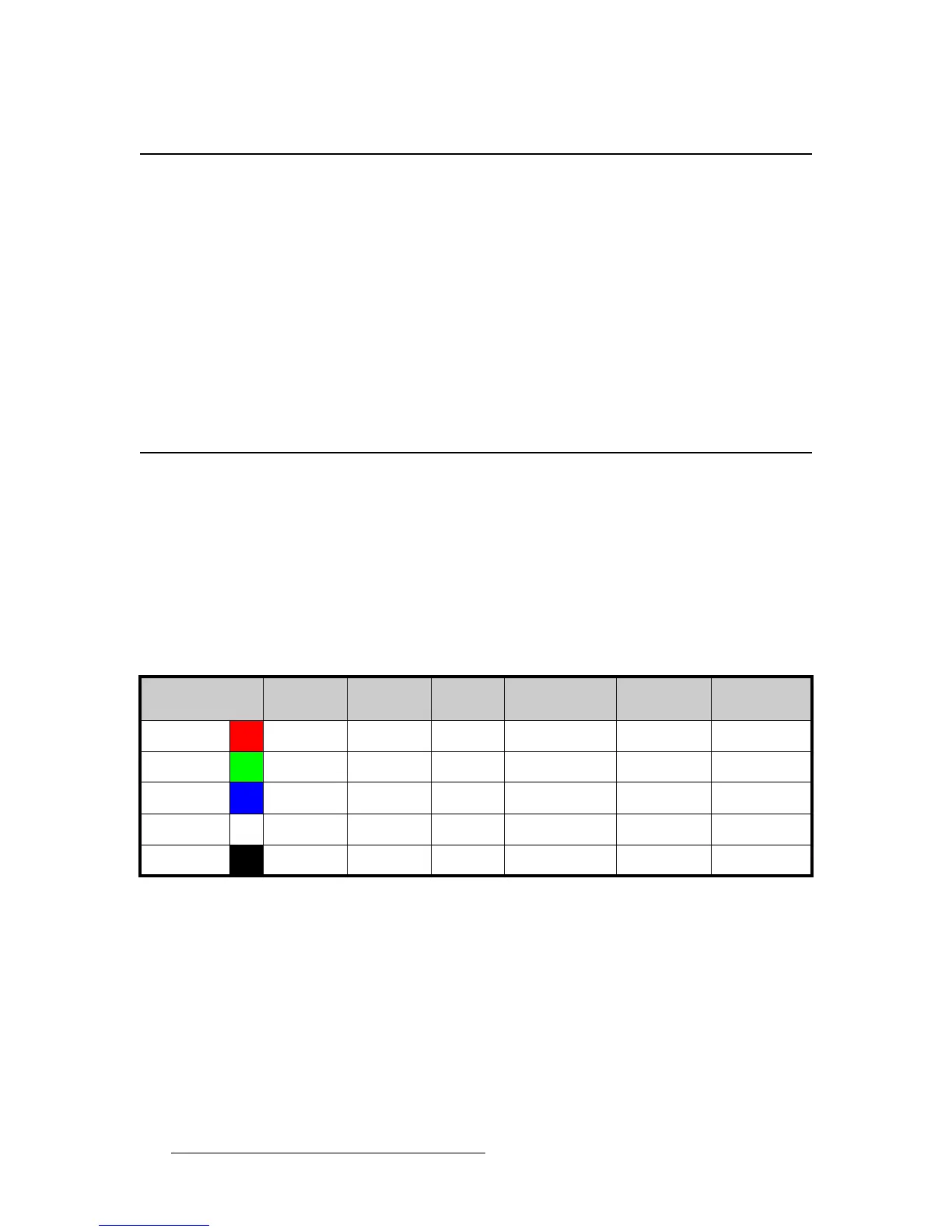
• Using a (customer supplied) VGA to 5xBNC breakout cable, five input
combinations are possible. Cells with check marks denote the connections
required for the indicated format.
Table 2-1. Analog Input Combinations using Breakout Cable
Breakout Cable
Wire Color
Composite
Video
S-Video
(Y/C)
YUV
(YP
b
P
r
)
RGB
Sync on Green
RGB
Comp Sync
RGB
Separate H V
R
(Chrom)
(P
r
)
G
(Lum)
(Lum)
B
(P
b
)
H Sync
V Sync



 To Next Page