Encore Presentation System • User’s Guide 89
3. Hardware Installation
Program and Source Link Connections
mêçÖê~ã=~åÇ=pçìêÅÉ=iáåâ=`çååÉÅíáçåë
The following topics are discussed in this section:
• Overview of Edge-Blending Technology
• Connecting Program and Source Links
lîÉêîáÉï=çÑ=bÇÖÉJ_äÉåÇáåÖ=qÉÅÜåçäçÖó
Edge-blending technology is becoming increasingly popular for supporting very large high-
resolution displays. The technology is very flexible and supports a wide range of screen
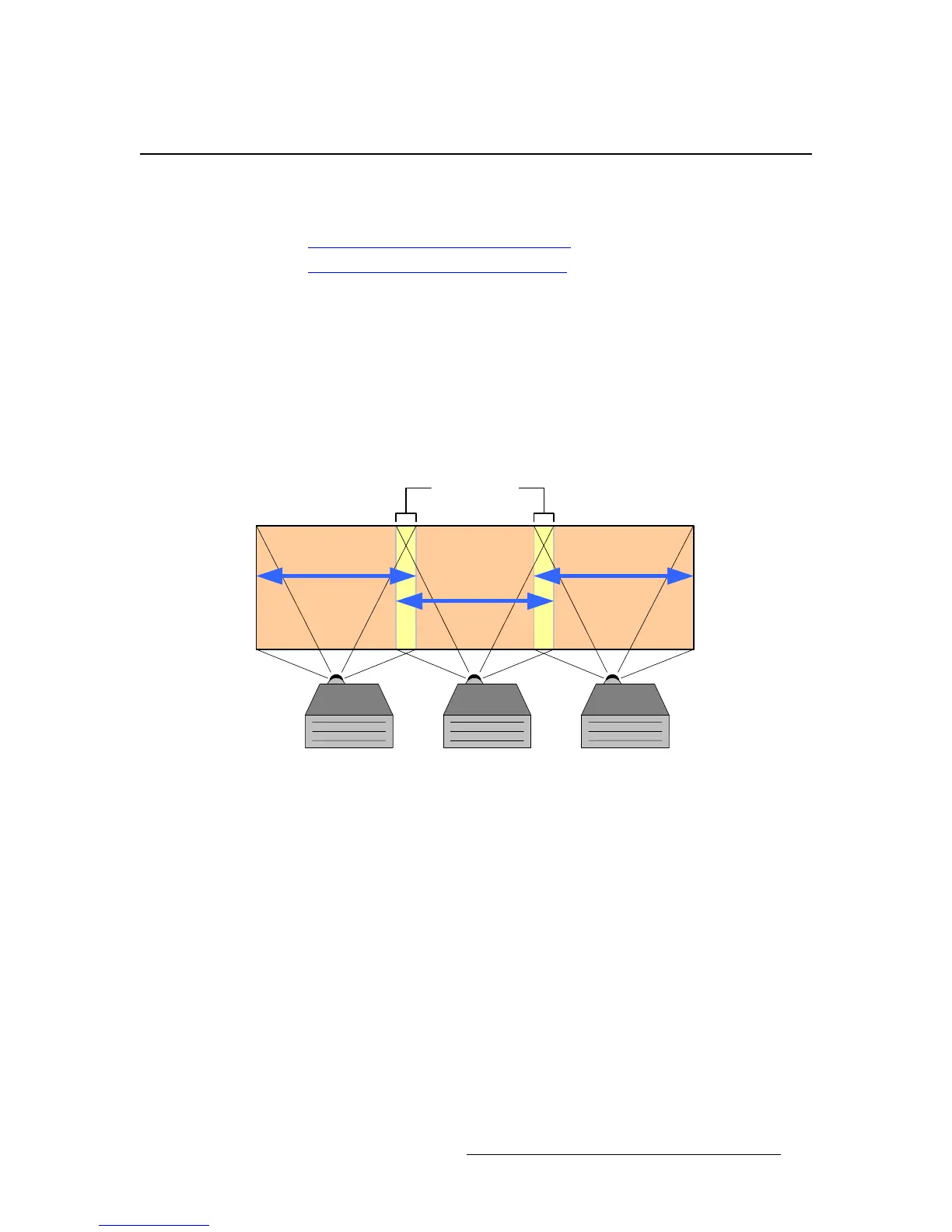
configurations. A typical three projector system is illustrated below. As shown in the figure,
multiple projectors are used to project on a common surface to create one high-resolution
image. The creation of a seamless image requires careful attention to detail. High quality
results are dependent upon a system-level approach that integrates content creation, video
processing, projector setup and system adjustments as described below.
Figure 3-9. Typical three projector system
`çåíÉåí=`êÉ~íáçå=
When projecting an image across a large screen, it is important to maintain sufficient
resolution to obtain a crisp, clear image from the perspective of the viewer. Generally, high-
resolution source material is used to maintain content that is pleasing to the eye. There are
two methods that are commonly used to generate wide-screen source material, each of
these methods is explained below.
• Use of a Single High Definition Image
High Definition source material has a resolution of 1920 pixels x 1080 lines.
Images of this type can be reformatted to drive multiple screens. The reformatting
is usually performed by a seamless switching system such as the Encore
Presentation System.
Reformatting allows the resultant images to be processed for providing seamless
switching, integration of picture-in-picture video and keying features. Note that
the input image can be effectively spread to multiple screens, however, the
Projector #3
Output
Projector #1
Output
Projector #2
Output
Adjustable
Image Overlap



 To Next Page