R5906167 /00 ImagePRO–4K Video Processor
58
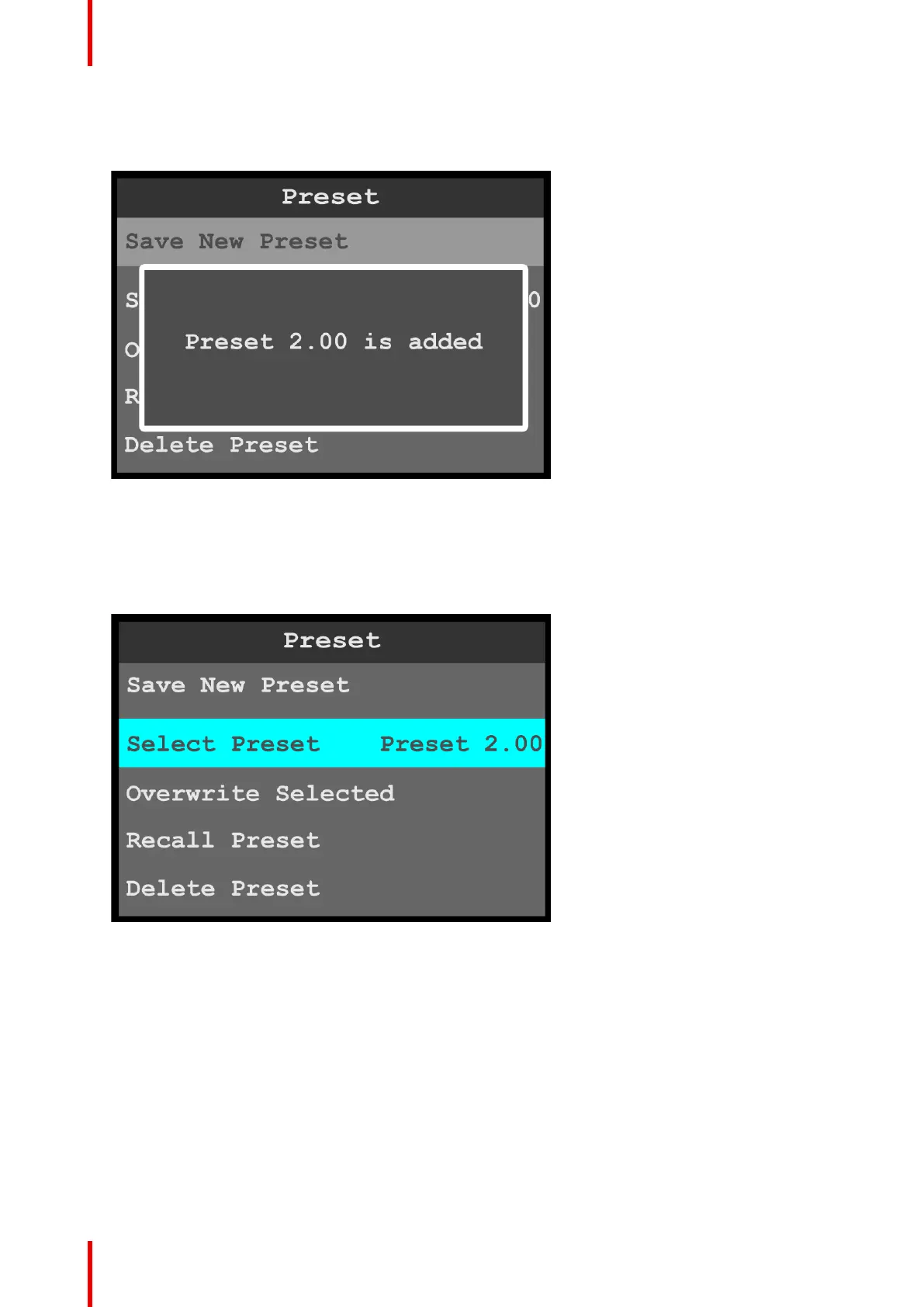
Once Save New Preset is selected, the system saves the current configuration as a preset and assigns it a
number. Once the preset is saved, the system displays a message that says that the preset has been
added.
Image 6-41: Preset saved message
Select Preset
1. Select Select Preset on the Preset menu to select a preset.
Once Select Preset is selected, the highlight bar turns from gray to cyan. Turning the adjust knob scrolls
through the available presets.
Image 6-42: Preset: Select Preset
2. Use the adjust knob to scroll to and select the desired preset.
3. Select Recall Preset to recall the newly selected preset.
Overwrite Preset
1. Select Overwrite Preset on the Preset menu to overwrite the currently displayed preset with the currently
selected preset.
For example, if Preset 1.00 is currently displayed and Preset 2.00 is currently selected, selecting Overwrite
Preset overwrites Preset 1.00 with Preset 2.00. Preset 1.00 is not renumbered, but the properties of Preset
1.00 are overwritten with the properties of Preset 2.00, so that the two presets now have the same effect.
Recall Preset
1. Select Recall Preset to recall the currently selected preset and make it active.
Menu orientation



 To Next Page