Operation and Control System
A: R82GB0FA.PMD
B: R82DE0FA.P65
E: 080403 / T. Weiß
G: 200103 / TCS
Section 5.5
Page 23
?
R8B2_GB085.JPG
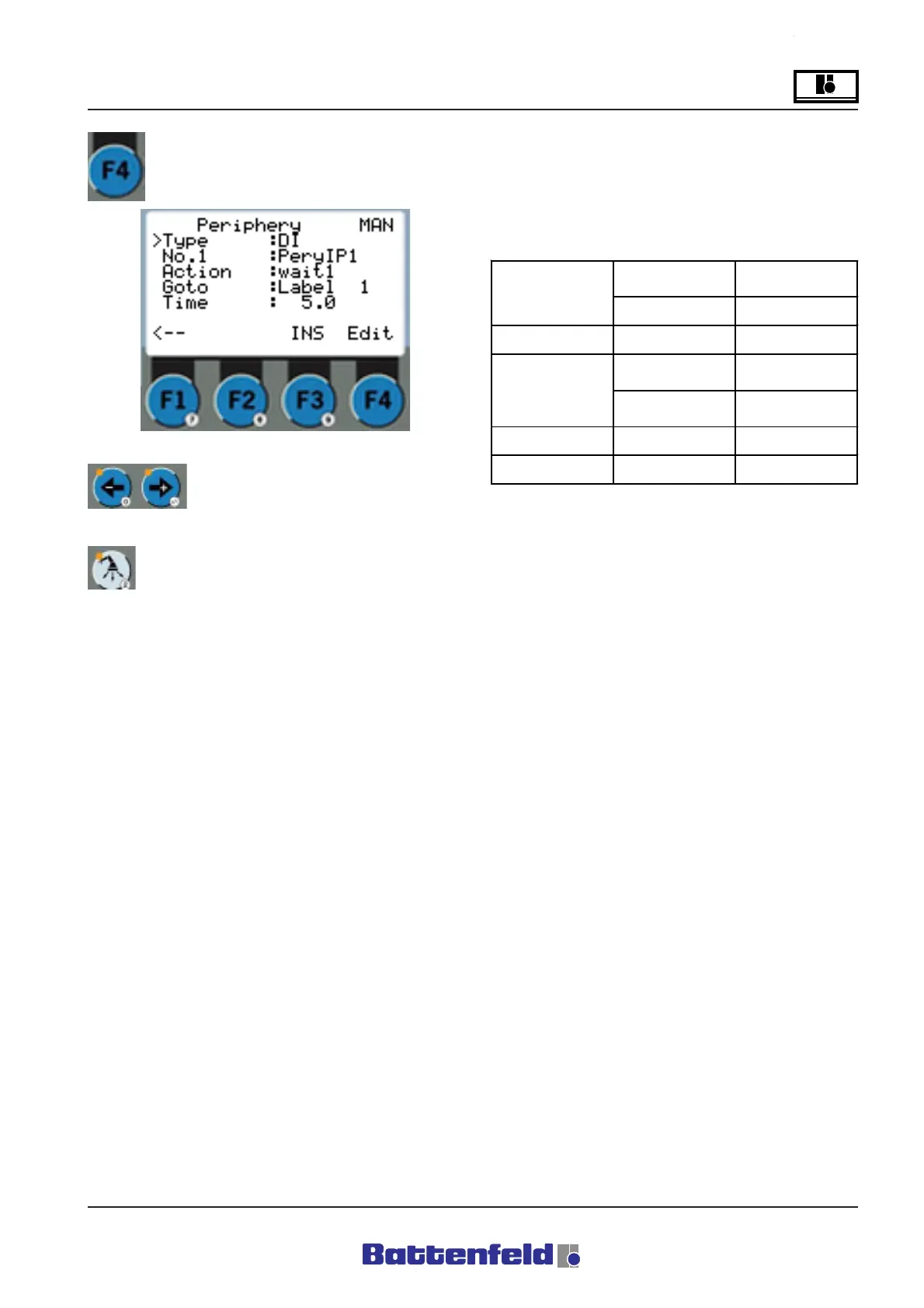
Press the F4 function button.
Use the "+" and "-" arrow keys to
adjust the individual objects.
Periphery command
D12 wait1 1.2sL5
D12 wait0 1.2sL5
The system waits X.X seconds until the digital
input is logic ””0”” or ””1”” and then jumps to the
label. No time need be specified. When the
conditions have been fulfilled, the system jumps
to the label.
D12 if0 L6
D12 if1 L6
When the digital input is logic ”0” or ”1”, the
system jumps to the label.
DO1 SET
The digital output is set (to logic ”1”).
DO1 RST
The digital output is reset (to logic ”0”).
DI DO
Digital input Digital output
No. PeriIP1-4 PeriOP1-4
Wait0 Wait1
SET (to
logic "1")
If0 If1
RST (to
logic "0")
Goto Label 1-10
Time X.X s
Type
Action
R8B2_GB138.XLS



 To Next Page