Operation
Instruction handbook b maXX 5000
Document No.: 5.09021.16
217
of 328
8
8.4.3 CANopen
®
.
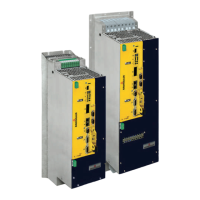
Type code b maXX 5000 w
ith CANopen
®
:
BM5XXX-XXXX-XXXX-03XX
-
The data can be transmitted to all the other CAN-users (e g from CANopen
®
master) via
the b maXX 5000.
X3 an
d X4 are the RJ45 connections for CAN bus cables (also see ZConnections on the
front side– on p
age 171), which are on the front side of the device.
Mounting and
installation
The mounting / installation consists of
the following steps:
1 De-energiz
e b maXX 5000 device
2 Set
address and baud rate (transfer rate) at the b maXX 5000,
see ZCANopen
®
– on page 103.
3 Conn
ect b maXX 5000 with CANopen
®
-bus cables (and, if necessary, a terminated
connector).
n Comply
to EMC-oriented laying of CANopen
®
connection cables!
n Ba
umüller released the following cables for use:
CANopen
®
connection cable;
further information see ZAccess
ories - CANopen
®
.– on page 250.
NOTE!
If the b maXX 5000 d
evice is the last bus node in the line, X4 must be terminated with
a terminating connector (see ZA
ccessories - CANopen
®
.– on page 250).
Commissioning The following preconditions must be fulfilled before
commissioning can be made:
1b maXX 5000 with
CANopen
®
is correctly installed.
n CANo
pen
®
-connection cables are correctly wired.
2 Th
e control cabinet has been locked correctly and the safety devices have been put
into operation.
3 Th
e b maXX 5000 device is ready-to-use.
Address switch By means of the address switch S1 to S4 the se
ttings, like e.g. the baud rate (transfer
rate) and the address setting (slave No. /ID) are made
(see ZCAN
open
®
– on page 103).
Further information about parameter setting of the CANopen
®
slave, see „Application
Manual“.



 To Next Page
 Loading...