Programming the Pump 85
SIGMA Spectrum Infusion System Pump Operating Software Version 8.00
Operator’s Manual For Use With MDL Version 8.0
To change mL/hr rate while running, press the rate change soft key and enter the new
rate.
To program a Variable Concentration:
Drug amount and diluent volume (VTBI mL) are entered during Pump programming.
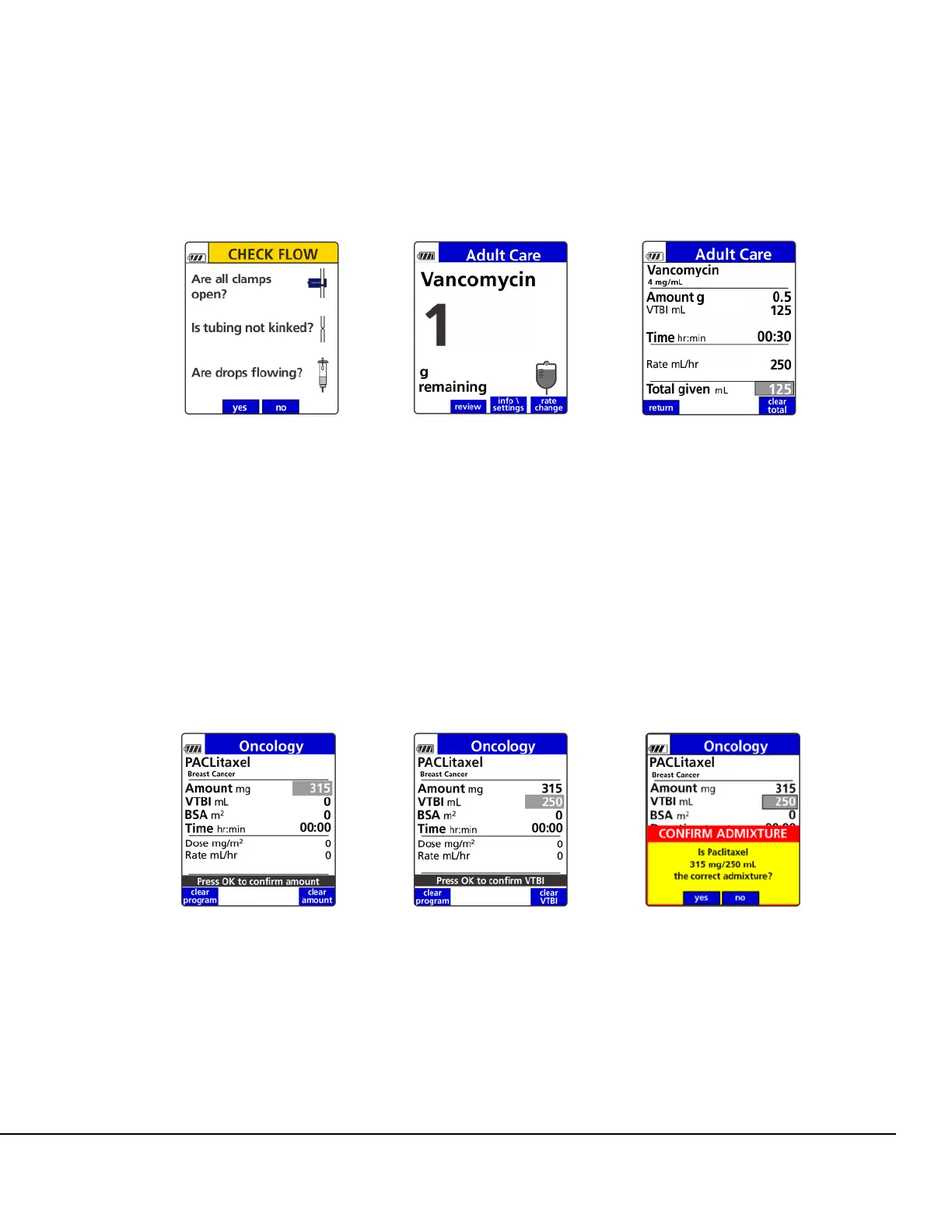
1. Enter drug amount. Press OK. See Figure 93.
2. Enter VTBI. Press OK. See Figure 94.
NOTE: After RUN is pressed, the VTBI cannot be edited in any Amount/Time infusion.
The CONFIRM ADMIXTURE dialog box is displayed. Press the yes soft key to confirm. See
Figure 95.
3. Enter patient’s weight or BSA if required. Press OK. See Figure 96.
4. Enter duration of infusion. Press OK. See Figure 97.
Dose (if weight or BSA based) is calculated and displayed. See Figure 98.
Figure 90. Primary Check Flow
Screen.
Figure 91. Infusion Running
Screen.
Figure 92. Infusion Status
Screen.
Figure 93. Enter Drug Amount.
See important note on page 81.
Figure 94. Enter VTBI. See
important note on page 81.
Figure 95. Confirm Admixture
Dialog Box. See important note
on page 81.



 To Next Page