Option Description
Force empty
container store
(cleaning)
Automatically empty the ReadA if maintenance or cleaning is required.
The plates are transported via the outfeed to the Stackers. Input from
Track is blocked.
Upon selection, a pop-up dialog appears.
1. Select OK to confirm, or select Cancel.
Disable ProceedA
input
Block input from Track.
Disable ProceedA
communication
Disable communication with Track.
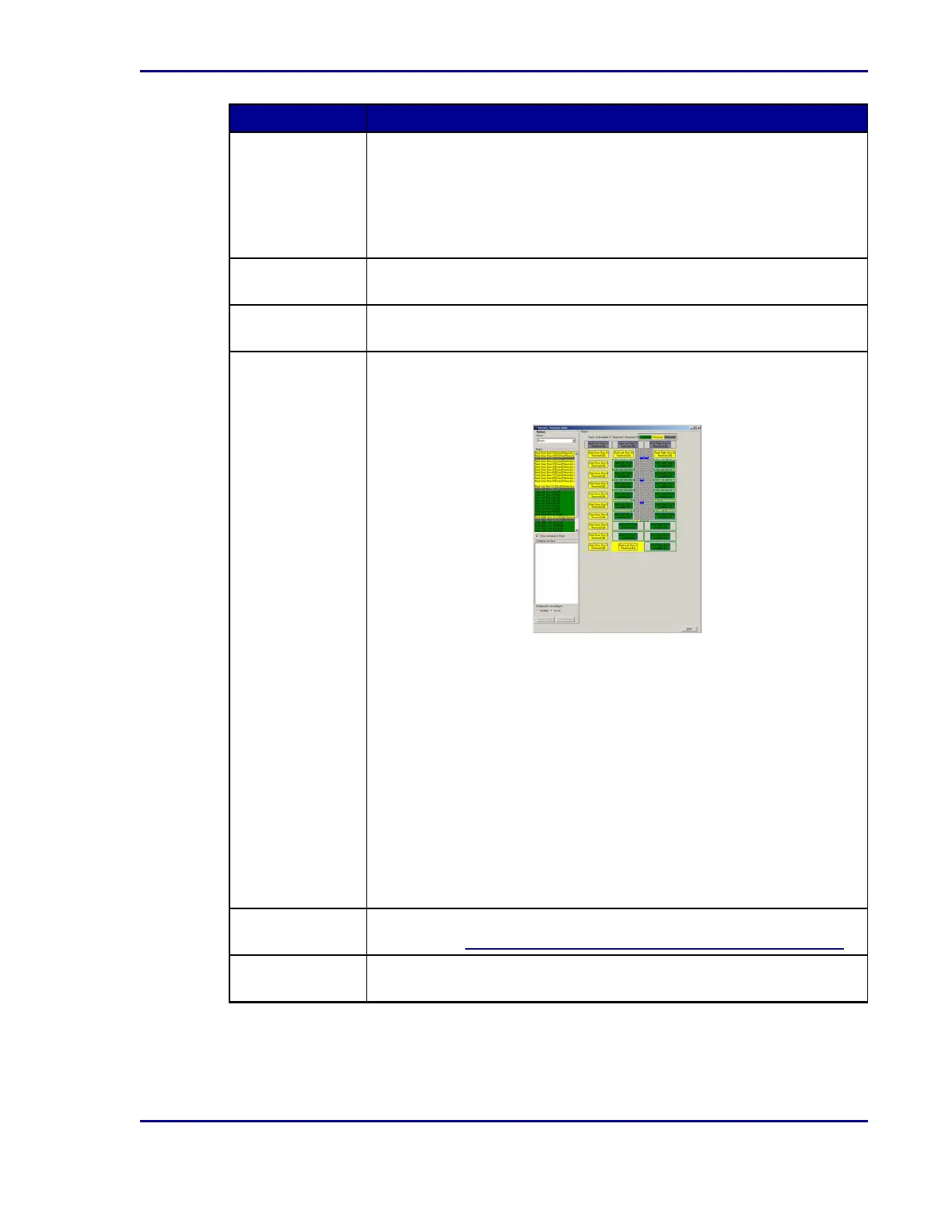
Rack reservation
& removal
ReadA must be stopped in order to view and modify which racks have
been reserved and/or removed. Upon selection, the Remove/Reserve
racks dialog appears:
The racks are represented in blocks.
1. Right-click a rack to toggle the status to:
l
green: available
l
yellow: reserved
l
gray: removed
2. After the rack status has been changed, select Apply changes to
save, or select Undo changes to cancel.
A rack status can only be changed to Removed if the rack is empty. A
rack status can be changed to Reserved and yet still contain a plate.
When the plate is later moved from its rack position and returned to the
incubator, the ReadA will not be able to find the plate position in the
reserved rack.
Optis™
calibration tool
ReadA must be stopped in order to calibrate the BDKiestra™Optis™
camera. See 5.4.4.2Calibrating the BDKiestra™ Optis™ camera.
Single manual
infeed
ReadA must be started in order to manually enter one plate into the
ReadA infeed. This option should only be used by advanced users.
19
2 - Introduction










 To Next Page