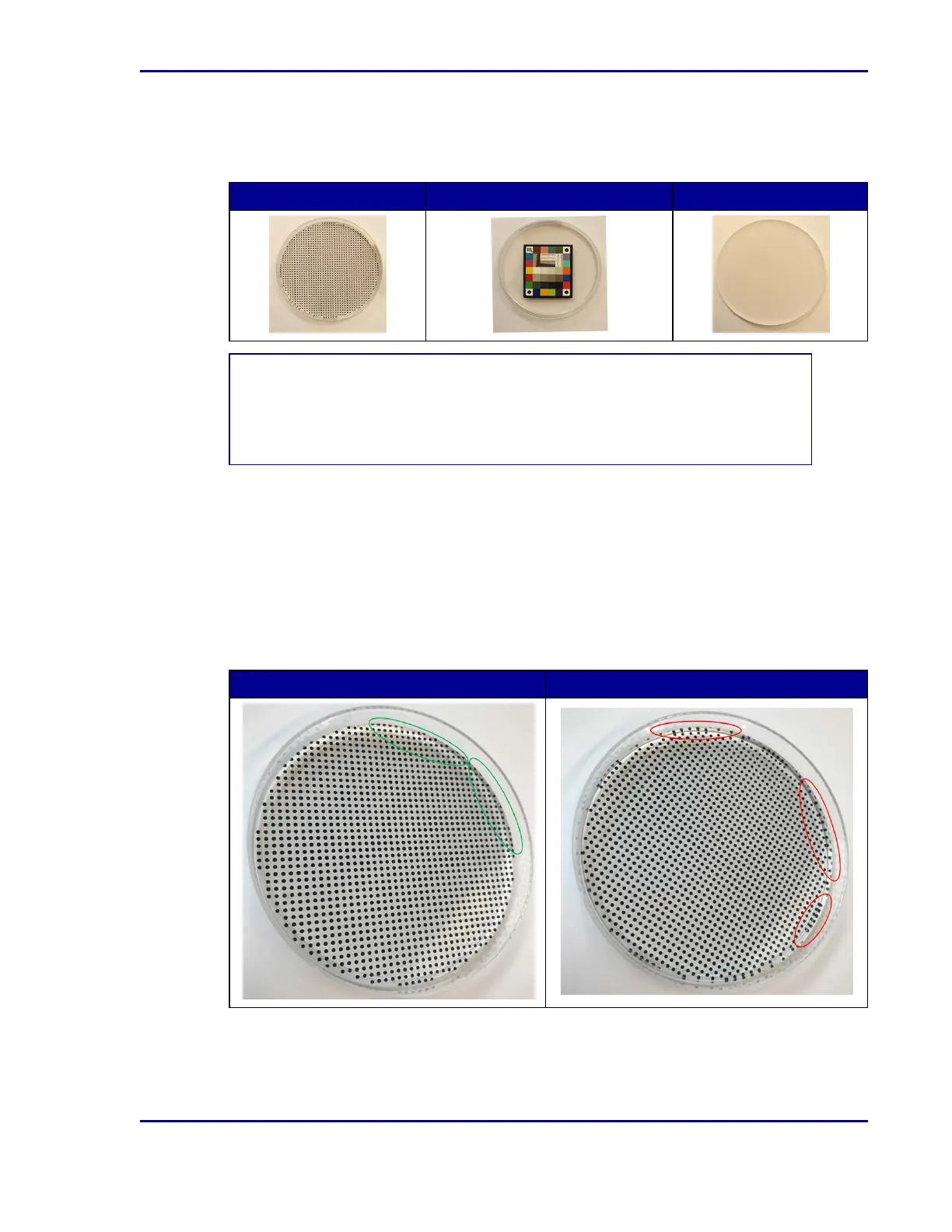
Plates required for calibrating the BDKiestra™ Optis™ camera
In order to calibrate the Optis™ camera, you must have the following calibration plates: pixel
calibration plate, the color calibration plate, and the homogeneity plate.
Pixel calibration plate Color calibration plate (5mm) Homogeneity plate
NOTE
Improper placement of the pixel calibration disk negatively influences the camera
calibration and pick accuracy when processing samples on the automated ID processing
module.
Ensure proper placement of the pixel calibration disk with the dots facing up, toward the plate
lid:
1. Touch the surface of the disk. If the texture of the printed dots can be felt, then the disk has
been properly placed.
2. If the surface feels smooth, then the disk has been placed upside down. Flip the disk for
proper placement.
3. If reflections of the dots are observed on the side of the disk as seen in the image on the
right, then the disk has been placed upside down. Flip the disk for proper placement.
Correct placement Incorrect (upside down) placement
47
5 - Cleaning and maintenance










 To Next Page