48
Calibrating the BDKiestra™ Optis™ camera
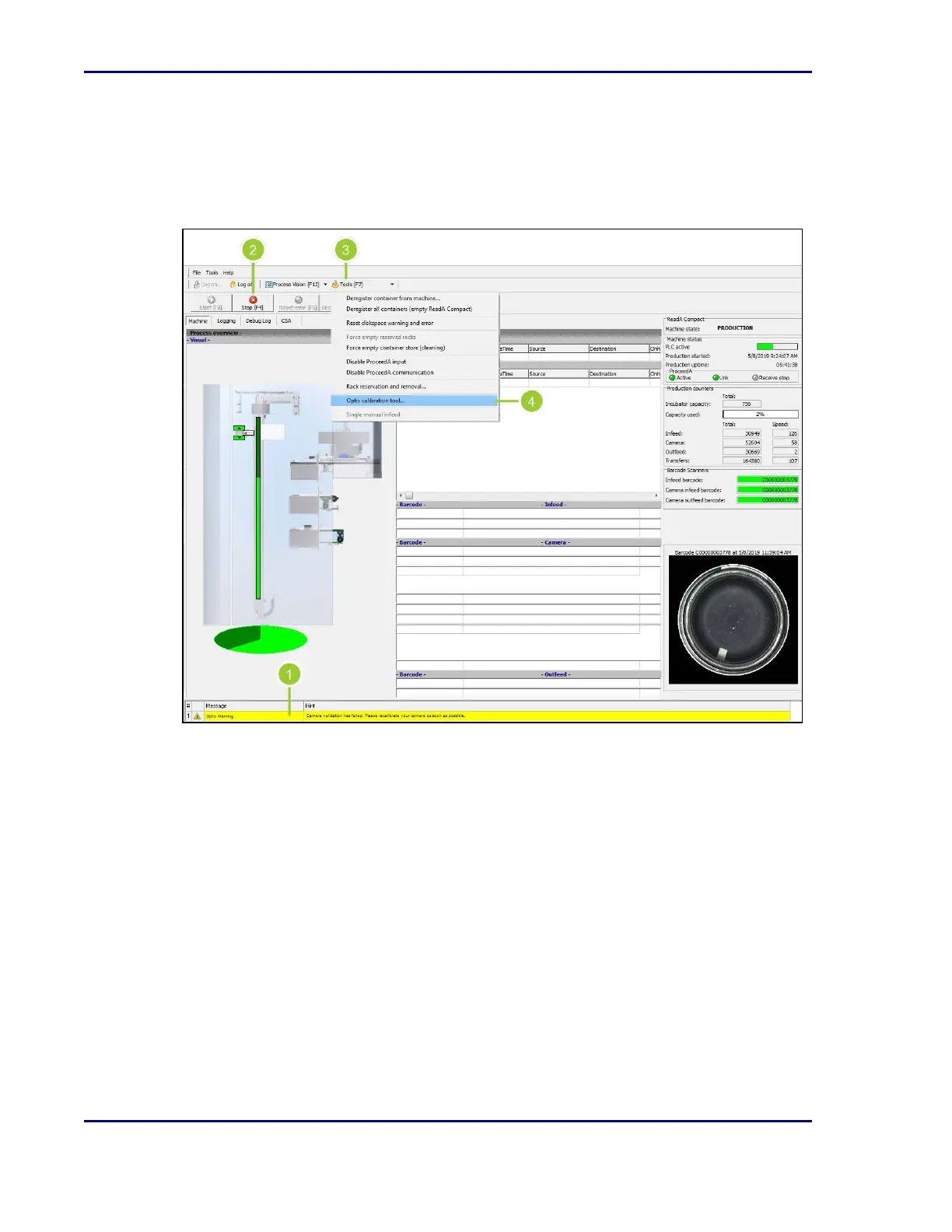
The ReadA application notifies the user with a warning message when a camera calibration
needs to be performed.
Figure 14 - Optis™ calibration
1. A warning message (1) is displayed in the ReadA application when a camera calibration
needs to be performed.
2. Select Stop [F4] (2).
3. Select Unlock door [F8] to unlock the incubator door and the cover over the camera unit.
4. Select Tools [F7] (3) from the ReadA application toolbar.
5. Select Optis calibration tool (4).
6. Follow the instructions in the wizard to complete the calibration.
BD Kiestra™ ReadA User's Manual










 To Next Page