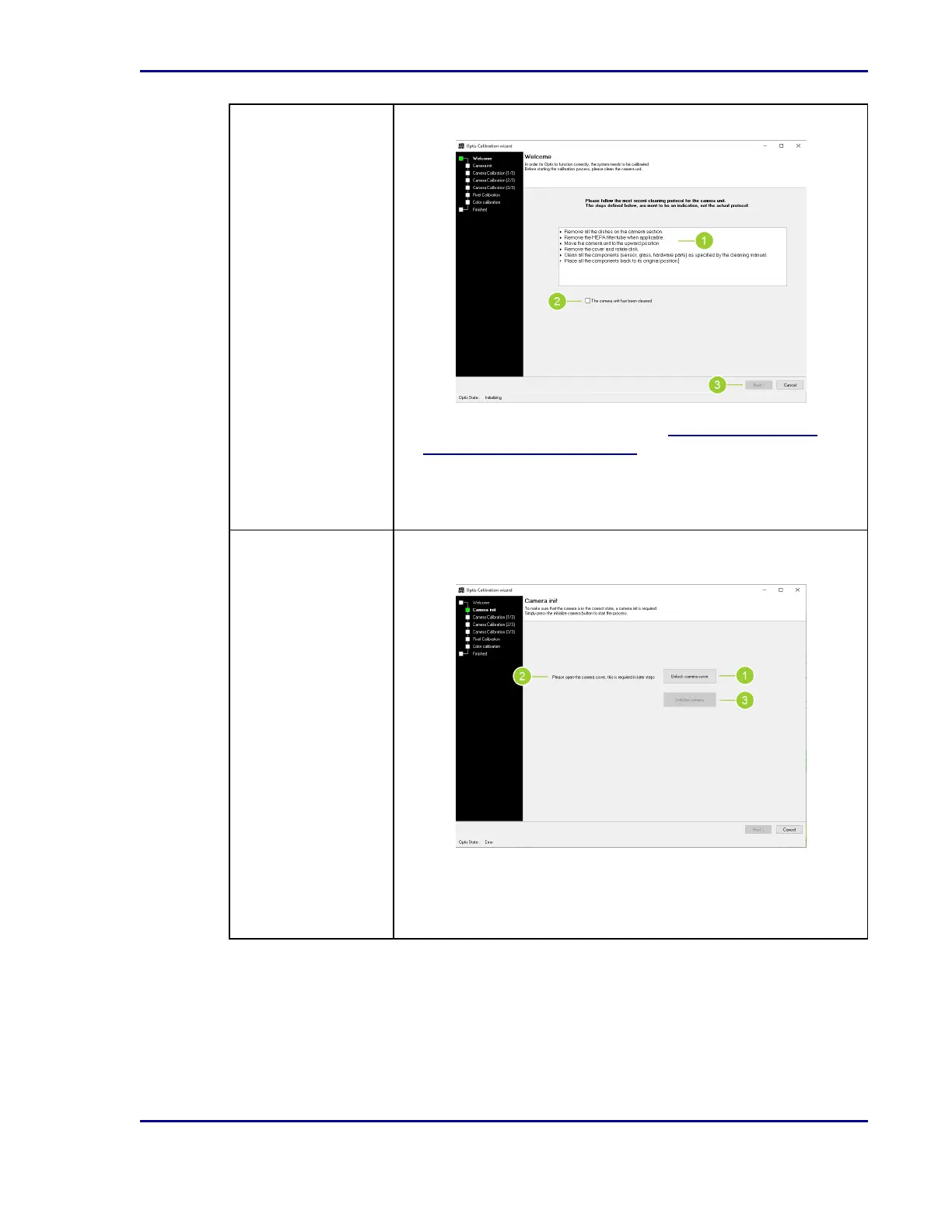
Step 1: Welcome The calibration of Optis™ starts with cleaning the camera unit.
1. Follow the steps described, utilizing 5.4.4.1Cleaning the
BDKiestra™ Optis™ camera as necessary.
2. Once all steps are complete, select the checkbox to indicate
Thecamera unit has been cleaned.
3. Select Next to move to the next step.
Step 2: Camera Init Camera initialization ensures the camera is in the correct state to
calibrate.
1. Select Unlock camera cover.
2. Open the camera cover.
3. Select Initialize camera. Select OK in the information dialogue.
49
5 - Cleaning and maintenance










 To Next Page