PN 177196BB
6-3
SAMPLE ANALYSIS
SAMPLE IDENTIFICATION
6
6.2 SAMPLE IDENTIFICATION
A Objectives
When you have completed this topic, you will be able to:
B State three options for entering/assigning a Sample ID in the Manual mode.
B State four options for entering/assigning a Sample ID in the Autoloader mode.
B Explain the auto-numbering feature and state when it is used.
B References
In the Online Help System or the Instructions for Use manual, refer to:
r
Sample Identification under Heading 3.1 INSTRUMENT SPECIFICATIONS.
r Sample ID (Entering/Selecting) under Heading 8.7 ENTERING SAMPLE/PATIENT INFORMATION.
r Auto-Numbering (Setting the AUTO_SID Starting Number) under Heading A.4 OPERATIONAL SETUP.
r Heading 5.6 WORKING WITH BARCODE LABELS (if the laboratory plans to use bar-code labels).
C Special Instructions
1. The instrument must be powered up.
2. Either a Supervisor or Service must be logged in to view Setup options, but this is
optional and is not required for covering the essential information in this topic.
D Topic Notes and Tasks
Assigning Sample IDs
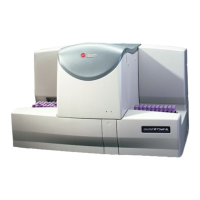
1. A Sample ID is required to process a sample on the A
C
•T 5diff AL hematology analyzer.
2. Sample IDs can be assigned to a sample in one of five ways; it can be:
a. Entered manually.
b. Scanned in by a hand-held barcode reader (optional).
c. Downloaded by a Host computer.
d. Read by an internal bar-code reader (Autoloader mode only).
e. Assigned automatically by the instrument (Autoloader mode only).
3. In the Manual (STAT) mode, the operator can enter a Sample ID on the Manual Mode
screen in one of three ways:
a. Manually type it in.
b. Scan in the barcode on the specimen tube label with the optional Barcode Scanner.
c. Use the search function on the Manual Mode screen to search for the Sample ID on
the Worklist if it has already been entered.

 To Next Page
 Loading...