24
DESCRIPTION OF OPERATION AND FUNCTIONS OF COMPONENTS
2 Doctor Unit Section
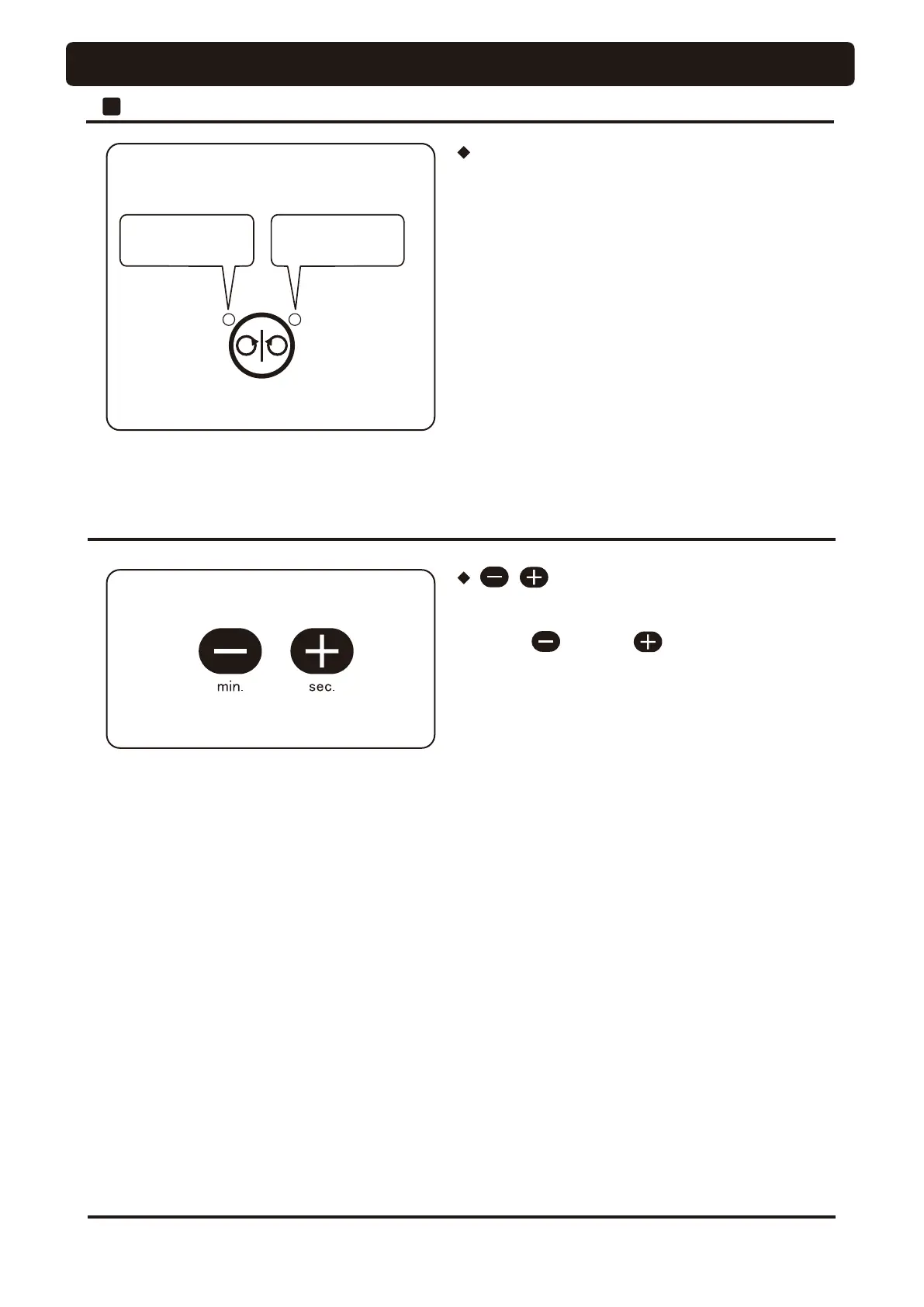
For reverse turning
(Only left-side LED
is lit in orange.)
For forward turning
(Only right-side LED
is lit in green.)
Micromotor forward/reverse select switch
• Use this switch for switching the micromotor rotation
direction. Pressing this switch each time changes the
direction between forward (clockwise) rotation and reverse
(counter-clockwise) rotation. Forward rotation is preset
power is on.
• In case a micromotor set for reverse rotation is returned to
its holder, the LED indicates forward rotation. When such a
micromotor is picked up, however, the LED indicates
reverse rotation and the alarm buzzer sounds.
* The rotational direction cannot be switched during rotation
of the micromotor. Use the switch after the micromotor
stops.
switch
• These switches are used mainly for switching the handpiece
setup mode.
• When the switch or switch is pressed,
the upper limit of the micromotor rotation speed changes in
3 steps (or 5 steps).
• The indicator indicates the selected mode.




 To Next Page