LR2000 Programming Manual V1.2
ESC { n
[Name] Turns on/off upside-down printing mode
[Format] ASCII ESC { n
Hex 1B 7B n
Decimal 27 123 n
[Range] 0 n 255
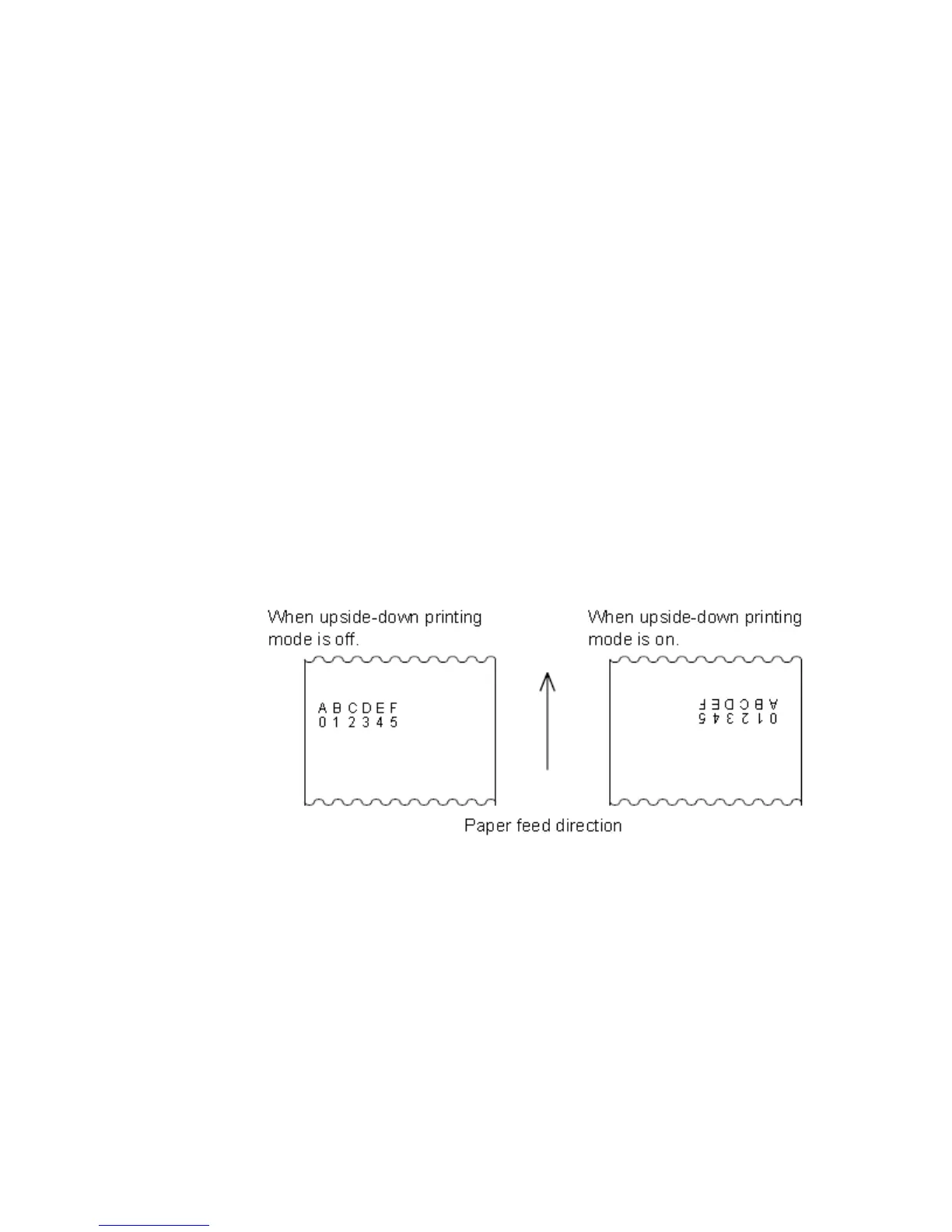
[Description] Turns upside-down printing mode on or off.
When the LSB of n is 0, upside-down printing mode is turned off.
When the LSBof n is 1, upside-down printing mode is turned on.
[Notes] Only the lowest bit of n is valid.
This command is enabled only when processed at the beginning of a line in
standard mode.
This command does not affect printing in page mode.
In upside-down printing mode, the printer rotates the line to be printed by 180and
then prints it.
[Default] n = 0
[Example]
ESC i (for cut)
[Name] partial cut paper
[Format] ASCII ESC i
Hex 1B 69
Decimal 27 105
[Description] ESC m select a paper cutting mode and then partial cut the paper.
ESC m (for cut)
[Name] partial cut paper



 To Next Page