LR2000 Programming Manual V1.2
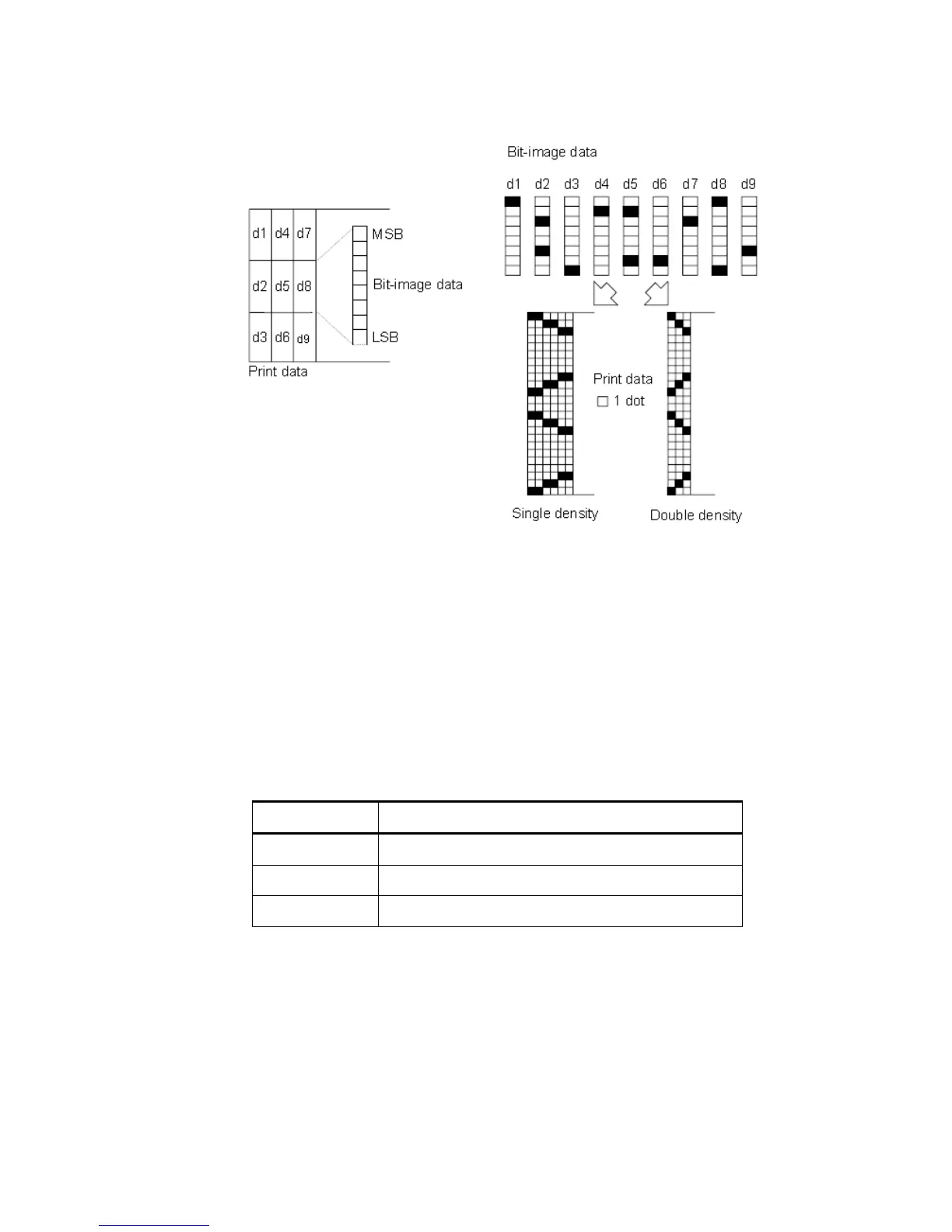
When 24-dot bit image is selected:
ESC - n
[Name] Turn underline mode on/off
[Format] ASCII ESC - n
Hex 1B 2D n
Decimal 27 45 n
[Range] n2, 48 n 50
[Description] Turns underline mode on or off, based on the following values
Turns on underline mode (1 dot thick)
Turns on underline mode (2 dots thick)
[Notes] The printer can underline all characters (including right-side character spacing), but
cannot underline the space set by HT.
The printer cannot underline 90clockwise rotated characters and white/black
inverted characters.
When underline mode is turned off by setting the value of n to 0 or 48, the following
data is not underlined, and the underline thickness set before the mode is turned
off does not change. The default underline thickness is 1 dot.
Changing the character size does not affect the current underline thickness.



 To Next Page