LR2000 Programming Manual V1.2
[Reference] GS /
GS / m
[Name] Print downloaded bit image
[Format] ASCII GS / m
Hex 1D 2F m
Decimal 29 47 m
[Range] 0 m 3, 48m51
[Description] Prints a downloaded bit image using the mode specified by m.
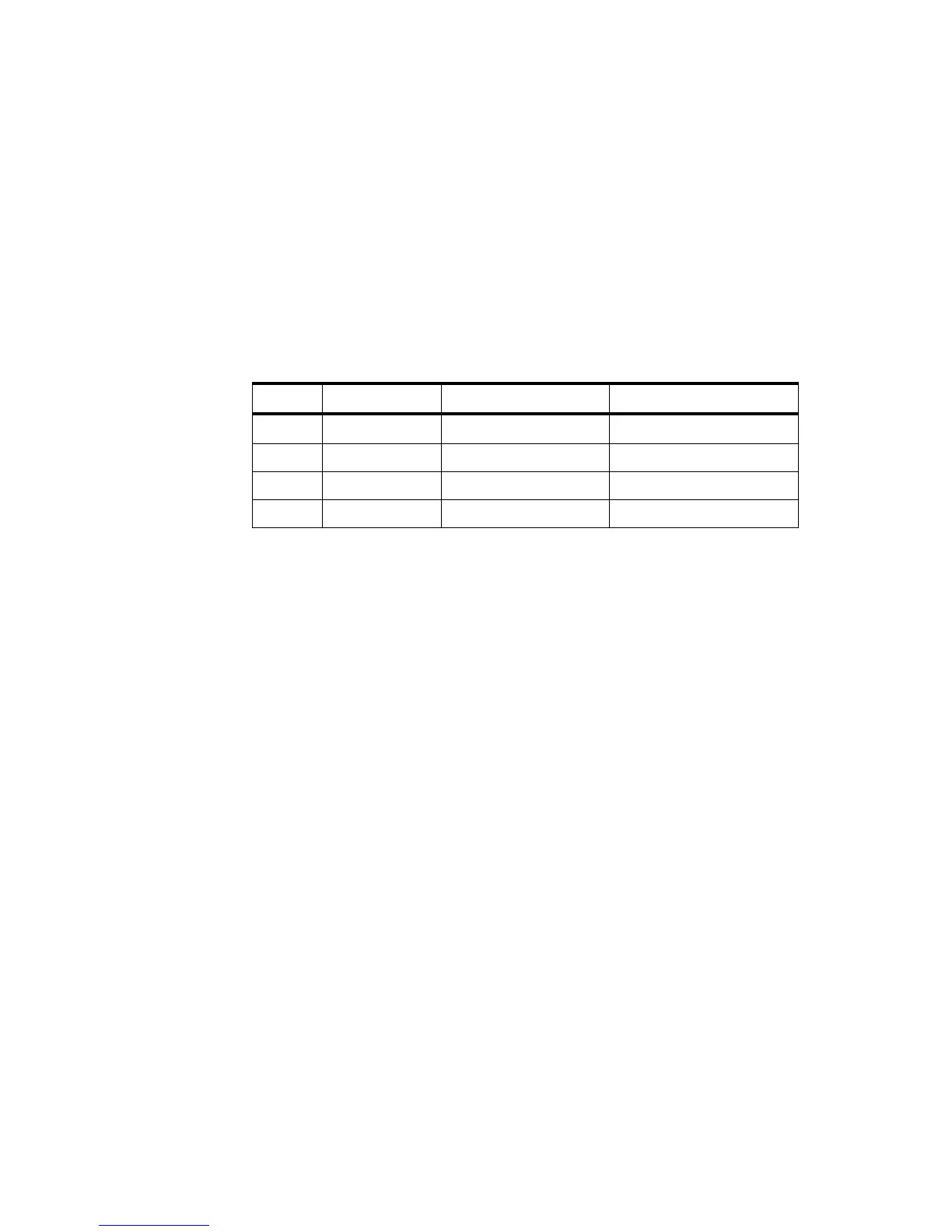
m selects a mode from the table below:
[Notes] This command is ignored if a downloaded bit image has not been defined.
In standard mode, this command is effective only when there is no data in the print
buffer.
This command has no effect in the print modes (emphasized, double-strike,
underline, character size, or white/black reverse printing), except for upsidedown
printing mode.
If the downloaded bit-image to be printed exceeds the printable area, the excess
data is not printed.
If the width of the printing area set by GS L and GS W is less than the width
required by the data sent with the GS / command; the following will be performed
on the line in question (but the printing cannot exceed the maximum printable area)
① The width of the printing area is extended to the right to accommodate the
amount of data.
② If step ① does not provide sufficient width for the data, the left margin is
reduced to accommodate the data.
For each bit of data in normal mode (m = 0,48) and double-height mode (m = 2,
50), the printer prints one dot: for each bit of data in double-width mode (m = 1, 49)
and quadruple mode (m = 3, 15), the printer prints two dots.
[Reference] GS
GS B n
[Name] Turn white/black reverse printing mode
[Format] ASCII GS B n
Hex 1D 42 n



 To Next Page