LR2000 Programming Manual V1.2
Partial cut (one point left uncut)
Feeds paper (cutting position + [n ×0.141 mm]), and cuts the
paper partially (one point left uncut).
[Notes for ① and ②]
Cutting status is different, depending on the installed auto-cutter type.
This command is effective only when processed at the beginning of a line.
[Note for ① ] Only the partial cut is available; there is no full cut.
[Notes for ②] When n = 0, the printer feeds the paper to the cutting position and cuts it.
When n ≠0, the printer feeds the paper to cutting position + [n ×0.141 mm] and
cuts it.
When the BM sensor is set to active, value set by GS ( F + 0.141mm is applied.
GS W nL nH
[Name] Set printing area width
[Format] ASCII GS W nL nH
Hex 1D 57 nL nH
Decimal 29 87 nL nH
[Range] 0nL 255
0 nH 255
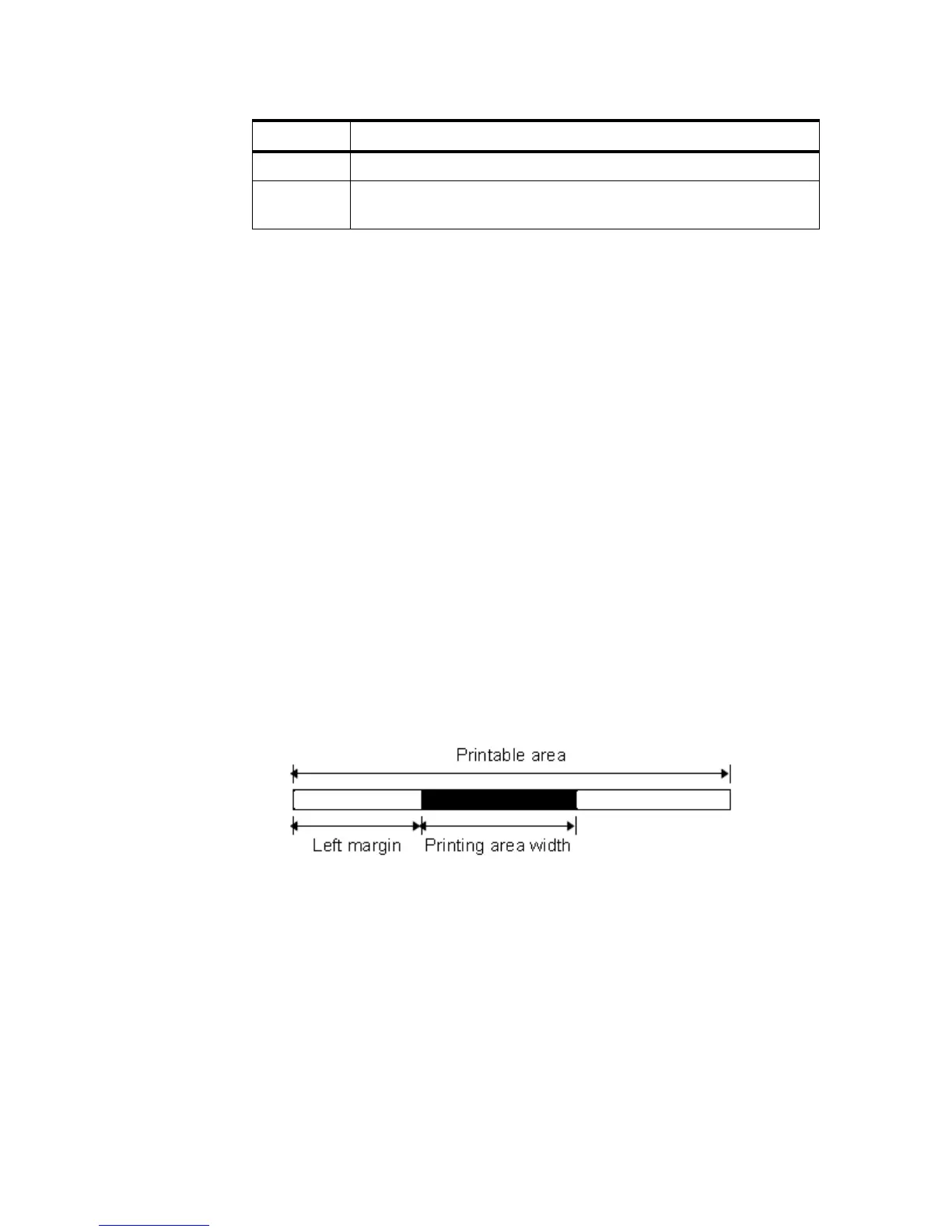
[Description] Sets the printing area width to the area specified by nL and nH.
The printing area width is set to [(nL + nH ×256) ×0.141mm (0.0055")].
[Notes] his command is effective only when processed at the beginning of the line.
If the setting exceeds the printable area, the maximum value of the printable area is
used.
The setting by GS L takes precedence over the setting by GS W. If the [left margin
+ printing area width] exceeds the printable area, the printer uses [Printable area
width - left margin]. However, the setting by GS W is still reserved, even when it is
not used in the current printing..
If the width set for the printing area is less than the width of one character, when
the character data is developed, the following processing is performed:
① The printing area width is extended to the right to accommodate one character.



 To Next Page