LR2000 Programming Manual V1.2
FS - n
[Name] Turn underline mode on/off for Kanji characters
[Format] ASCII FS - n
Hex 1C 2D n
Decimal 28 45 n
[Range] 0 n 2, 48 n 50
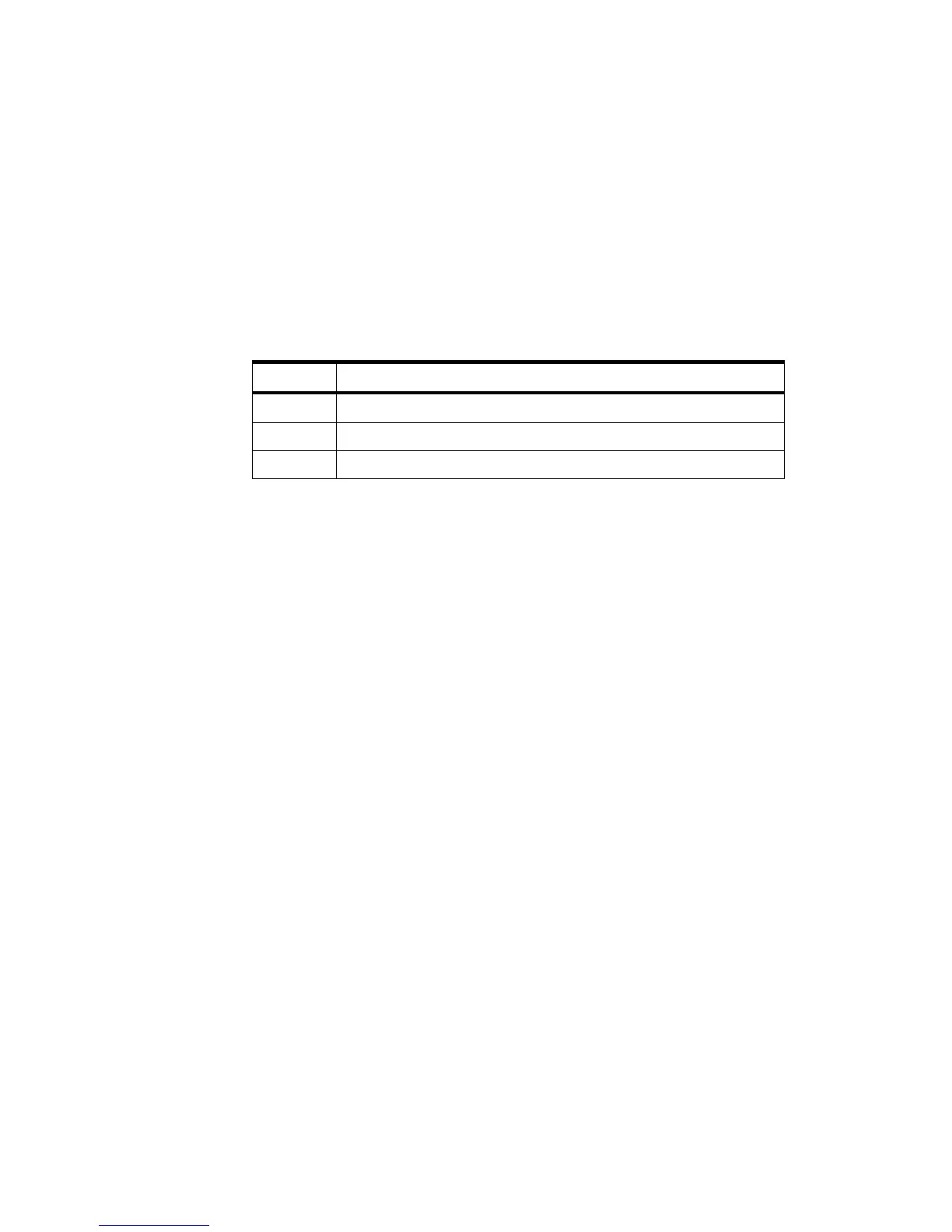
[Description] Turns underline mode for Kanji characters on or off, based on the following values of
n.
Turns off underline mode for Kanji characters
Turns on underline mode for Kanji characters (1-dot thick)
Turns on underline mode for Kanji characters (2-dot thick)
[Notes] The printer can underline all characters (including right- and left-side character
spacing), but cannot underline the space set by HT and 90° clockwise-rotated
characters.
After the underline mode for Kanji characters is turned off by setting n to 0,
underline printing is no longer executed, but the previously specified underline
thickness is not changed. The default underline thickness is 1 dot.
The specified line thickness does not change even when the character size
changes.
It is possible to turn underline mode on or off using FS !, and the last received
command is effective.
[Default] n = 0
[Reference] FS !
FS .
[Name] Cancel Kanji character mode
[Format] ASCII FS .
Hex 1C 2E
Decimal 28 46
[Description] Cancels Kanji character mode.
[Notes] For Kanji model:
When the Kanji character mode is not selected, all character codes are processed
one byte at a time as ASCII code.
Kanji character mode is not selected when the power is turned on.
[Reference] FS &



 To Next Page