Need help?
Do you have a question about the BenQ InstaShow VS20 and is the answer not in the manual?
Details the capabilities and functions of the InstaShow VS20 wireless presentation system.
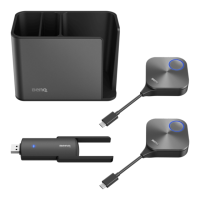
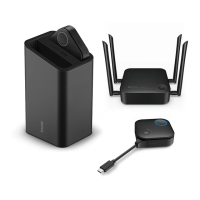
Lists all the items included in the InstaShow VS20 product box.
Provides technical details including model, interface, and performance parameters.
Describes the physical buttons on the InstaShow Button and their functions.
Details the ports, keys, and indicators on the InstaShow Host unit.
Explains the meaning of different LED light patterns on the Button and Host.
Specifies optimal environmental conditions for installing and operating the device.
Guides on physically setting up and mounting the InstaShow Host unit.
Provides instructions for optimal antenna placement to maximize signal reception.
Instructions for connecting the display and power sources to the Host.
Details methods for connecting the Host to a wired or wireless network.
Explains how to switch the Button's cable for different laptop port compatibility.
Guides on connecting and powering up the InstaShow Button to a laptop.
Step-by-step instructions for pairing InstaShow Buttons with the Host unit.
Procedures for restoring the Host and Button to their original factory settings.
How to configure the Host to enter a low-power network standby state.
Core steps to initiate, manage, and end wireless screen sharing sessions.
How to enable and use multi-user split screen sharing for collaboration.
Instructions for enabling remote control of the PC via touch gestures on a display.
Guides on integrating InstaShow with videoconferencing applications.
How to use an external webcam with InstaShow for improved meeting visuals.
Instructions for using InstaShow Buttons for audio capture in hybrid meetings.
Methods for logging into the Host's web management portal via direct or network connection.
Overview of the web interface layout including main sections and navigation.
Displays details about the Host's hardware, firmware, and network status.
Settings for configuring the Host's wired network connection (DHCP, Static IP).
Settings for configuring wireless network connections, SSIDs, and security.
Configuration for connected USB devices like cameras, microphones, and speakers.
Alternative method for pairing Buttons to the Host using the web interface.
Configures video output resolution and HDCP for the connected display.
Includes firewall, network service, standby mode, and video conference standby.
Manages the Host's system time and schedules automatic wake-up or standby.
Instructions on how to change the web management login password.
Procedures for updating the firmware for the Host and Button devices.
Options for backing up, importing, or resetting device configuration settings.
Tool to test the wireless connection speed between the Host and the Button.
Accessing system logs for tracking activity and diagnosing issues.
A comprehensive guide to resolving common issues with the InstaShow system.
Explains specific error codes, their causes, and potential solutions.
 General
| Brand | BenQ |
|---|---|
| Model | InstaShow VS20 |
| Category | Projector Accessories |
| Language | English |

 To Next Page